How to Create a One-Pager: A Step-by-Step Guide with Free Templates and Examples
Updated by Xtensio
Whether you’re pitching investors, onboarding a new client, summarizing a project, or sending a sales proposal — a one-pager is the fastest way to communicate what you do and why it matters. This guide covers how to make a one pager for any use case, with free templates you can customize and share as a live link. Use Xtensio’s AI to generate your first draft in seconds, or start from a free one-pager template and fill it in yourself.
Listen to this article:
Xtensio is your team space for beautiful living documents.
Create, manage and share business collateral, easily.
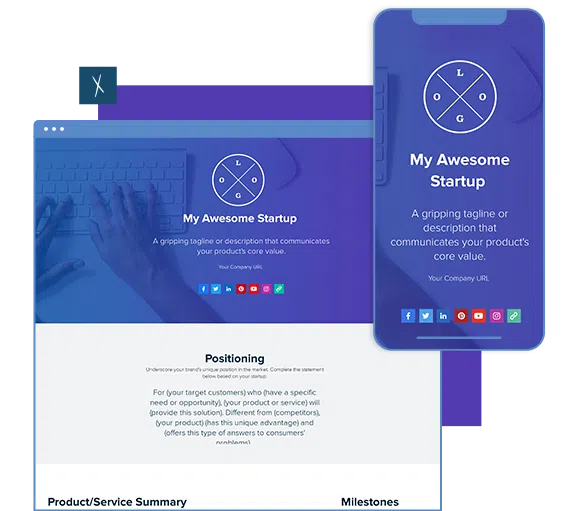
Table of Contents
What is a One Pager?
A One Pager is a concise, compelling pitch of your company. It details the core of your business—what you’re offering, how you’re delivering it, and why you stand out from the competition. This summary is expertly crafted to fit on a single, sleek webpage. Want a head start? Generate a one-pager with AI and edit it from there.
Why do I need it?
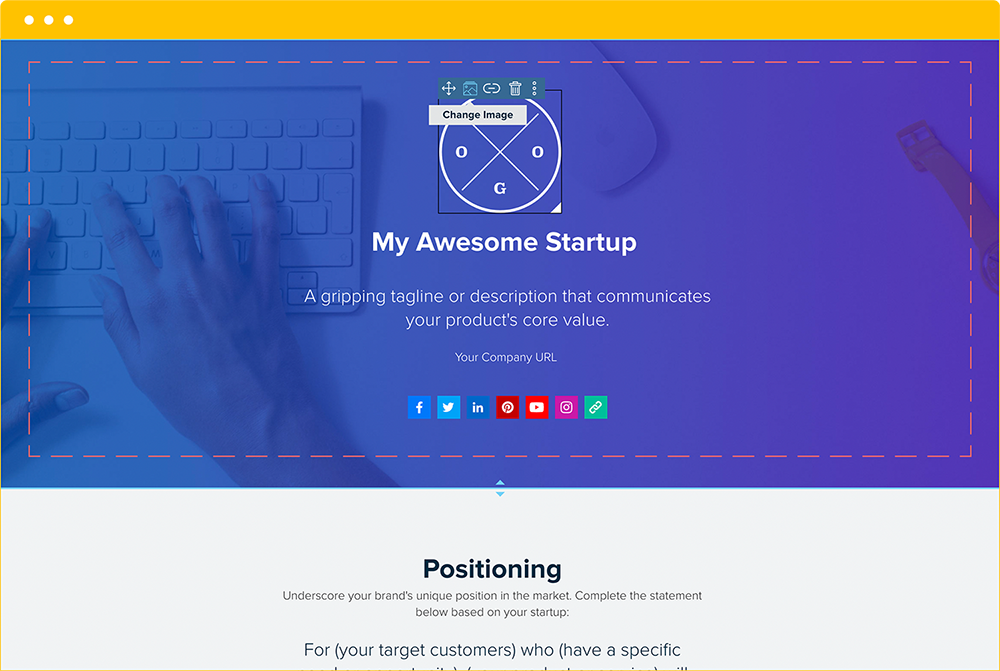
- Capture Interest: Investors see hundreds of pitches every day. They might remember the gist of a presentation, but often they don’t. A one-pager is designed to entice, inform, and resonate. It starts with a captivating cover image, a bold company name, and a gripping tagline, then moves into the essentials—positioning, fundraising plans, and intended users.
- Identify Potholes: If you find a section of the template tricky or it stirs up debate among your team, this is the perfect place to begin. Working on the one-pager will help you identify gaps in your business plan and areas that need more attention or tweaks. Along with various one-pager examples, we also recommend checking out our Business Model Canvas. It’s a great tool to capture your business plan in a clear, one-page diagram.
- Focus Decision-Making: Sales and marketing teams, as well as designers, can use the one-pager to make sure their work aligns with the company’s core values and goals. For extra inspiration, take a look at our marketing examples below.
Types of One-Pagers
Not all one-pagers are built the same. The structure, length, and emphasis change based on your audience and goal. Here are the six most common types — each links to a free template:
- Startup / Investor One-Pager — Covers your value proposition, business model, market size, team, and funding ask. Built to capture investor attention in under 60 seconds.
- Business One-Pager — A company overview for partners, prospects, or new hires. Includes your mission, key services, client logos, and contact details.
- Sales One-Pager — Product or service summary built for the sales conversation. Covers the problem, your solution, pricing options, and a clear CTA. Send it before or after a demo.
- Project One-Pager — Stakeholder alignment before the full brief is written. Captures project objective, scope, timeline, team, and success metrics on one page.
- Fact Sheet — A factual snapshot of your company, product, or initiative. Common for PR, media kits, and partner introductions. No pitch language — just the facts.
- Marketing / Brand One-Pager — A campaign or brand brief in a single page. Aligns designers, writers, and media buyers before launch so everyone works from the same source of truth.
- Capability Statement — A formal company overview for RFP responses, procurement, and new business outreach. Covers core competencies, past performance, differentiators, and contact information. Common in consulting, IT, and government contracting.
The sections in this guide apply across all types. Swap the ones that don’t fit your use case — a project one-pager won’t have a funding ask, and a fact sheet won’t have a CTA button.
Overview: Header
Company Name
What’s in a name? For a young company, your name is often the first impression you make on a potential consumer or investor. Make sure your name is well thought out and truly reflects your product, service, or philosophy. Here are some tips to help you create a strong company name for your one-pager:
- Consider the 5-10 Rule: “Great companies throughout history had 5 to 10 letters in their name, at least one hard consonant, and many had a repeating letter,” notes entrepreneur and startup consultant Peter Gasca.
- Say It Out Loud: There’s a running joke on the TV sitcom 30 Rock where Jenna stars in a film called “The Rural Juror.” On paper, the name is clear, but when spoken aloud, it’s incomprehensible. Make sure your name works both on paper and when spoken.
- Prepare for social media restrictions. Your company name will be shared in email subject lines and social posts. Short, simple, and unique titles stand out on social media platforms. Ensure your name is easily shareable and performs well across different digital formats.
- Secure your name and vanity addresses. Ensure that your name isn’t already trademarked and check its availability on common social media channels. If your name is available, secure it immediately! Even if you’re not active on the account, owning the account name prevents others from taking it and potentially confusing consumers when they search for your company.
Fast Hack: Ask for impressions! Bounce names off family, friends, baristas at the cafe downstairs—anyone with a fresh set of ears.
Logo
“A company’s logo is its shorthand, a visual cue that tells a story of the brand’s culture, behavior, and values.”
– Su Mathews Hale, senior partner at the New York brand-strategy and design firm Lippincott.
Mathews Hale emphasizes the importance of a logo being recognizable and impactful, even when reduced to the necessary dimensions for mobile devices and small screens. Check out this article on Best Global Rebrands and Logo Redesigns of Major Brands. It shows the companies’ former logos side-by-side with their updated versions. The overall trend shows logos becoming simplified and flattened. This trend can be attributed to the need for logos to be visible, recognizable, and clean on mobile devices and small screens.
Tagline
Your tagline should engage people while describing the core value of your product or service. A few tips about writing taglines:
- Keep it short. You’ll have room in other sections to go into detail about the inner workings and background of your product. Keep your tagline brief and direct. YouTube needed just two words — “Broadcast yourself.”
- Communicate with clarity. Business jargon, complicated phrasing and obscure words deter readers. Your tagline should simply convey the benefit of your company, product, or service.
- Narrow the focus. The broader your tagline is, the more people will forget about your product. The more focused it is, the more people will think about your product when a specific, real-world scenario occurs. That’s when the tagline is triggered in their minds, and they think about your product. You have to be specific and scenario-driven.
- Make them do a double take. Choose wording that captures readers’ attention and piques their curiosity to learn more about who you are.
- Update your tagline as your company evolves. Whether your business shifts to cater to a certain audience, scraps features to focus on others or switches in-person to on-line sales models, your tagline should reflect these developments.
Social Media
What’s the best way for outside investors and consumers to connect with your company? Maintaining multiple social media accounts takes time and thought. Ensure you’re on the sites that will get you the most traction, then focus your energy on building a following and maintaining it.
Don’t forget! Set custom URLs for your company. Even if it’s just a social media platform, people should have a way of easily locating your company on every platform.
Positioning
Positioning Statement
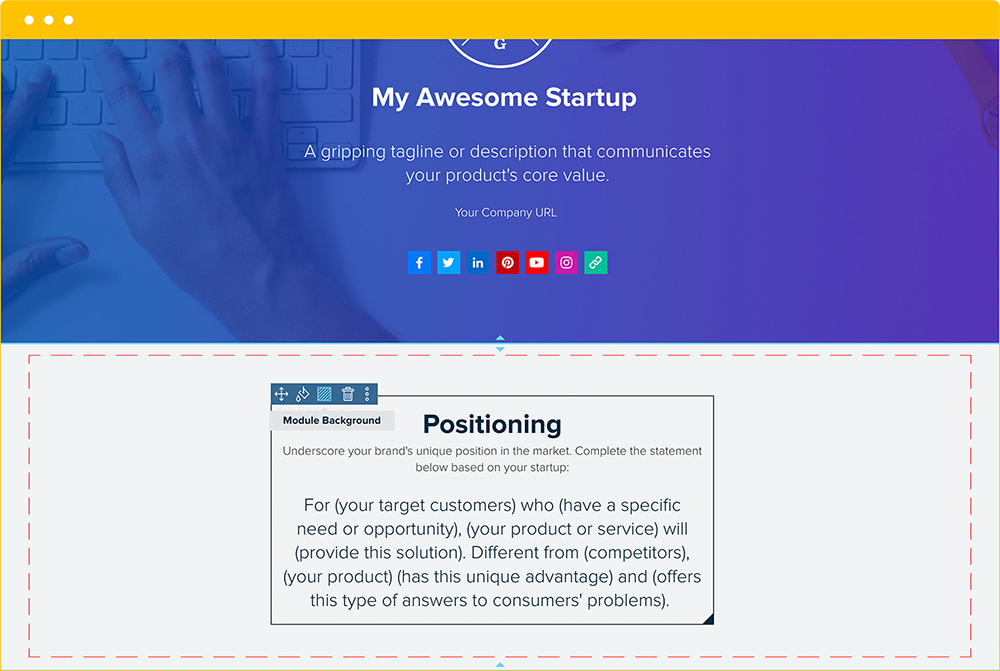
A positioning statement is a one or two-sentence declaration that communicates your brand’s unique value to your customers in relation to your main competitors. The goal is to create a unique impression in the customer’s mind so that he or she associates something specific and desirable with your brand that is distinct from rest of the marketplace. Positioning statements are useful for internal decision-making, as they guide and unite the marketing, sales and development teams’ choices. A positioning statement helps you make key decisions that affect your customers’ perception of your brand.
Careful! Your tagline is not your positioning statement. A tagline is an external statement used in your marketing efforts. Insights from your positioning statement can be turned into a tagline, but it is important to distinguish between the two.
Highlight your company’s unique value by using this positioning exercise:
For (your target customer) who (has a specific need or opportunity), (your product or service) is a (type of product category) that (supplies this benefit). Unlike (competitors), (your product) (has this unique advantage).
If you’re having trouble forming your positioning statement, you may need some help to determine how to position yourself in the market, and in the minds of your consumers. Try Xtensio’s Brand Positioning Canvas and check out this helpful article on how to nail your positioning. You can also explore the user persona template and other strategy exercises to help find your market fit.
Here are some questions to ask to determine if your positioning statement is working.
Does your positioning statement:
- Differentiate your brand from your competitors?
- Match customer perceptions of your brand?
- Enable growth?
- Identify your brand’s unique value to your customers?
- Express your brand promise as believable and deliverable?
Is your positioning statement:
- Focused on your core customers?
- Memorable and motivating?
- Easy to understand?
- Difficult to copy?
Will your positioning statement:
- Withstand counterattacks from your competitors?
- Help you make more effective marketing and branding decisions?
Product/Service Summary
Core Offering
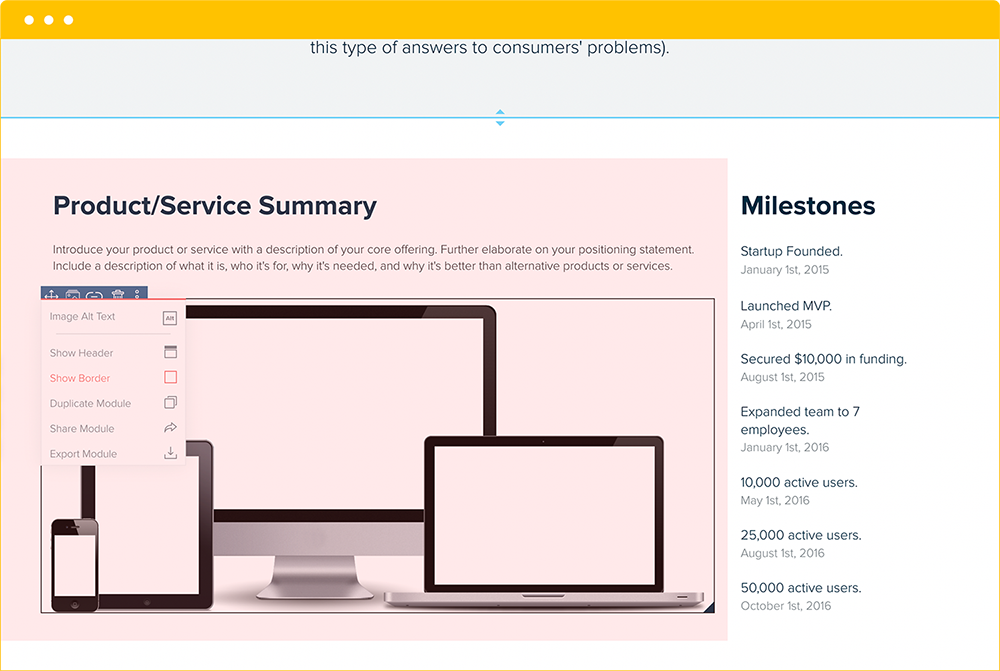
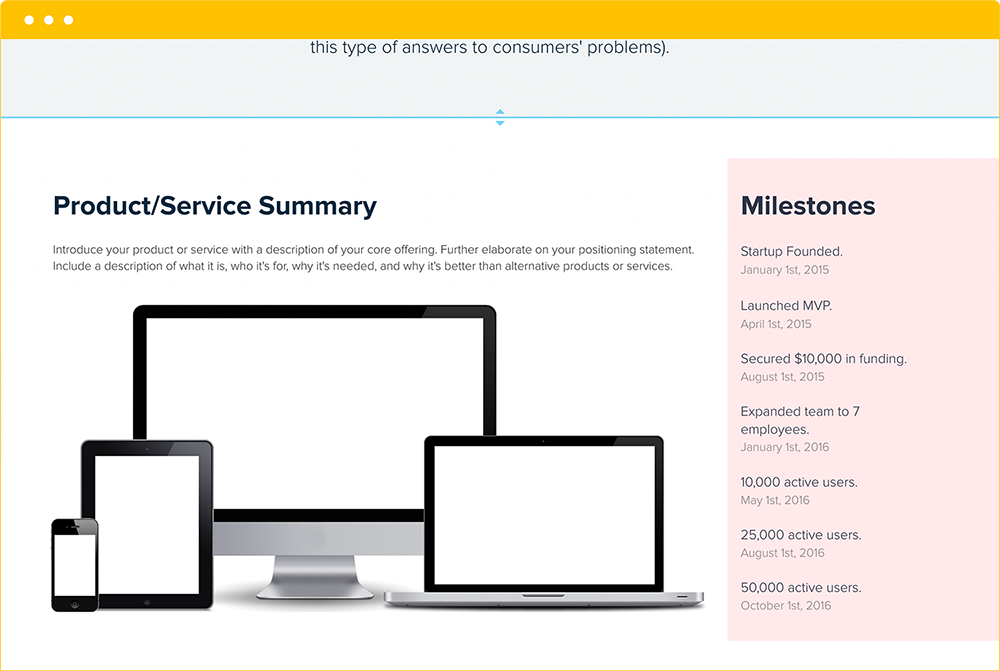
Introduce your product or service with a description of your core offering. Elaborate on your positioning statement. Include a description of what it is, who it’s for, why it’s needed, and why it’s better than other products or services. The summary sections help you elaborate on the problem faced by your consumers and how your product provides a solution.
Milestones and Funding Goals
A Brief Timeline
Highlight your company’s major accomplishments. This section offers readers a quick understanding of your business’s timeline, where and when you started, the path you’ve taken and where you currently stand in terms of users, features, funding, employees, community recognition etc. Increased number of users, increased revenue and additional services prove that:
- You can sell
- You can scale
- You can iterate and develop
- You’re in the right market
- You can attract talent
How Much Money Do You Plan To Raise?
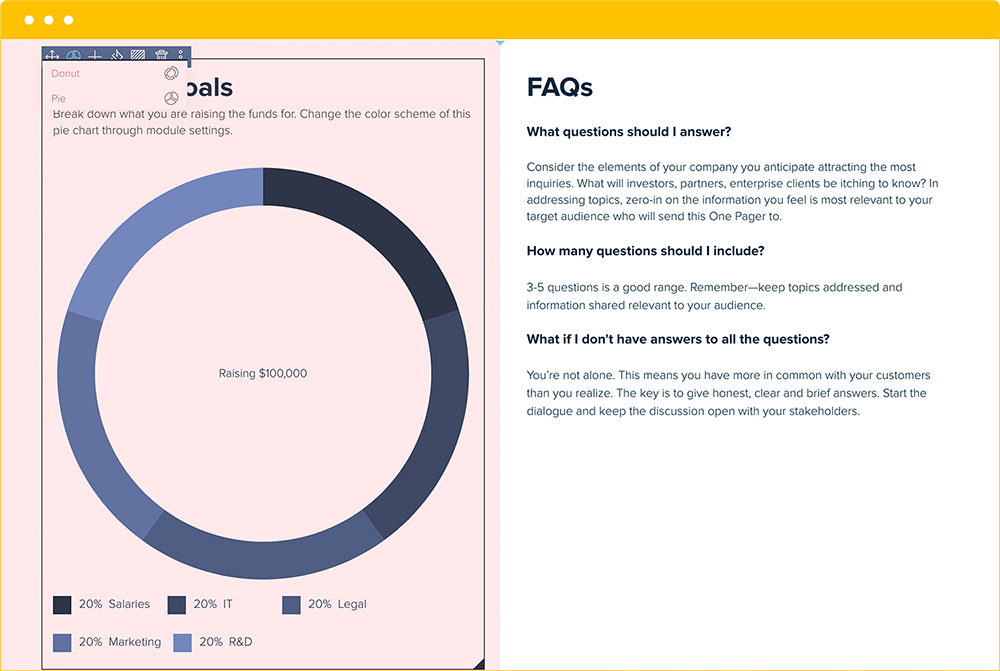
Why do you need a certain amount of funding? How long do you expect your funding to last? Adjust the graph’s legend to illustrate your budget allocations. No matter the stage of your business, if you’re just starting out or thriving in the marketplace investors are going to want to know exactly why and how you’re using their money.
Consider these tips when defining the funding you need:
- Focus on the specific. What are you currently looking to achieve: product development, product/market fit, sales expansion? Know precisely how funds will be applied to get to the next step.
- Run lean. More money is not always better. Especially if you’re just starting out, working with a strict budget can be useful. It ensures every decision is made with care and all choices are precise, well-researched, and efficient. Also, you’ll learn to problem-solve, work within parameters, think outside the box and leverage free resources.
- Factor in unexpected fees. Because you never know what issues and opportunities are waiting down the road.
Problems and Solutions
The Problems
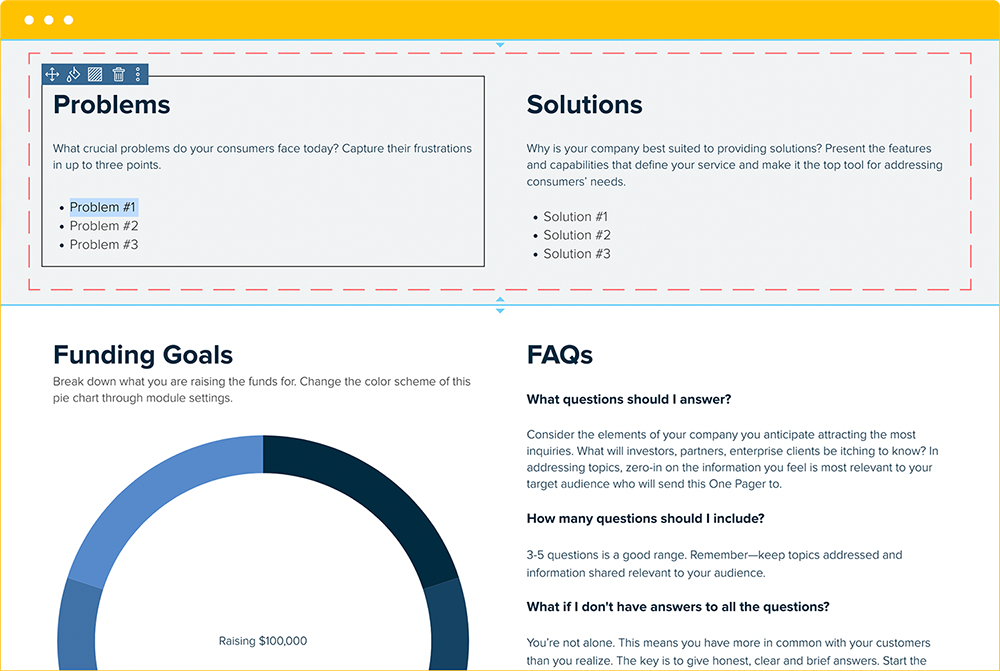
What crucial problems do your consumers face today?

Quick tip! Avoid writing down high-level problems. These tend to be obvious, too large in scope, and difficult to achieve. Yes, people in real estate want to sell real estate. Get more specific.
If your consumers have no problems, no frustrations, no desires—this is a problem. It means you have nothing to offer them and, therefore, you don’t have a business. Problems lead to working business models.
Careful! Identifying the wrong problem is a problem. If your Problems section is skewed, everything else on the document will be too—your positioning, solutions, fundraising goals, etc.
The Solutions
What makes your company best suited for providing solutions?
Present the features and capabilities that define your service and make it the top tool for addressing consumers’ needs. Your solutions should specifically address the problems you listed on the one-pager, and should clearly explain how they help your consumers overcome them.
FAQs
Frequently Asked Questions
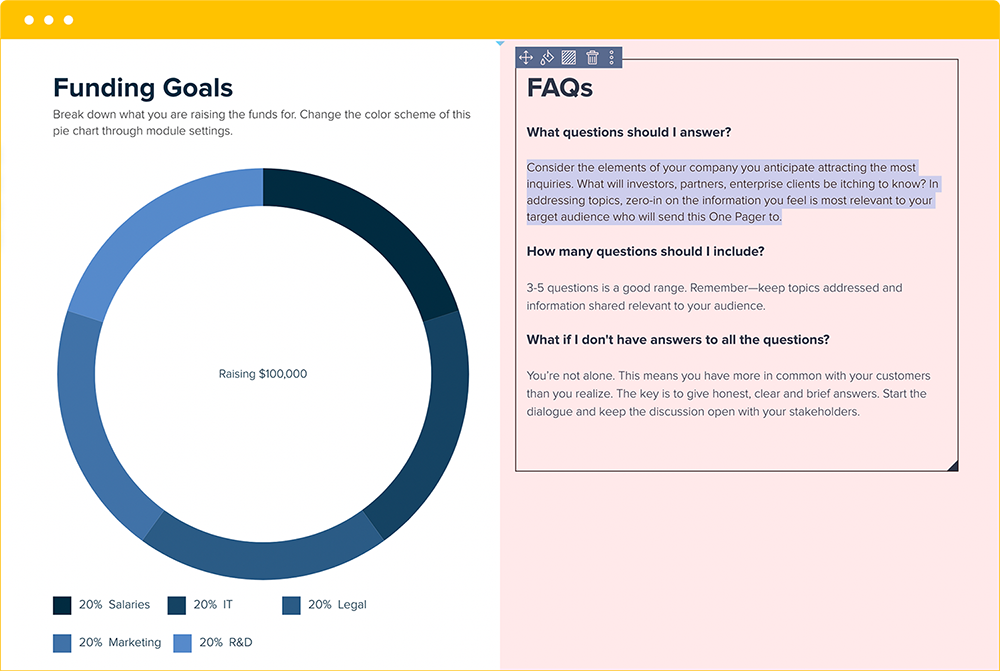
What elements of your business do you anticipate raising the most concern? Consider these from an outsider’s perspective, identifying potential points of confusion and red flags. Reflect on aspects of your business that you haven’t covered elsewhere on the one-pager.
Core Team
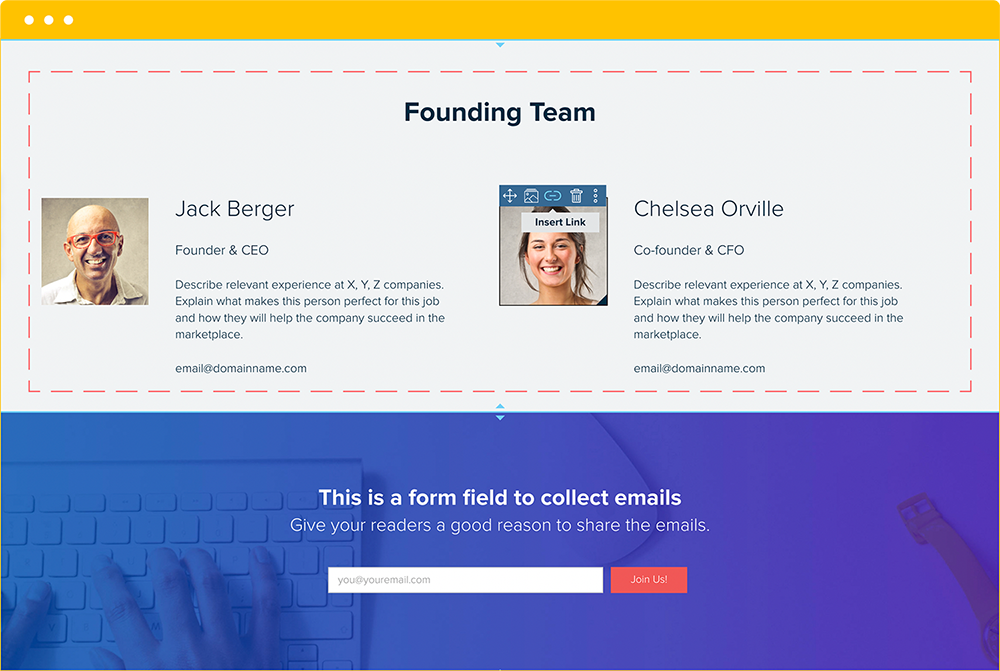
The Face Of Your Business
Investors aren’t just signing on to work with a company, they’re signing on to work with people. In this section, humanize your company by providing relevant information about yourself and your teammates.
This section is also useful when onboarding employees. It will give them a quick and clear impression of the people at the core of the business—individuals they’ll be supporting and helping steer the company.
Bonus Resource! Check out this list of 8 types of photos you should never use as professional profile pictures. Just as you should avoid certain images when deciding on a LinkedIn photo, you should follow the same guidelines when selecting images for one-pagers, websites, and other work-related platforms.
Email Collection
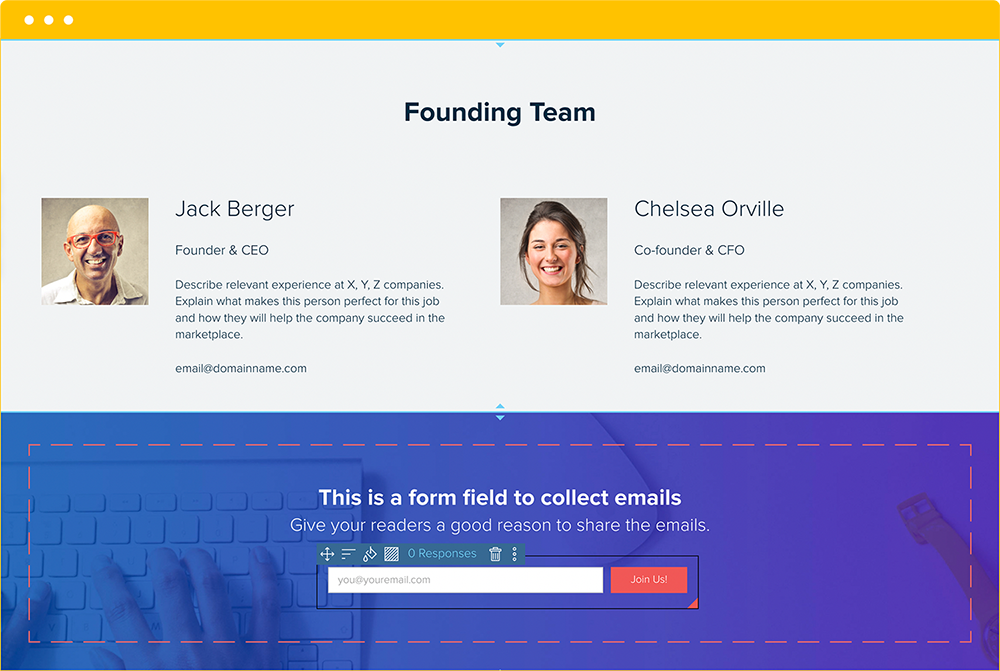
Building An Email Base
You’ll want to keep track of everyone who expresses interest in your business. Attracting potential investors, users, employees, and journalists requires communication. By collecting email addresses, you can reach out with updates, invitations, and product launches. As you’re growing and refining certain areas of your business, send out questionnaires, surveys, and personal inquiries to better understand the people who are interested in your company. Particularly after pitching to investors, you’ll want to follow up to thank them for considering your business and to gauge their interest. If you don’t send an email to touch base—you’ve missed an opportunity.
Pro tip: You can also use the landing page template to test a specific idea or measure interest and collect email addresses. And if you’re looking for a print-friendly version of the one-pager, check out the fact sheet template, which is a more condensed version and is created to fit on a single printed page.
Why Static One-Pagers Fall Short
Most teams create one-pagers in PowerPoint, Google Docs, or PDF tools. The result is a static file that starts aging the moment it is exported. Investor metrics go stale. Product features get updated but the one-pager does not. The version you emailed last month still circulates with outdated numbers.
With a living deliverables workspace, your one-pager stays current after you share it. Update your traction numbers or pivot your positioning, and every stakeholder with the live link sees the latest version. No re-sending, no version confusion, no stale first impressions.
Pro tip: Share your one-pager as a live link instead of a PDF attachment. When you update a number or rewrite your positioning, every recipient sees the change instantly without you re-sending anything.
From Draft to Delivery: The One-Pager Workflow
The best one-pagers follow a create, deliver, and reuse cycle. Start with a template to get the structure right in minutes. Customize it with your brand, data, and positioning. Share it as a live link so recipients always see the current version. Then reuse the same one-pager across investor meetings, client pitches, and partner introductions, updating it each time rather than starting from scratch.
This workflow is especially valuable for startups and agencies who pitch frequently. Instead of maintaining a folder of outdated PDFs, keep one living document that evolves with your business. Each version builds on the last, and your audience always sees professional work that is ready to send.
How to Make a One Pager: Step-by-Step
Here is the fastest way to go from blank page to shareable one-pager without spending hours on layout:
- Start with AI or a template. Use Xtensio’s AI one-pager generator to produce a first draft based on a short description of your company or project. Or open the free one-pager template directly — the structure (header, positioning, key sections, CTA) is already in place. Either way, you start with content, not a blank page.
- Add your header. Replace the placeholder company name, logo, and tagline with your own. Your tagline should describe your core value in one short line — what you do and for whom.
- Fill in your key sections. Edit your positioning statement, product or service summary, traction metrics, and team section. Drop sections that don’t apply to your use case. Add a custom section if you need one.
- Match your branding. Update colors, fonts, and images to match your brand. If you don’t have a full brand kit yet, pick one accent color and apply it consistently throughout.
- Share as a live link. Instead of exporting a PDF, share the live link. Recipients always see the latest version — update a number or swap an image and every link reflects the change instantly.
The whole process takes 20–40 minutes for a first draft. If you get stuck on a section, skip it and return — the template works even if some sections stay minimal.
One pager format: what to include and how to structure it
A one pager does not have a rigid format — the goal is to communicate the most important information clearly, without padding. That said, most effective one-pagers follow a consistent structure that guides the reader from context to action.
The core sections of a one pager format
- Header. Company name, logo, and a one-sentence tagline. This is the first thing a reader sees — make the tagline specific to what you do and for whom, not aspirational fluff.
- Positioning statement. A 2-3 sentence description of what you offer, who it is for, and what makes it different. Avoid category jargon. Write as if you were explaining it to someone outside your industry.
- Product or service summary. A brief description of the core offering with 2-4 specific benefits or features. Use concrete language — “reduces report time by 60%” is more persuasive than “saves time.”
- Traction or proof. Revenue, customer count, growth rate, awards, press, or notable clients. Even one credibility signal here changes how the rest of the document reads.
- Problem and solution. Frame the market gap you address and why your approach works. Investors and partners need to see that you understand the problem before they trust your solution.
- Team. Names, photos, and one-line bios for key people. For investor-facing documents, highlight relevant experience. For sales documents, this is optional.
- Call to action. What do you want the reader to do next? Book a call, visit a URL, reply to an email. Be specific.
Not all one-pagers need every section. A sales one pager might skip the team section entirely. A nonprofit one pager might replace traction with impact metrics. The structure is a starting point — trim it to what actually serves your reader.
How long is a one pager?
A one pager should fit on one page when printed at standard size (8.5 x 11 inches or A4), or on one screen when shared digitally. In practice, this means 300–600 words of body text, supplemented by headers, visuals, and white space. If you are creating a live link (rather than a PDF), the page can scroll slightly — but the first screen should deliver the core message without requiring the reader to scroll.
Xtensio’s one pager templates are designed to hit this balance automatically. The module layout handles spacing, and the AI draft tool keeps sections concise by default.
One pager examples by use case
The format stays consistent — but the emphasis shifts significantly depending on your audience and goal. Here are the most common one pager types with notes on what each version should emphasize.
Startup one pager
Used for investor outreach and pitch meetings. Lead with the problem and market size, then your traction and funding ask. Keep the team section prominent — early-stage investors bet on people as much as product. Avoid technical product details; focus on why now, why you, and what you will do with the money.
Template: Startup one pager template
Business one pager
A general-purpose overview of your company — useful for partnership conversations, media inquiries, and cold outreach. Lead with your value proposition and who you serve, then add a traction summary and contact details. This is the version most people mean when they say “company one pager.” It should be updated quarterly as your numbers improve.
Template: Business one pager template
Sales one pager
A leave-behind or follow-up document sent to prospects after an initial conversation. This version is product-centric. Lead with the problem your product solves, then your core features, pricing tiers (if you disclose them), and a clear CTA. Social proof — a customer quote or a recognizable logo — carries significant weight here. Sales teams often create multiple versions tailored to different verticals.
Nonprofit one pager
Used for grant applications, donor meetings, and community outreach. Replace revenue metrics with impact metrics — number of people served, outcomes achieved, or milestones reached. Lead with the cause and why it matters, not the organization. Funders want to understand the problem you are solving before they care about your operational structure.
Consulting or agency one pager
A capability overview sent before or after a new business meeting. Focus on the type of work you do best, 2-3 relevant case studies (even brief summaries), and your engagement model. Agencies with a narrow focus close more business from their one pager than generalists — use it to signal your specialty, not your full service list.
Template: Capability statement template
Project one pager
An internal or external brief summarizing a project’s goals, scope, timeline, and success metrics. Used at the start of a project to align stakeholders or during a review to communicate status. Replace marketing language with operational specifics: what is being built, who is responsible, what does success look like, and when does it need to happen.
One pager vs. pitch deck: which one do you need?
These two documents serve different moments in the same conversation. Understanding when to use each one avoids sending the wrong thing at the wrong time.
- One pager: Sent before a meeting to establish context, or after a meeting as a leave-behind. It should be readable in 2-3 minutes without explanation. Investors, partners, and prospects read it alone — it needs to stand on its own.
- Pitch deck: Built to be presented in real time, with a speaker walking through each slide. Without narration, a pitch deck often fails to communicate on its own because slides rely on the presenter to fill in context.
The practical rule: if someone asked you to “send something over” before a call, send the one pager. If you have a scheduled 20-minute presentation slot, bring the pitch deck.
Some founders create a “standalone deck” — a pitch deck with enough text to be read without narration. This is a reasonable hybrid, but it tends to run long. A tight one pager and a presentation-ready deck are better tools than a single document trying to do both jobs.
Common one pager mistakes to avoid
Most one pagers fail for the same reasons. Here is what to watch for before you send yours.
- Too much text. A one pager crammed with paragraphs signals that the author cannot prioritize. Cut your first draft by 30%. If a sentence does not answer “so what?” for the reader, remove it.
- Vague positioning. “We help businesses grow” is not positioning. Specificity builds credibility. Name the audience, the specific problem, and the specific outcome you deliver.
- No traction signal. Even early-stage companies have something — beta users, waitlist signups, revenue, a notable customer, or press. Including at least one credibility signal changes how the rest of the document is read. Without it, readers mentally classify you as unproven.
- Missing a call to action. Every one pager should close with a clear next step. “Learn more at xtensio.com” is weak. “Book a 20-minute call: calendly.com/yourname” is specific and actionable.
- Inconsistent branding. Mismatched fonts, low-resolution logos, and clashing colors make even good content look unprofessional. Use your actual brand colors. If your logo is only available in a dark version, use a light background.
- Sending a static PDF. PDF one-pagers become outdated the moment you close them. When a number changes or you land a new customer, you have to re-export and re-send. A live link means every recipient always sees the latest version — no version control problem, no outdated documents in inboxes.
- Writing for yourself, not your reader. The reader of your one pager is not already convinced — they are evaluating you. Write every sentence from the perspective of someone who has never heard of your company and is deciding in 3 minutes whether to respond.
One pager tips for specific audiences
For agencies and consultants
Create multiple versions — one per service line or industry vertical. A generalist one pager wins fewer pitches than a targeted one that speaks directly to a prospect’s context. Lead with relevant case studies, not your founding story. Prospects want to know if you have solved their specific problem before, not how long you have been in business.
For freelancers
Your one pager is a capabilities brief, not a portfolio. Summarize your specialty, the type of clients you work with, what a typical engagement looks like, and your rates (even a range). Including 2-3 portfolio links is more effective than a long list — let your best work speak for the rest. Update it every time you land a notable new client or complete a significant project.
For SaaS and product companies
One pagers for software companies tend to overweight features at the expense of outcomes. Lead with the job the product does — “helps sales teams close deals 40% faster” — not the feature list. If you have usage data or customer retention numbers, these are more persuasive than feature counts. Include a screenshot of the product in context, not just a logo on a clean background.
For job seekers and professionals
A professional bio one pager is a stronger networking tool than a resume for casual professional contexts — conferences, informational meetings, introductory emails. Keep it to your current role and 2-3 past achievements, what you are working toward, and the best way to reach you. Avoid the resume format; write in first or third person, not bullet-point job descriptions.
Frequently asked questions about one pagers
What is a one pager?
A one pager is a single-page document that summarizes the most important information about a company, product, project, or person. It is designed to be read quickly — typically in 2-3 minutes — and is used in contexts where a full presentation or detailed report is not appropriate. Common uses include investor outreach, sales prospecting, partnership introductions, and project kick-offs.
How long should a one pager be?
A one pager should fit on a single page when printed at standard size (8.5 x 11 or A4), which typically means 300-600 words of body text. When shared digitally as a live link, it can scroll slightly — but the core message should be visible without scrolling. If your content exceeds one page, cut sections that do not serve the reader’s primary question.
What should a one pager include?
Most one pagers include a header (name, logo, tagline), a positioning statement, a product or service summary, traction or proof (metrics, notable clients, or press), a team section, and a call to action. The sections vary by use case — a sales one pager might skip the team section, while an investor-facing one pager will emphasize traction and funding ask.
What is the best format for a one pager?
The most effective format depends on how it will be used. For digital sharing, a live link is better than a PDF because it stays current — update the content once and every recipient sees the latest version. For print handouts at events, a PDF exported from a well-structured template works fine. Xtensio supports both: create your one pager as a live folio and export to PDF when needed.
What is the difference between a one pager and a resume?
A resume lists your work history in reverse chronological order and is formatted for applicant tracking systems. A one pager is more flexible — it tells a story about what you do and what you offer, written for a human reader. For networking and introductory contexts, a one pager is often more effective than a resume because it can be tailored to a specific audience and does not look like a job application.
Is a one pager the same as a pitch deck?
No. A pitch deck is designed to be presented live, with a speaker providing context for each slide. A one pager is designed to be read alone, without narration. Use a one pager when someone asks you to ‘send something over’ before a call. Use a pitch deck when you have a scheduled presentation slot. Some founders create both — the one pager for initial outreach and the pitch deck for the actual investor meeting.
How do I make a one pager fast?
The fastest way to make a one pager is to start with a template. Xtensio offers free one pager templates with sections already in place — open the template, replace the placeholder text with your own content, update the colors and logo, and share the live link. Xtensio also has an AI one pager generator that produces a first draft based on a short description of your company or project, which you can then edit.
Is there a free one pager template?
Yes. Xtensio offers free one pager templates for startups, businesses, sales teams, consultants, and more. Sign up for a free account to access the full template library and the AI one pager generator. No credit card required.
What is an Amazon one pager?
An Amazon one pager (sometimes called a ‘working backwards’ document or PR/FAQ) is an internal Amazon format used to pitch new products or features. It takes the form of a mock press release combined with a FAQ section, written as if the product already exists. The goal is to force clarity about what the product does and why a customer would want it before any code is written. It is different from the typical business one pager — it is an internal planning tool, not an external-facing pitch document.
Final Thoughts
Bringing It All Together
Your One Pager is not set in stone. Like other Xtensio templates, it should be repurposed, revisited, and revised. Startups frequently use one-pagers to make sure their efforts are aligned with their vision. But the template can also work well for established companies, small businesses, and others. Ultimately, the goal of the one page summary is to succinctly convey your message to your target audience: be it potential investors, users or employees.
BONUS: To make a winning case for potential customers create a digital brochure.
Written by

Other One-Pager Examples (that you can copy and edit)

Built for Teams That Create and Share
Xtensio gives you more than templates. Organize deliverables by client or project in Workspaces, share as a Live Link that updates without re-sending, and see who viewed your work with Engagement Analytics.
Create Your One Pager with Xtensio
Ready to build a professional one pager? Xtensio’s startup one-pager template gives you a clean, branded starting point if you’re pitching investors or early partners. For established businesses presenting to clients, the company one pager template is built for sales conversations and partnership outreach. For client-facing proposals with more detail, the consulting proposal template has you covered. All templates work in your browser, look great on any device, and update in real time when you share the link.

Create and deliver beautiful work, professionally.
Build, brand, and deliver living documents your clients actually engage with.







Join 411,449 professionals delivering work with Xtensio.
Related: Business One Pager Template

