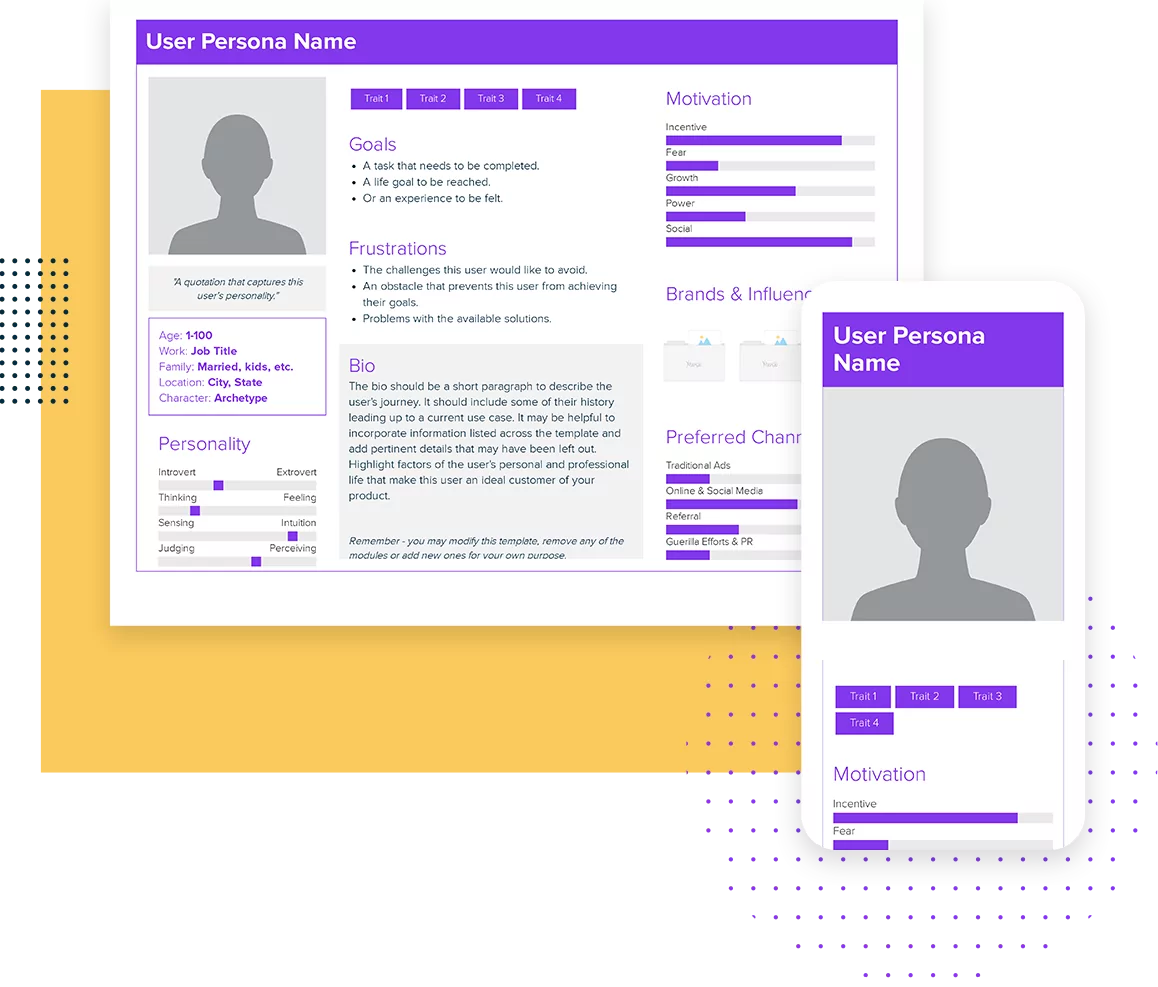
BONUS: How To Create A User Persona.
Try our AI Persona Generator to create a user persona in seconds.
User Persona Template
Build a clear, research-driven user persona that helps understand who you’re designing, building, and marketing for. Create it manually or let Xtensio AI generate a complete persona in minutes—then share it as a live, interactive deliverable.
Your persona is a living document—collaborative, branded, and always current. It connects with journey maps, pitch decks, and other key deliverables.
Create personas manually or with AI
Auto-apply your brand and layout
Edit with drag-and-drop
Collaborate in real time with your team or clients
Deliver as a live link, PDF, or PNG
Track engagement to see what’s actually being read
Free to start. No credit card required.
Trusted by 410,837 teams to align strategy and execution.
Xtensio is the workspace for professional deliverables.
Make one deliverable today—then build a repeatable system for every client and project.
This is where teams create, collaborate, organize, and deliver the documents that run their work.
Everything stays on-brand, current, and ready to share.

Organize every deliverable
Keep strategy, sales, marketing, and client docs together by workspace.
Create fast, stay consistent
Start from 200+ templates or AI drafts, then apply your brand kit.
Collaborate in the doc
No more “final_v7.pdf” loop.
Standardize across deliverables
Apply your brand kit + reusable modules so every deliverable matches.
Improve what you send
See engagement, iterate, and reuse what works across projects.
Want your user persona generated—and ready to use?
Xtensio AI researches, structures, and builds a complete persona—ready to edit, share, and reuse.
Just describe your audience. Xtensio AI researches, analyzes, and builds a complete, formatted user persona—structured for real-world decisions, collaboration, and delivery.
Each AI-generated persona includes everything your team needs to align, act, and communicate:
Background & role
Goals & motivations
Pain points & challenges
Behaviors & decision drivers
Preferred channels & tools
Messaging insights
Key quotes
Talking points
Everything appears inside your folio—ready to edit, share, and keep up to date.
You’re always in control—edit, customize, and reuse your persona like any other Xtensio deliverable.
How to create a user persona with Xtensio (and actually use it)
Whether you build your persona manually or with AI, Xtensio helps you turn research into a shareable, up-to-date persona your whole team can actually use.
- Collect research
Gather insights through interviews, analytics, surveys, and customer feedback—everything that informs real decisions.
- Identify patterns
Identify shared goals, behaviors, frustrations, motivations, and obstacles across your audience.
- Fill out the persona template
Structure your insights inside the persona template—demographics, pain points, responsibilities, preferred channels, and decision drivers.
- Share with your team
Share your persona as a live link, collaborate in real time, and align stakeholders around a single source of truth.
- Keep your persona updated
Keep your persona up to date as your product evolves. Xtensio makes revisions easy—and lets you reuse your persona across other research and strategic planning documents.
What do teams do after creating a persona?
A user persona isn’t the final deliverable—it’s the foundation. Teams use personas inside Xtensio to align decisions, shape messaging, and build the documents they actually share.
Common next steps include:
- Refining messaging and positioning based on real user motivations
- Mapping journeys and use cases to identify gaps and opportunities
- Creating one-pagers, pitch decks, and sales collateral tailored to each audience
- Aligning teams and stakeholders around a shared understanding of the customer
Because everything lives in one workspace, your persona stays connected to the work it informs—always current, always reusable.
What is a user persona template?
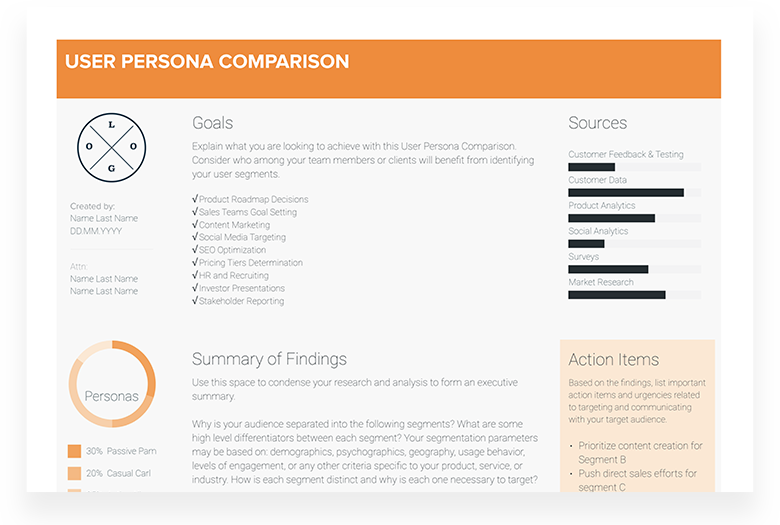
User Persona Definition: A user persona is a research-backed profile that represents a real customer segment—not a fictional character. It captures who your audience is, what they care about, and how they make decisions when interacting with your product, service, or content.
While personas describe an “ideal” customer, the insights inside them should never be hypothetical. Effective personas are built from data, interviews, analytics, and real-world research—and evolve as you learn more.
Defining buyer personas is also an essential exercise for any UX design, product, marketing and sales team to ensure that the product you’re designing, building and selling speaks to your customers’ pain points, needs and expectations.
Inside Xtensio, persona templates aren’t static PDFs. They’re living, collaborative documents that stay connected to your broader strategy—so as customer insights change, your messaging, product decisions, and deliverables stay in sync.
How do you fill out a user persona?
Before you fill out a user persona template (also known as a buyer persona or customer profile), start with real research. Talk to customers. Review analytics. Run interviews, surveys, and questionnaires. Capture patterns—not assumptions.
A strong user persona takes effort to build, but it becomes a go-to reference for product, design, marketing, and sales decisions. When grounded in real data, personas help teams align quickly and ensure what you create, communicate, and deliver actually resonates.
Here are some tips for creating your user personas:
- Give your personas a name or title so teams can reference it easily in conversations and planning.
- Add a photo to humanize the persona and make it easier to remember.
- Include a short quote that captures how this persona thinks or speaks about their challenges.
- Outline key demographics to provide quick context around background, environment, and constraints.
- Identify core archetypes that explain motivations, behaviors, and decision-making styles.
- Highlight key personality traits that influence how this persona evaluates products or messages.
- Define goals and frustrations—what success looks like, and what gets in the way.
- Add a concise bio that summarizes their journey and responsibilities.
- Capture motivations and brand influences that shape trust and action.
- Clarify preferred channels so teams know where and how to reach them effectively.
Once completed, your persona becomes more than a research artifact. Teams use it to shape messaging, inform journey maps, guide content creation, prioritize features, and align stakeholder decisions across projects.
For a deeper dive, follow our How to Create a Persona Guide.
Xtensio’s flexible modules help you organize and evolve your personas alongside the rest of your strategy—without wrestling with formatting or design.

QUICK TIP: After identifying your user persona, the next natural step is mapping the user journey experience as they interact with a brand, event, product, or service.
Who Uses Xtensio Persona Templates?
Founders
Clarify who you’re building for — and use that clarity to shape your pitch, roadmap, positioning, and investor materials. Personas become a shared reference across strategy and delivery.
Consultants & Agencies
Create polished, branded personas for clients — then reuse them across proposals, plans, and reports, all managed in one client-ready workspace.
Product & UX Teams
Align research, design, and development around real user needs. Keep personas connected to journeys, feature decisions, and evolving product documentation.
Marketers
Turn insights into action. Use personas to guide messaging, content, and campaigns — and deliver strategy docs that stakeholders can actually use and share.
Personas in Xtensio don’t live in isolation — they connect directly to the documents teams use to plan, present, and deliver work.
Why Teams Choose Xtensio (Not Static Templates)
Most persona templates are static PDFs or Google Docs — created once, exported, and forgotten.
Xtensio turns personas into living, shareable deliverables that evolve with your product, customers, and strategy.
Create faster
AI-powered persona creation
Fully branded layouts (colors, fonts, logo auto-applied)
Drag-and-drop editor
Collaborate & deliver
Real-time collaboration & comments
Live link sharing
PDF/PNG exports
Keep everything connected
Version history as your insights evolve
Engagement analytics to see what’s actually read
One workspace for personas, journeys, plans, and other strategy docs
More deliverables teams build after personas
Personas don’t live in isolation. In Xtensio, they connect directly to the strategy and delivery documents teams use to make decisions, align stakeholders, and ship work.
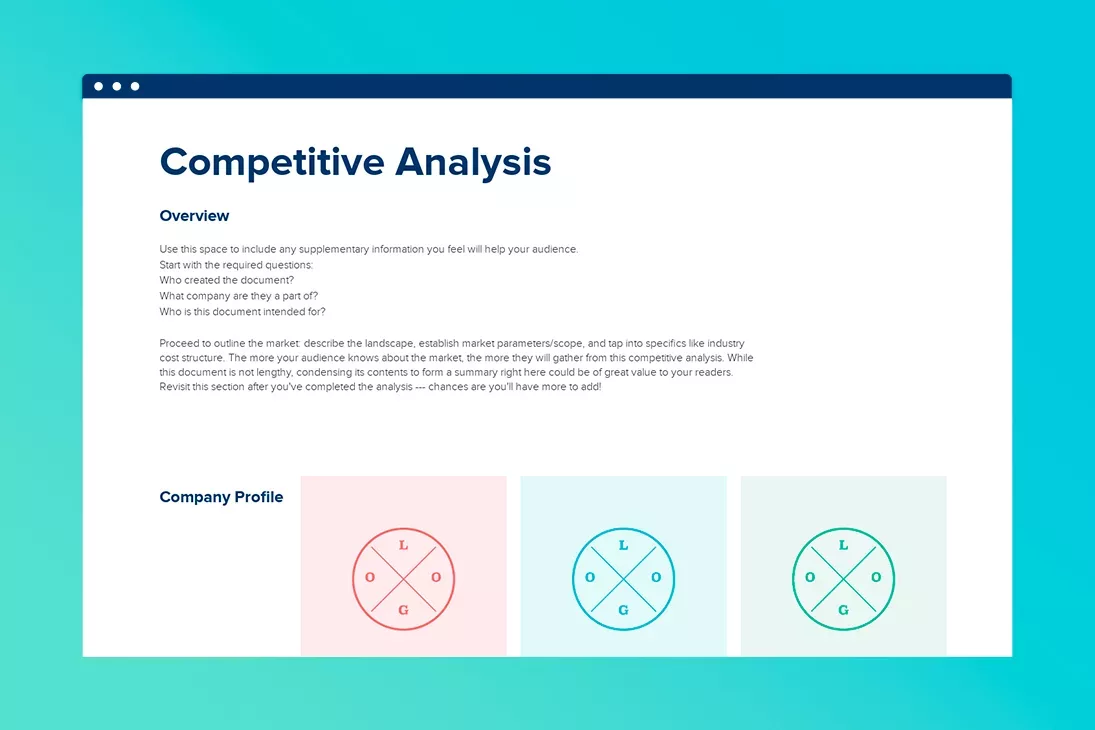
Build and reuse journey maps, competitive analyses, one-pagers, pitch decks, and more — all inside the same workspace.
What’s Next?
A persona is only useful when it drives decisions. Connect it to the rest of your workflow.
See how Xtensio compares
Wondering whether Xtensio is the right fit for your team? See how it stacks up:
Related to the User Persona Template
Fully customizable templates that you can make your own.
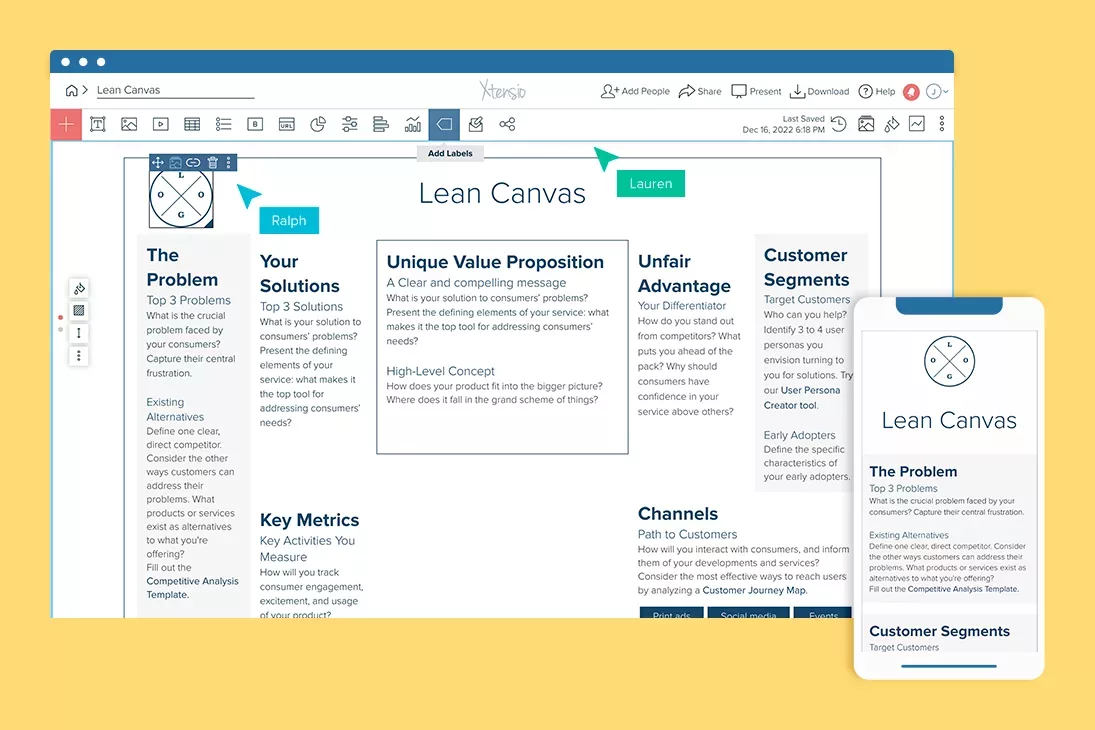
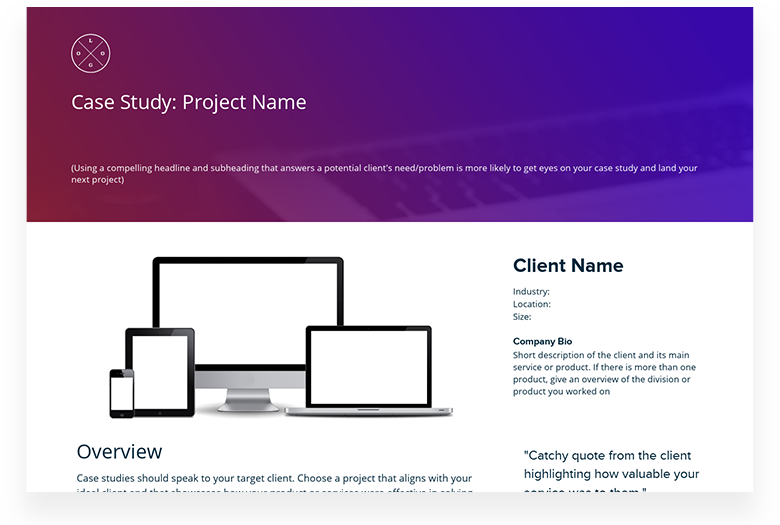
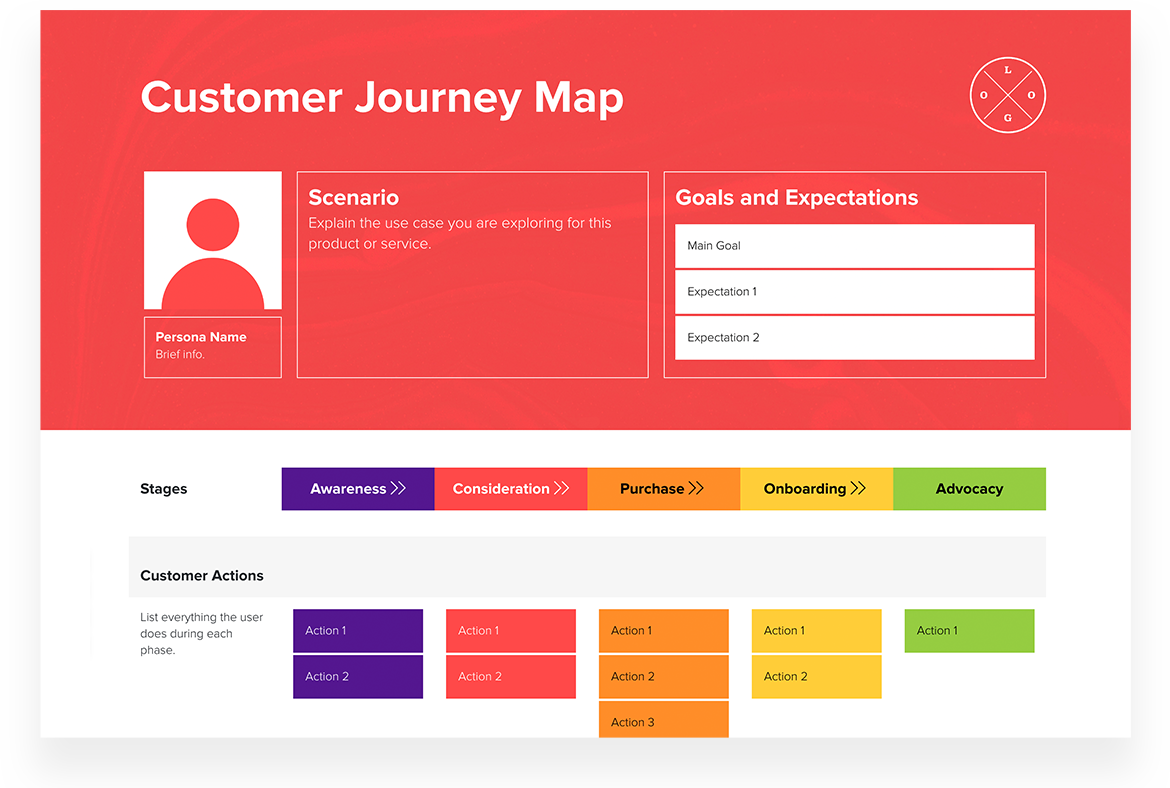
Teams use Xtensio to create, share, and improve professional deliverables.
Trusted by 410,837 teams, founders, and consultants.



Grace Ghunaim
Global Chief Strategy Officer (CSO) @

David Nason
CEO/Founder @

Jeff Schenck
Marketing Manager @

Ryan Dobson
Global Engineering Manager @

Arthur van de Graaf
Founder @

Apurva Pathak
Technical Product Manager @

Jenny Johansson
UX Manager @

Zac Heisey
Director of Digital Marketing @

Jacklyn Swiecicki
Marketing Manager @
Frequently asked questions
User persona questions answered
How many user personas should I create?
Most teams need 3-5 personas. Fewer than 3 and you are probably lumping distinct user groups together. More than 5 and you lose focus — the team cannot keep 8 personas in their head during a design sprint. Start with your top 3 customer segments by revenue or usage, build those personas, and add more only when you discover a segment with genuinely different needs, not just different demographics.
What is the difference between a user persona and a buyer persona?
A user persona represents the person who actually uses your product — their workflows, frustrations, and goals with the tool itself. A buyer persona represents the person who makes the purchase decision — their budget constraints, evaluation criteria, and organizational pressures. In B2C, these are usually the same person. In B2B, they are often different: the marketing manager uses the product daily, but the VP of Marketing signs the contract. Build both when your user and buyer are different people.
How often should I update my personas?
Review personas quarterly, update them when something material changes. Triggers include: launching in a new market segment, significant changes in your product, a shift in your customer demographics, or when your sales team starts hearing objections your personas do not account for. Personas that sit untouched for a year become fiction. The point of a persona is to reflect your actual customers, not your assumptions from 12 months ago.
Can I create personas without doing user interviews?
You can, but label them as hypothesis personas. Use data you already have: support tickets, NPS survey comments, CRM notes, analytics behavior patterns, and sales call recordings. These sources give you real user language and behavior even without formal interviews. Then validate the persona by talking to 5 actual customers. Five conversations will confirm or shatter most of your assumptions.
What research methods work best for building personas?
The best method is the one you will actually do. In order of depth: (1) direct user interviews — 30 minutes each, 5-8 per segment; (2) contextual inquiry — watch users do their job in their environment; (3) survey data — larger sample size but less depth; (4) analytics and behavioral data — quantitative patterns without the why; (5) sales and support team interviews — secondhand but fast. Most teams combine interviews with analytics data: the interviews tell you why, the analytics tell you how many.
What is the difference between a persona and a customer segment?
A segment is a group defined by shared characteristics (industry, company size, role). A persona is a detailed portrait of one representative person within that segment — their daily life, goals, frustrations, and decision-making process. Segments help you size your market and target your ads. Personas help you design your product and write your messaging. You need both: the segment tells you where to focus; the persona tells you what to say when you get there.
How do I validate my user personas?
Share the persona with your sales, support, and customer success teams. Ask: “Does this feel like a real person you have talked to this month?” If they say yes without hesitation, you are close. If they say “sort of, but…” then dig into what is off. Also test personas against recent customer data: do the behavioral patterns in your persona match what you see in your analytics? A persona that contradicts your product usage data is a persona built on wishful thinking.
What is Xtensio?
Xtensio is the quickest and easiest way for teams to create, share and manage all of their business documents together. Create pitches, sales sheets, reports, case studies, agendas and more. Add images, videos, tables, buttons and other interactive modules. Drag and drop, resize, change backgrounds, colors. Share a link. Present a digital slideshow. Export a PDF/PNG.
What’s a folio?
A folio is a live webpage, a full-screen digital slideshow presentation and an exportable PDF/PNG document unified. Folios are responsive, collaborative and completely customizable.
Start from an instructional template, editable example or a blank folio to build all your business documents and presentations with the ease of a web builder. Add team members and guests to work together in real-time on the cloud. Changes instantly sync to the live version of the folio so both internal and external stakeholders are always up-to-date. Folios are the next generation of flexible documents and presentations.
Is my data private and secure?
Yes. All Xtensio plans include 128 bit SSL encryption and backups to ensure your data is secure. Here’s more on the range of sharing options on Xtensio, from completely private to public.
Can I create a free user persona?
Yes. You can try out Xtensio’s simple editor and any template, including the user persona template without creating an account. Create a free account to save your work: Free includes 10 deliverables, live links, unlimited PDF and image exports, and the brand kit for your own logo and colours. On Free, exported PDFs and PNGs carry a repeating Xtensio watermark and shared links carry a small Xtensio badge. Xtensio Plus removes Xtensio branding from exports and live links and adds up to 5 people on the team.
What happens after I share a persona?
Once shared, Xtensio lets you see how your persona is actually used. You can track views, understand engagement, and follow up at the right time.
This is especially valuable when sharing personas with clients, executives, or cross-functional teams — so your work doesn’t disappear into inboxes or folders.
Will my persona match my brand?
Absolutely. Xtensio auto-applies your logo, colors, and typography across every document you create.
Can I see if clients or stakeholders actually read my persona?
Yes. When you share a persona as a live link, Xtensio shows you view activity and engagement insights—so you know what’s being opened, read, and revisited.
Does Xtensio offer AI to create personas?
Yes — Xtensio AI can generate a complete persona for you, including responsibilities, motivations, pain points, channels, messaging insights, and more.
Every AI-generated persona is fully editable and lives alongside your other strategy documents, ready to share and deliver.
What would I get by upgrading to Xtensio Plus?
Xtensio Plus takes our name off your work. Exports and live links go out unbranded, you publish to a subdomain you pick or a domain you own, and you can upload the brand fonts you are licensed for.
You also get unlimited deliverables and project workspaces, up to 5 people on the team, unlimited client guests, link controls including password protection and custom URLs, 365 days of version history, and engagement analytics on everything you send. It is $12 per person per month, or $10 per person per month billed yearly. Here’s more on Xtensio pricing.
What do teams use personas for after they’re created?
User personas are rarely a final deliverable — they’re a foundation. Teams use personas to shape product decisions, guide messaging, align stakeholders, and create downstream deliverables like journey maps, positioning docs, pitch decks, and campaigns.
In Xtensio, personas live alongside these documents in the same workspace, so insights don’t get lost in PDFs or slides — they stay connected, shared, and measurable.
What should be in a user persona?
Your personas should represent real, living people who engage with your product. We suggest talking to consumers before completing this template. Send emails, hop on calls, run surveys and questionnaires. Record and synthesize information.
Can I add colleagues to edit the user persona template?
Yes. Invite a colleague or a client into the persona itself and edit it together in real time, with no copies and no emailed versions. A free account includes one guest, so one person outside your own account can work alongside you. Xtensio Plus adds up to 5 people on the team plus unlimited client guests. Here’s more on real-time collaboration.
How do I share the user persona template?
When your persona is ready, you can deliver it as a live interactive link, present it as a full-screen slideshow, or export it as a polished PDF or PNG.
Unlike static documents, shared links stay up to date — and on Xtensio Plus, you can track views and engagement to see who’s actually reading. Learn more about the different ways to share your folios in this tutorial video.

Build your entire strategy, not just personas
Xtensio is the workspace where teams turn research into deliverables — personas, journeys, decks, and reports — all connected, branded, and ready to share.







410,837 teams use Xtensio.
What to Create Next
A persona is only useful when it drives decisions. Connect it to the rest of your workflow.

