
How to Write an Executive Summary (Step-by-Step Guide + Free Template)
An executive summary is often the only part of a document a decision-maker reads. Getting it right determines whether your business plan, project proposal, or research report gets approved — or set aside. This guide covers every section, with practical writing advice for each.
What Is an Executive Summary?
An executive summary is a concise overview of a longer document — a business plan, project proposal, research report, or grant application — written specifically for decision-makers who may not read the full document. It distills the most critical information into one to two pages, giving readers everything they need to understand the situation, evaluate the recommendation, and decide on next steps.
The name is telling. It is written for executives and senior stakeholders who are time-constrained and focused on outcomes rather than process. A well-written executive summary stands alone — someone who reads only that section should be able to make an informed decision without flipping to page twelve.
Length depends on context. For a ten-page project proposal, one page is typical. For a fifty-page business plan being sent to investors, two pages is acceptable. As a rule: keep it under 10% of the total document length, and always lead with the most important information.
When Do You Need an Executive Summary?
Executive summaries appear in more contexts than most people realize. You will need one whenever a document is long enough that a busy reader might skim, skip, or hand off the review to someone else.
- Business plans — investors and lenders read the executive summary first. If it does not compel them, the rest of the plan rarely gets read.
- Project proposals — internal stakeholders and budget approvers need a clear statement of the problem, the proposed solution, and the expected ROI before they will fund the project.
- Research reports — academic papers, industry studies, and market research reports all benefit from a summary that pulls out the key findings and implications upfront.
- Grant applications — grant committees review dozens of submissions. A strong executive summary ensures your application gets serious consideration.
- Investment memos — VCs and angel investors evaluate deals through executive summaries before requesting a full deck or data room access.
- Consulting deliverables — when you are delivering a comprehensive audit or strategic assessment to a client, the executive summary frames the findings and makes the engagement feel complete and professional.
What to Include in an Executive Summary
Every executive summary covers the same core elements, adapted to the document type. Do not try to cover everything in the underlying document — your job is to surface the information that drives the decision.
The Problem or Opportunity
Start by framing why this document exists. What problem are you solving, or what opportunity are you pursuing? Be specific. “We are losing $40,000 per month in customer churn” is more compelling than “customer retention is a concern.” Your reader needs to feel the urgency before they will pay attention to your solution.
Your Recommendation or Solution
State clearly what you are proposing. In a business plan, this is your company and what it does. In a project proposal, it is the initiative you want funded. In a research report, it is the answer to the research question. Do not bury this. It should appear in the first or second paragraph of the executive summary — not at the end.
Key Evidence or Findings
Support your recommendation with two or three of the strongest data points or findings from the full document. You are not summarizing all the evidence — you are selecting the evidence that is most persuasive to a skeptical reader. Choose numbers over adjectives wherever possible. “Market size of $4.2 billion” beats “large and growing market.”
Financial Impact
Decision-makers want to know the cost and the return. Include projected revenue, cost savings, ROI, or budget requirements — whatever is most relevant. Even rough estimates are more useful than vague language. If you cannot quantify the impact, explain the qualitative benefit in terms that matter to your reader: time saved, risk reduced, competitive advantage gained.
Team or Credentials
Briefly establish why you or your team are credible sources for this recommendation. In a startup pitch, this is founder background and relevant experience. In a consulting report, it is your firm’s methodology and relevant case history. In an internal project proposal, it is the team’s track record on similar initiatives. Keep this short — one to three sentences is enough.
Call to Action or Next Steps
End with a single clear ask. What do you need the reader to do after finishing this document? Approve the budget? Schedule a meeting? Sign off on the proposal? Make the next step explicit and easy. An executive summary without a clear call to action leaves the reader with no momentum.
How to Write an Executive Summary Step by Step
Most people try to write the executive summary first. That is a mistake. Follow these steps to write one that actually works.
- Write it last. The executive summary is the last thing you write, not the first. Only after you have completed the full document do you have enough clarity to summarize it accurately. Writing it first forces you to summarize a document that does not yet fully exist — the result is vague and off-target.
- Lead with the recommendation, not background. Most writers instinctively start with context — the history of the problem, how the project came about, why the research was conducted. Readers do not need that. Lead with the answer. State your recommendation or conclusion in the opening paragraph, then provide the supporting context.
- Use your strongest number in the opening paragraph. Whatever the most compelling quantitative finding is — market size, projected return, cost of inaction — put it in the first paragraph. Numbers signal rigor and give readers a concrete anchor for everything that follows.
- Keep it to one page. If you are working on a standard business or consulting document, one page is the right target. This constraint forces prioritization. Every sentence has to earn its place. If your draft is running long, cut background and context first — that is almost always the excess weight.
- Write for a reader who knows nothing about your project. Your reader may be encountering your proposal for the first time, or they may have reviewed dozens of similar documents and lost the thread of yours. Write as if they have no prior context. Avoid jargon, internal acronyms, and references that only make sense to your immediate team.
- End with one clear ask. Do not give readers multiple options for what to do next — that diffuses momentum. Identify the single most important next step and state it directly. “We are requesting approval for a $150,000 budget to begin Phase 1 in May.” That is an executive summary ending that creates forward motion.
Executive Summary Examples by Document Type
The structure stays the same across document types, but the emphasis shifts depending on your audience and what they need to decide. Here is how each looks in practice.
Business Plan Executive Summary
A business plan executive summary introduces the company, the market opportunity, the product or service, the business model, and the funding ask. Investors read hundreds of these. The ones that get follow-up meetings lead with traction — revenue, user growth, or customer validation — not with vision statements. If you have a number that proves people want what you are building, that number should be in the first two sentences.
Example opening: “Xtensio is a collaborative workspace for consultants and agencies to build and share living client deliverables. We have 539 paying customers across 40 countries and are growing 12% month over month. We are raising $500,000 to accelerate product development and double down on the agency segment.”
Project Proposal Executive Summary
A project proposal executive summary states the problem the project solves, the proposed approach, the expected outcomes, the timeline, and the budget. The reader is typically a budget holder or steering committee evaluating whether this project is worth funding over competing priorities. Keep the financial impact front and center — and be explicit about what happens if the project is not approved.
When preparing a project proposal, it helps to use a structured template that guides you through each required section. See the project proposal template for a ready-to-use format that covers background, objectives, deliverables, budget, and timeline.
Research Report Executive Summary
A research report executive summary leads with the key finding or conclusion, then outlines the methodology briefly, presents two or three supporting findings, and closes with the implications for the reader. The reader is often a senior stakeholder who commissioned the research but will not read the full report. Give them the answer first, then the confidence to act on it.
Avoid summarizing the methodology in depth — one sentence on how you gathered data is enough. What the reader needs is the finding and what it means for them, not a detailed explanation of your research design.
Common Executive Summary Mistakes to Avoid
- Writing it first. You cannot accurately summarize a document you have not written yet. Always complete the full document before writing the summary.
- Starting with background instead of the recommendation. Readers want the answer, then the context. Do not make them read three paragraphs of history to find out what you are actually proposing.
- Making it too long. If your executive summary exceeds two pages, it is no longer a summary — it is a condensed version of the full document. Cut ruthlessly. Every sentence should either support the recommendation or make the call to action more compelling.
- Using jargon and internal language. Terms that are obvious inside your organization or field may be opaque to a busy executive reviewing your proposal. Write for the least-informed reader who might realistically see this document.
- Ending without a clear ask. An executive summary that trails off with “we look forward to your feedback” misses the point. State the decision you need, the timeline, and exactly how to give you a yes.
- Copying sentences verbatim from the body. An executive summary should be written fresh, not assembled by copying paragraphs from the full document. It should read as a standalone piece of writing, not a patchwork of excerpts.
Use the Free Executive Summary Template
If you need to put together a polished executive summary quickly, the free executive summary template on Xtensio gives you a structured, professional format you can customize in minutes. It covers all six sections covered in this guide — problem, recommendation, evidence, financial impact, team credentials, and next steps — in a clean layout that works for business plans, project proposals, and research reports.
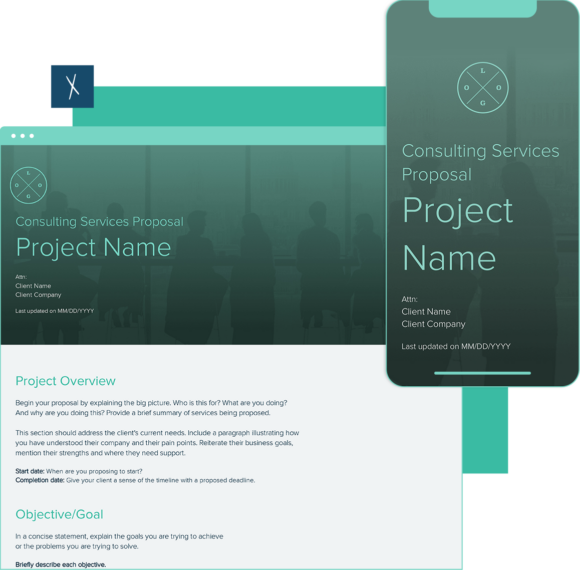
For related documents that often accompany an executive summary, the startup one-pager template is useful when you need an even shorter pitch format for early conversations. If you are writing an executive summary for a services engagement, the consulting services proposal template covers the full proposal structure with sections for scope, methodology, deliverables, and pricing that the summary can draw from.
All templates on Xtensio are live, shareable documents — you can send a link directly to stakeholders instead of exporting a PDF, which means updates are reflected in real time without resending files.
Related: How to Write a Project Proposal

