How to Write a Press Release
Updated by Xtensio
A press release is an essential announcement to inform the media (and the public) about your company’s latest news. News releases are all about showcasing your company’s achievements and milestones. Generally, your media releases should be about one-page long and should always be written in clear, professional language.
Follow along with our FREE Press Release Template.
Xtensio is your team space for beautiful living documents.
Create, manage and share business collateral, easily.
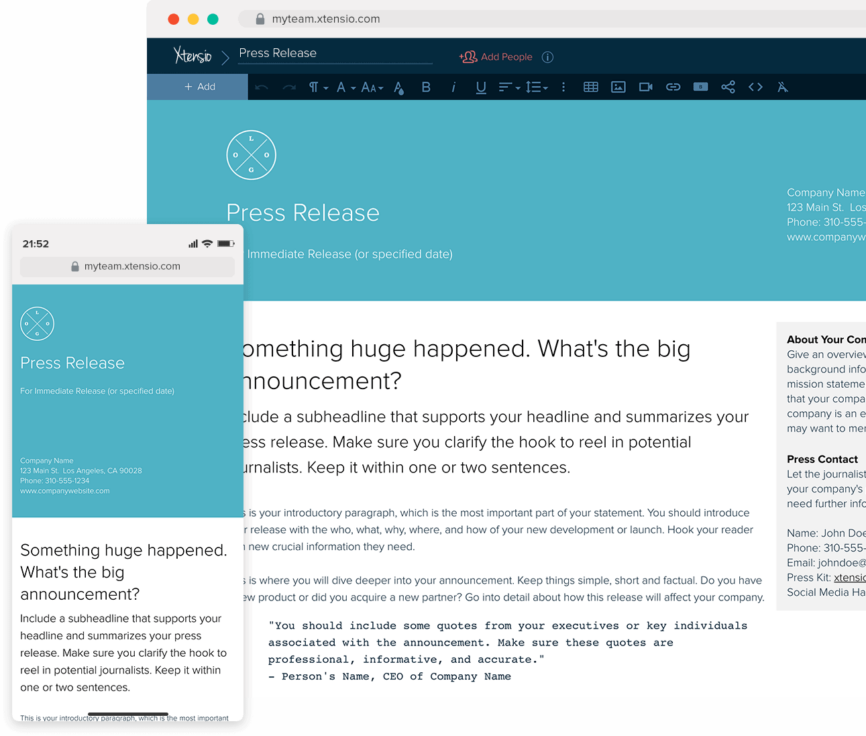
Table of Contents
What is a press release/news release?
A press release announcing something noteworthy is a written statement, prepared for distribution to the media. It’s like a ticket to grab media attention, driving compelling conversations around your brand, product, or service efficiently.
It’s not enough simply to write event press releases and send them off into the void. With the overwhelming volume of information available online, it’s important to increase visibility and ensure that your message cuts through the noise. For instance, you can use Xtensio’s press release templates and include hashtags at the end of the press release. As simple as they may seem, hashtags play a crucial role in making your traditional press releases more discoverable, particularly on social media platforms. Use the free press release examples by Xtensio. They will help you easily write a press release and achieve a good user experience and higher engagement!
It’s important to choose the right press release format. So, before start writing, you should be clear in your head about the different types of press release formats. Ask yourself what are you writing about. For example is it an event press release or do you need to write a charity press release? Let’s have a basic understanding of different news release types:
- Product launch press release
- Merger and acquisition press release
- Product updates
- Events
- Grand openings
- New partnerships
- Rebranding
- Executive promotions/hire press release
- Award Press release
Use a template as your starting point to create and share a beautiful news release, without any design experience:
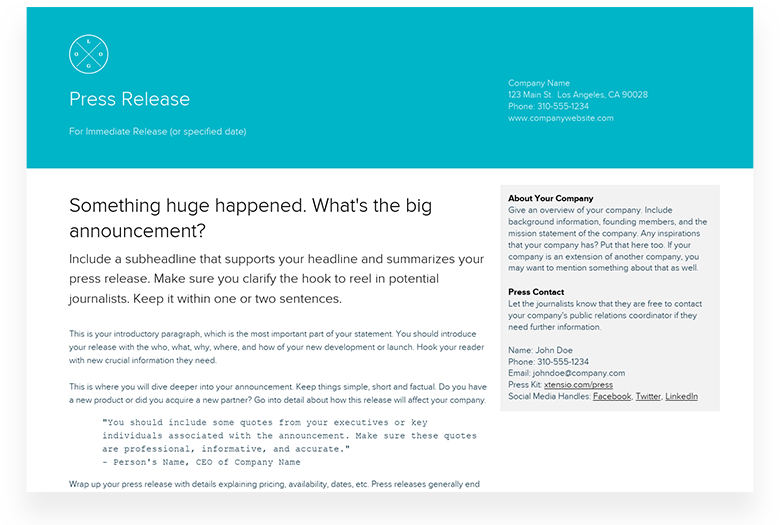
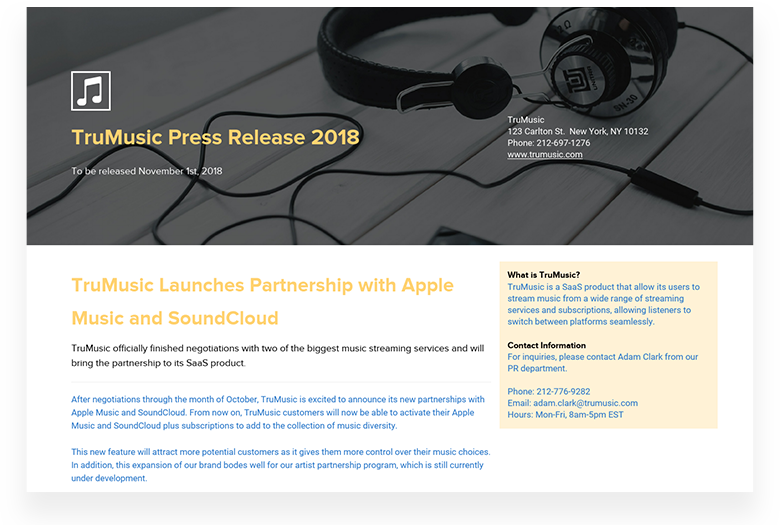
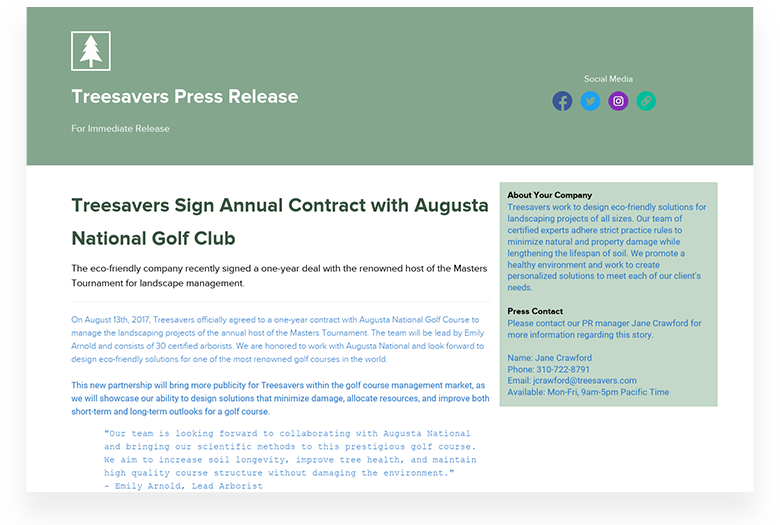
1. New Product Launches: This type of press release announces the introduction of a new product or service to the market. It often includes details about the product’s features, its benefits to the consumer, pricing, and availability. The objective is to get press coverage, generate buzz, spark interest around the new product or service, drive sales, and capture market share. Below, you will find a variety of successful product launch press release examples for inspiration.
2. Mergers and Acquisitions: Mergers and acquisitions (M&A) press releases are published when a company is either merging with another company when it acquires another business or when it is acquired by another organization. These releases are crucial as they clarify the merger or acquisition details, explain the reasons behind the move, and provide insights about the potential impacts on stakeholders.
3. Product Updates: Product update press releases communicate improvements, enhancements, or updates to existing products or services. Whether it’s a new version, additional features, or significant improvements, these releases inform customers and stakeholders about the changes and highlight the benefits of the updated product or service.
4. Events: Event press releases announce upcoming events hosted or sponsored by a company. This could be anything from a charity function to a product launch event. The goal is to attract the target audience, gain media coverage, and create anticipation around the event.
5. Grand Openings: Whether it’s a new store, office, or facility, grand opening press releases announce the details of the new location and opening date. They often include quotes from company executives and provide context around the strategic importance of the new opening for the company’s growth or expansion strategy.
6. New Partnerships: Partnership press releases announce a new collaboration or partnership between two entities. This could be a joint venture, a strategic alliance, or a simple partnership. They explain the nature of the partnership, the benefits for each party, and the potential impact on customers or the market.
7. Rebranding: Rebranding press releases announce a significant change to a company’s corporate image. This might include a new name, logo, or overall brand strategy. The goal is to communicate the reasons for the change, the story behind the new brand, and what it means for customers and stakeholders.
8. Executive Promotions/Hiring: A new hire press release announces significant changes to a company’s executive team, such as promotions, new hires, or departures. It usually includes a bio of the new executive, highlighting their achievements and what they bring to the team. The aim is to show stability, progress, or positive change within the organization.
9. Awards: Award press releases announce any recognitions or awards a company, product, or individual within the company has received. They outline the nature of the award, who presented it, and why it was given. The objective is to boost credibility and showcase success, underlining the company’s commitment to excellence.

Quick Tip: Create a media kit for your organization. Here is the how-to guide to create a media kit and here is the free media kit template.
A step-by-step guide to writing a media release
Utilizing the media to create awareness of your company is a promising strategy. Companies both at large and small scale use most press releases to get the attention of journalists in an effort to increase traffic and conversion. However, actually getting a journalist to read your news is not an easy task, especially if they’re getting hundreds of e-mails a day asking them the same thing. In order to grab their attention, you’ll need to put time and effort into writing a strong, effective press release for all of your company’s major news stories. Let’s go over the steps for writing news media and a few tips and tricks to make yours stand out from the crowd.
1. Headline: Grab their attention
Your headline needs to be clear, relevant, and interesting. Try to answer these questions before deciding on your headline and beginning to write your news release:
- What is your media release about? What important company event or milestone happened?
- Why would anybody want to know about this news?
- Think about your audience. What kind of headline would grab your attention and make you want to know more if you were in your readers’ shoes?
- Is this a newsworthy story? It is not enough if the answer is “yes” for you or your company, but why would others need to know about this announcement and how will it benefit them?
Xtensio Tip: Don’t forget about the “subject line” of the e-mail you’ll be sending. If the e-mail isn’t opened, all of your efforts become useless. The subject line is the first element that will get attention, so make sure it is personalized and precise.
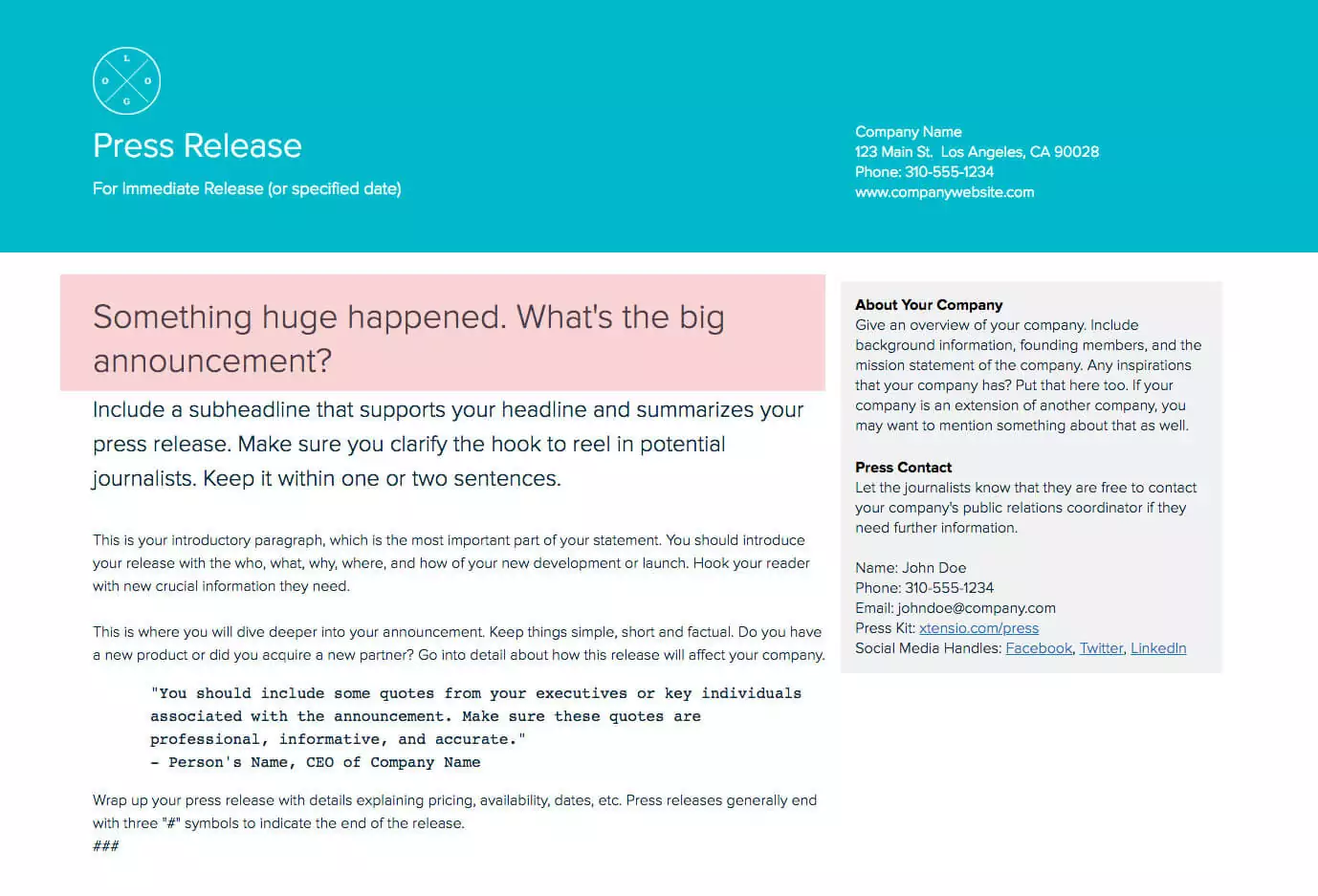
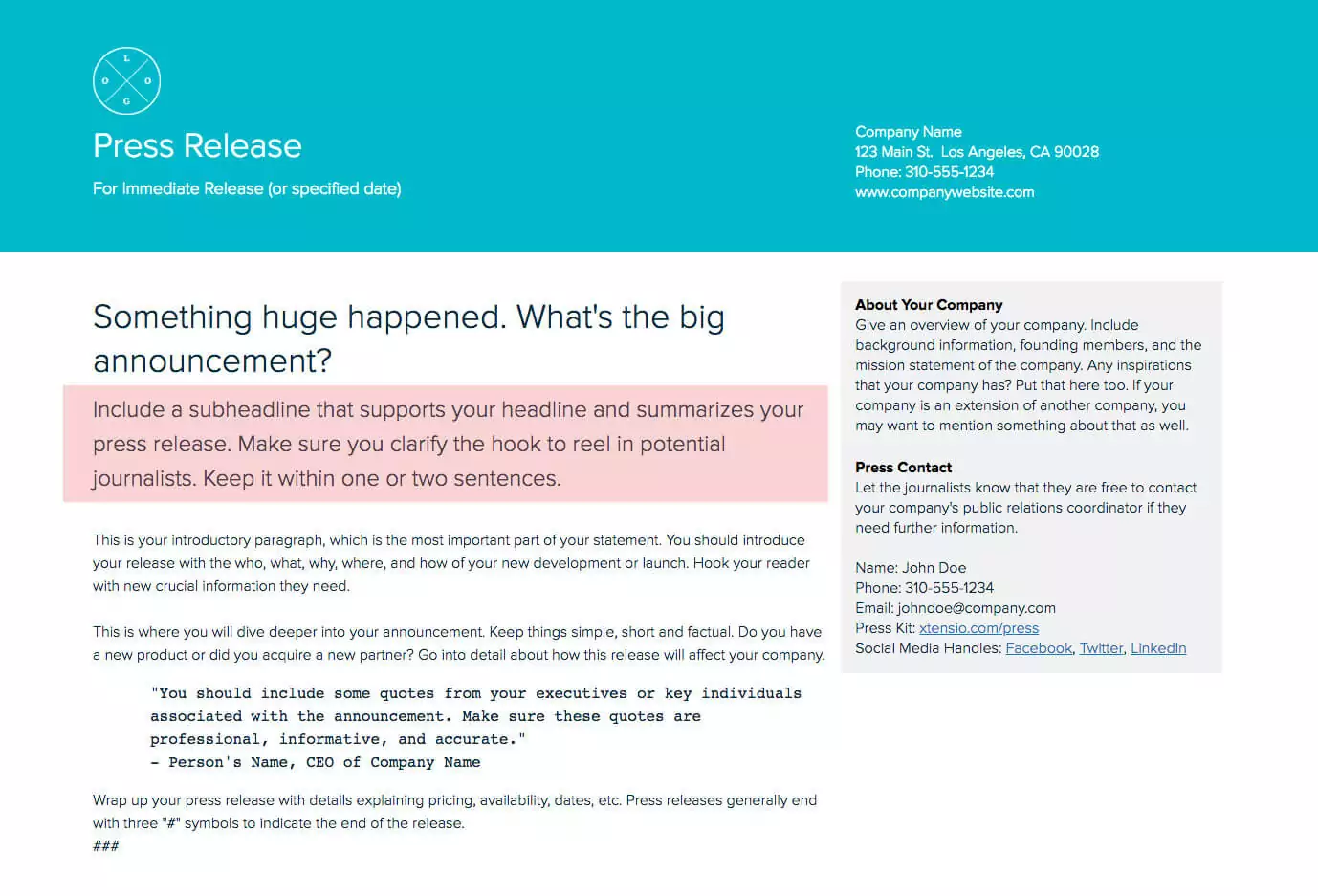
2. Subheadline: Less is more
Once you grab the attention with your headline, now you should increase curiosity and make the reader want to learn more. Your subheadline should be a brief summary of the story and must support your headline. Keeping it short and simple will work in your favor.
The difference between the subheadline and the headline is that the subheadline allows you to explain why this piece of news matters in a complete sentence or two, before going into more details.
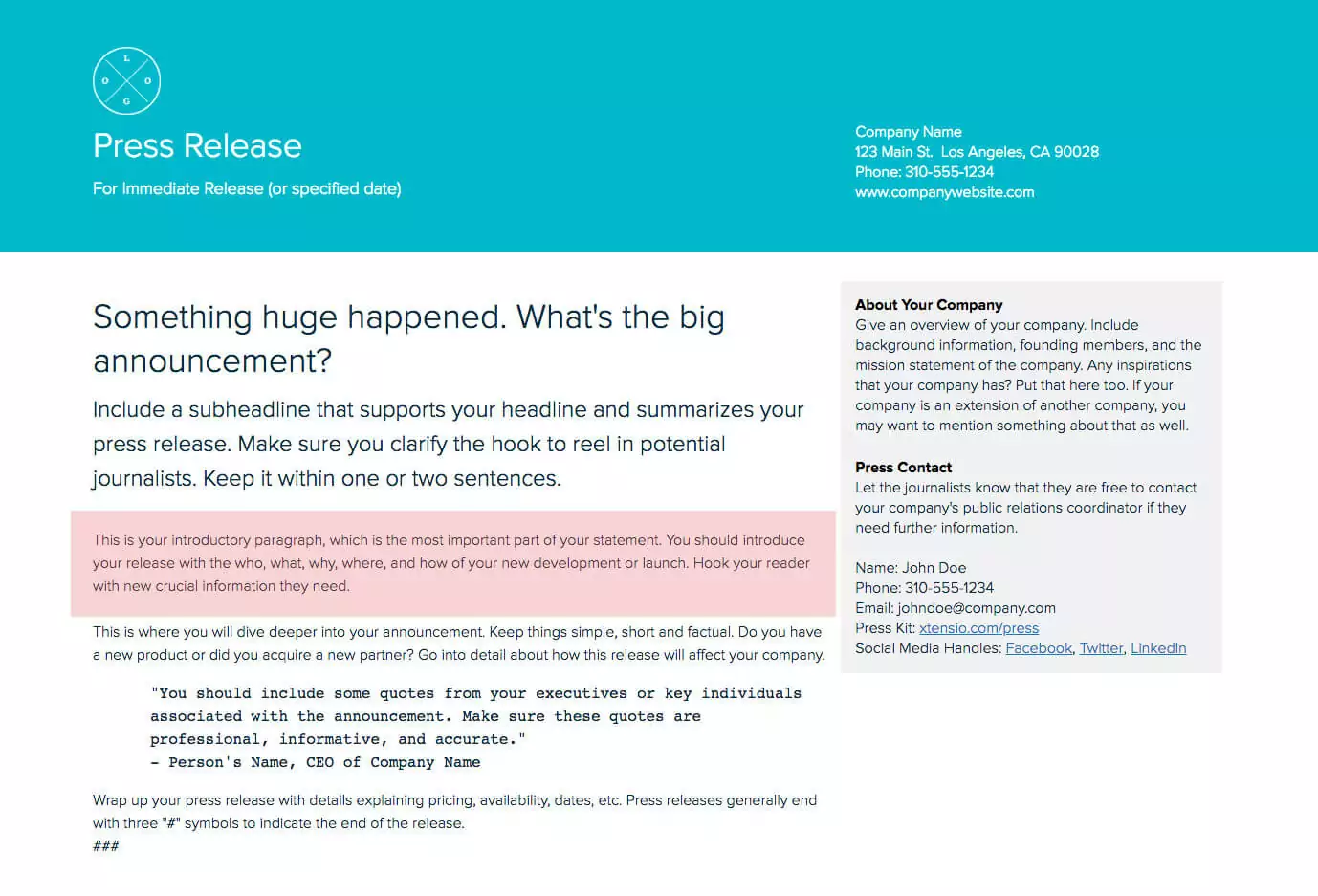
3. The first paragraph: Get to the point
This is the most important part of your press release, so think about what the reader would be interested in knowing. Instead of focusing the idea to get news coverage, see this as a marketing effort and include valuable content that will capture your target audience’s attention.
The first paragraph is where many people usually lose their audience. They either go into too much detail, use jargon or fail to express the reason for writing the release in a coherent way. Get to the point and avoid using technical or complicated language. Journalists will easily ignore your news release if they can’t catch the main idea in the first paragraph.
Quick Tip: Remember why you’re writing the press release:
- Did you release a new version of an existing product?
- Did you launch a new product?
- Are you introducing a new partnership?
- Are you announcing a success story?
- Are you opening a new office in another location?
All of these can be good reasons to get media coverage, but you should stick to the main reason you’re writing the release. Although it might seem like a good opportunity to mention other information about your company, a news release is specific to piece of news about your company. Journalists can check out your website home page and Public Relations info to learn more about your company.
Bonus: Collect all your media assets and resources under one document with Xtensio’s free Media Kit template and easily link the live folio link in your media release.
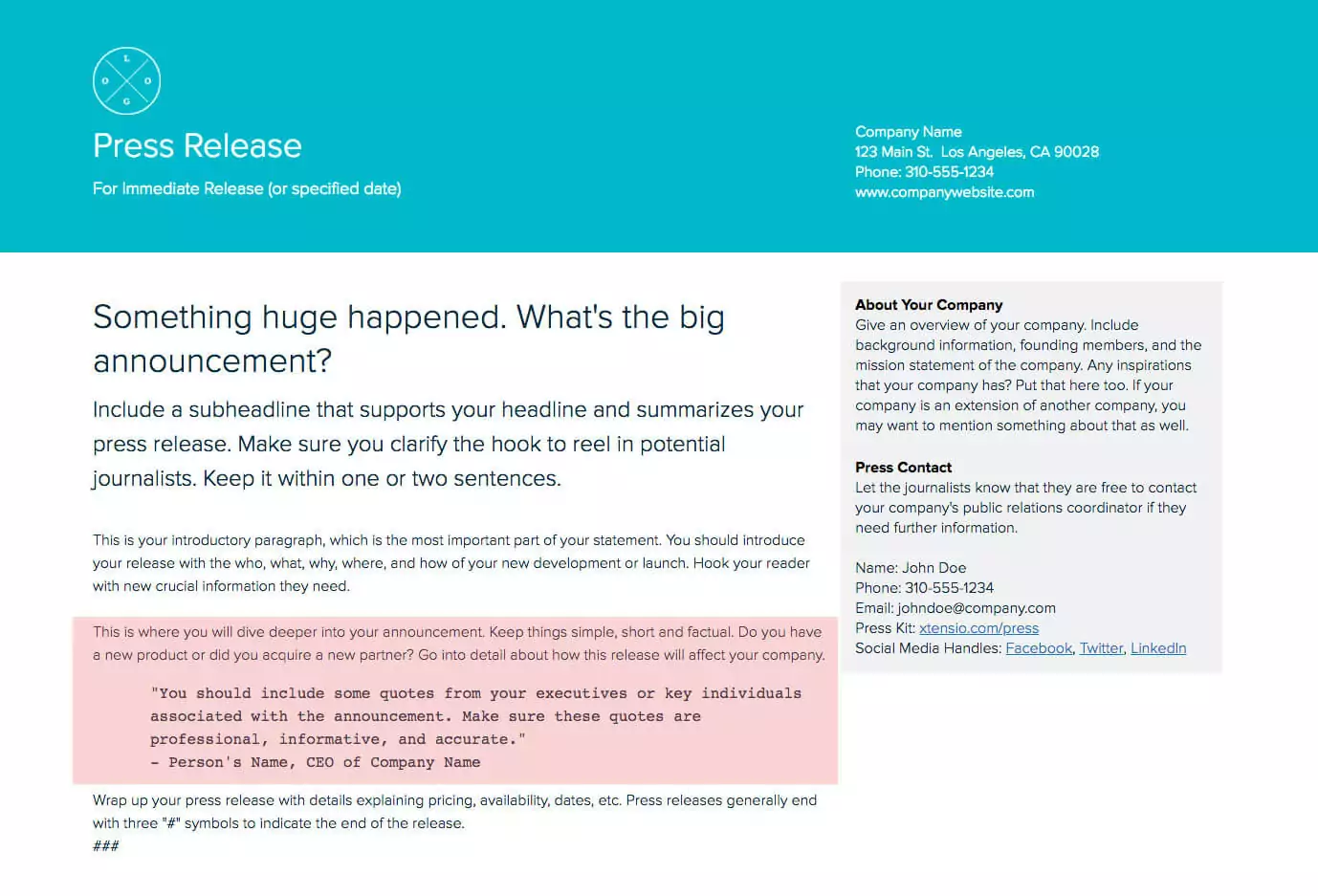
4. Give more details, add a quote
Your headline was catchy, the subheadline summarized your purpose and the introduction was flawless. You’ve come this far, now you need to give more details about your announcement without losing the attention you’ve grabbed so far. To do this, you should be mindful of your audience’s interests and what they would be interested in reading about. How can it benefit them potentially?
After adding details about your big announcement, you’ll need a strong, appealing quote. Journalists will use this quote when writing an article about your big news, so don’t include just any quote from anyone in the company. And don’t include a quote you used in a media release from 2016. Make sure the quote for the new release is up-to-date, relevant to your announcement, and from an executive of the company. Adding a quote is a great way to gain credibility and get people excited about your announcement!
5. Closing statement
Time to wrap up with details explaining pricing, availability, dates, etc. In the details section, you explained why this announcement is important, here you want to make sure ‘who‘ and ‘what‘ are very clear.
Quick tip: Press releases generally end with three hashtag symbols (###) centered directly above the boilerplate and under the body copy to indicate the end of the release.
What is your company about?
Have you ever read an “about” section and did not understand what that company actually does? It happens. And that’s probably not something you would want the readers to think about your company.
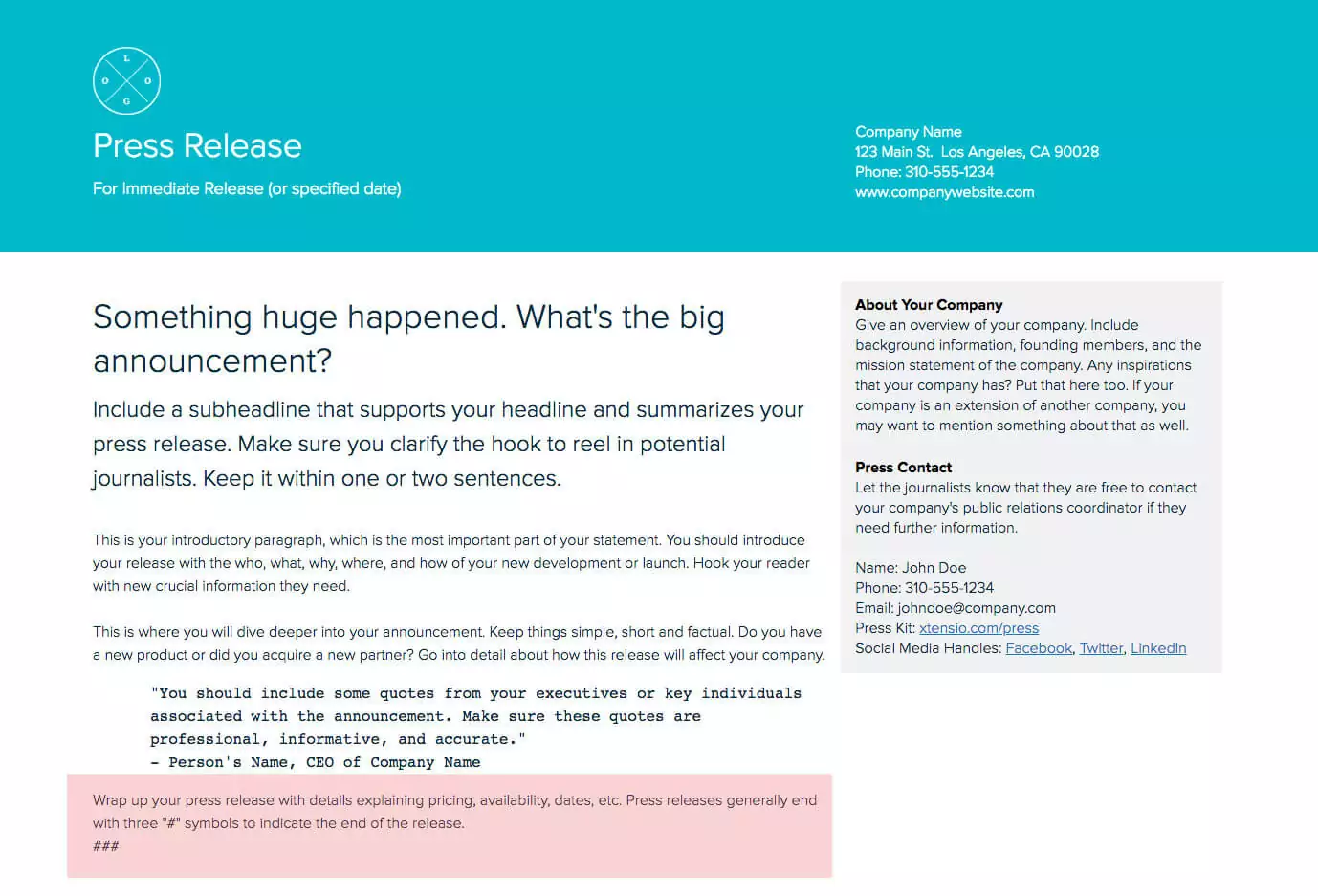
To prevent confusion, keep your sentences short and the language simple. Briefly describe who your company is and what you do. This section should include your background, the founders, your location, and your mission statement. If your company has an extension, this could be a good place to indicate that as well.
Who’s your media contact?
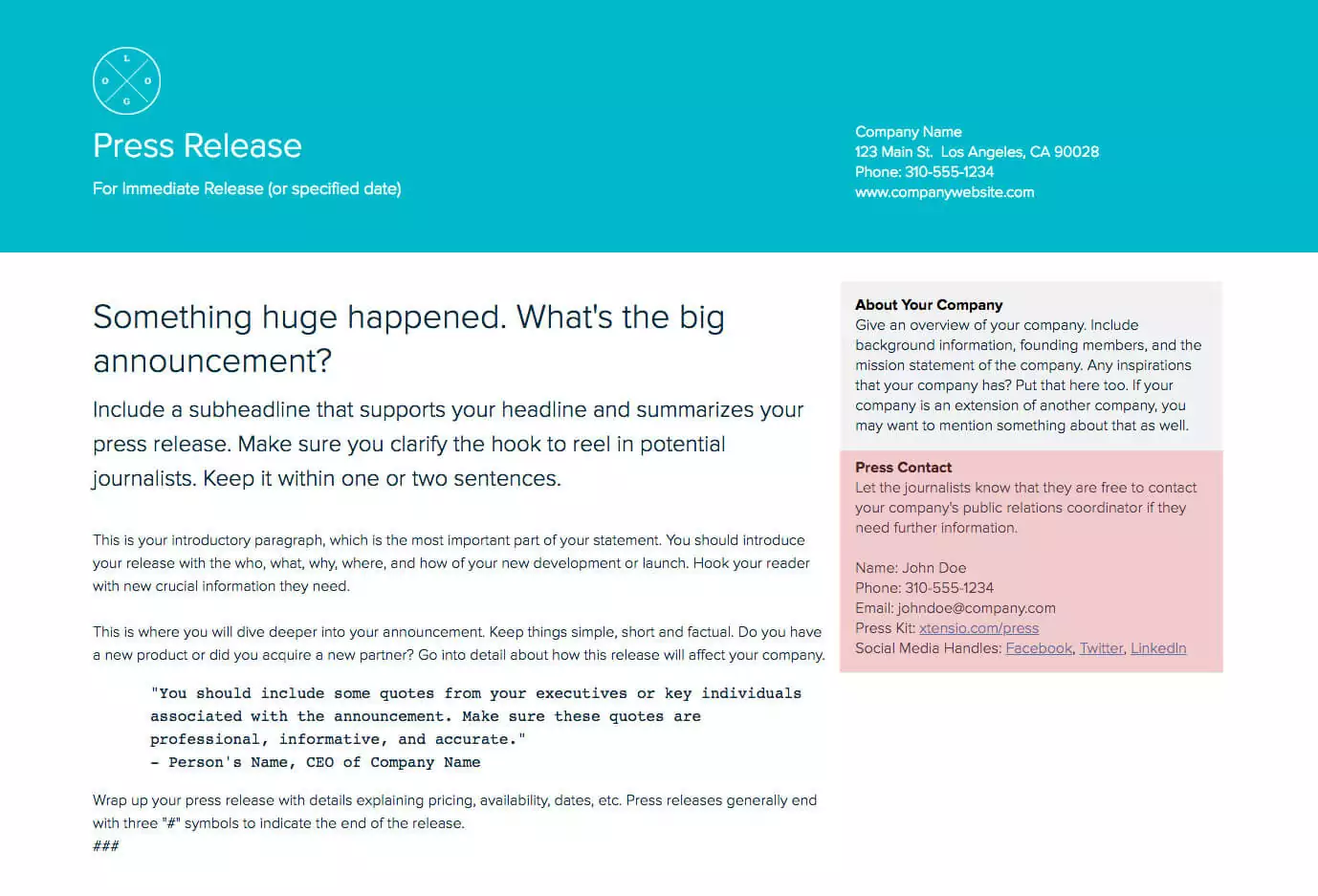
Sharing contact information about your company’s Public Relations or Media Coordinator will make everyone’s lives easier, and it will make your press release look more professional. It’s useful to include a link to the press kit and social media accounts. Many journalists use social media, especially Twitter, to connect. Make sure to double-check that your links and phone number are correct, and that all names are spelled correctly.
Easily create your next one
The more your company evolves, the more press release distribution you’ll need. You’ll need to write each press release from scratch, but your company logo and all branding-related items will likely stay the same. This press release template is adaptable just like other Xtensio tools, it can and should be repurposed, revisited, and revised to suit your evolving needs. You can duplicate your folio to easily get started on the next one or save it as a template. All of our templates are meant to be starting points. You can always add, delete, and move your modules and sections around with Xtensio’s versatile editor to adapt the press release as you need it.
Written by

Design, manage and share beautiful living documents… easily, together. Explore Xtensio
- Click and edit anything… together.
- Customize to match your branding.
- Share with a link, present, embed or download.
Press Release Distribution: Where and How to Send It
Writing a strong press release is half the work. The other half is getting it in front of the right people at the right time. Distribution strategy determines whether your announcement gets coverage or disappears into a journalist’s overflowing inbox.
Newswire services cast a wide net. Services like PR Newswire, BusinessWire, and GlobeNewswire distribute your release to thousands of media outlets, financial terminals, and news aggregators simultaneously. They are most valuable for announcements that have broad relevance: funding rounds, major product launches, executive hires, or public company disclosures. For niche announcements, newswires generate volume but not necessarily the targeted coverage you want.
Direct journalist outreach gets better results for targeted stories. Build a media list of 15 to 25 journalists who cover your industry and have written about similar topics in the past 6 months. Send a personalized pitch email with the press release attached or linked. The pitch should explain in two sentences why this story matters to their specific audience. Mass-blasting your entire media database is the fastest way to get filtered into spam.
Your own newsroom page is an underused asset. Every company website should have a press or newsroom page that contains all past releases, organized chronologically with a search function. Journalists research companies before writing about them, and a well-maintained newsroom signals professionalism. Include high-resolution logos, executive headshots, and a media contact email. When you publish the release on your site, it also becomes indexable by search engines.
Social media amplification extends the reach. Share the release on LinkedIn (where business journalists actively look for stories), Twitter/X (for real-time news hooks), and industry-specific communities. Tag relevant journalists and publications. The social post should not be the press release itself but rather the most newsworthy angle in one or two sentences with a link to the full release.
Send a live link instead of a PDF attachment. When you share your press release as a live link, journalists always see the current version. If you need to correct a data point or update a quote after sending, the change is immediate. PDFs, once sent, cannot be updated. This is especially important for embargoed releases where last-minute changes are common. Use your workspace to organize releases by campaign and track which versions went to which outlets.
5 Press Release Mistakes That Get You Ignored
Journalists receive hundreds of press releases per week. The ones that fail share predictable patterns that are easy to avoid once you know what to look for.
Burying the news. The single most common mistake is putting the actual announcement in the third or fourth paragraph. If a journalist has to read 150 words before finding out what happened, they will move on. The first sentence of your press release should answer the question “what is new?” Everything else supports that answer. Start with the news, not the context.
Writing like marketing copy instead of journalism. Press releases filled with superlatives like “industry-leading,” “revolutionary,” and “game-changing” signal that the company has no real news to share. Journalists are trained to strip out promotional language, so you are creating work for them. State facts. Use numbers. Let the news speak for itself. “Revenue grew 47% year-over-year” is more compelling than “unprecedented growth trajectory.”
No quotes from real people. A press release without quotes feels like a corporate announcement, not a story. Include at least one quote from a company executive and, when possible, a customer or partner. The quote should add perspective that the factual paragraphs cannot: motivation, vision, or reaction. Generic quotes like “We are thrilled to announce” waste space and tell the journalist nothing they could not infer from the headline.
Missing boilerplate. The boilerplate paragraph at the end of the release is how journalists quickly understand what your company does. Without it, they have to research your company separately, which means they probably will not. Keep the boilerplate to 3 or 4 sentences: what the company does, who it serves, a proof point (users, revenue, notable customers), and how to learn more. Use a consistent boilerplate across all releases and keep it current. A media kit that lives alongside your press releases makes the journalist’s research even easier.
Sending to irrelevant journalists. A technology journalist does not want your real estate announcement. A local business reporter does not want your global expansion release. Targeting the wrong journalists wastes their time, damages your credibility, and reduces the chance that they will open your next email when you do have a relevant story. Spend 20 minutes verifying that each person on your distribution list has covered your topic area in the past 90 days.

Create and deliver beautiful work, professionally.
Build, brand, and deliver living documents your clients actually engage with.







Join 410,571 professionals delivering work with Xtensio.

