
How-to Guide
How to Write a Creative Brief
A clear brief gets the first round of creative work close to right. Here is what to put in a creative brief, section by section, and how to keep it current.
A creative brief is the page a designer, writer or agency works from before anyone opens a design tool. When it is vague, the first round of work comes back off target, and the second round is spent working out what the client meant. When it is clear, the first round is close and the feedback is about craft, not direction.
This guide walks through each part of a creative brief, what to write in it, and how to send it so everyone on the project works from the same version.
When to Write the Brief, and Who Owns It
Write the brief after the project is agreed and before any creative work starts. Whoever writes it, client or agency, should share it with the people doing the work and get it approved by the person who will sign off the result. That approval matters: a brief nobody signed is easy to reopen halfway through.
- Client-written briefs are common when an in-house team hires an agency or a freelancer.
- Agency-written briefs often turn a kickoff conversation into a page the client then confirms.
- Either way, one person owns the brief and keeps it up to date.
What to Include in a Creative Brief
A creative brief should fit on one page the team can read in five minutes. These six parts cover most projects:
- The project and deliverables. What the project is, why it is happening now, and exactly what will be made.
- Objective and audience. The one thing the work must achieve, and the people it is for.
- Key message and proof. The single idea the audience should take away, and the facts that make it believable.
- Tone and brand must-haves. How the work should feel, and what must and must not appear.
- Channels and formats. Where the work will run, with the sizes and limits for each place.
- Budget, key dates and approvals. What it can cost, when each stage is due, and who signs off.
The Creative Brief Template has these six sections in this order, with a short prompt in each one telling you what to write, and a finished example to follow.
Name the Project and List the Deliverables
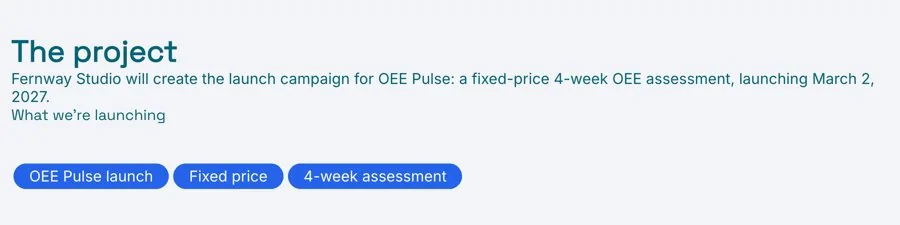
Open with one or two sentences on what the project is and why it exists now: a product launch, a rebrand, a seasonal campaign. Then list exactly what will be delivered, with sizes, versions and quantities. “Social assets” is not a deliverable. “Six square images and three short videos for launch week” is.
If the wider project still needs its scope, team and timeline agreed, put those in a project brief and keep this brief focused on the creative work.
Set One Objective and Describe One Audience
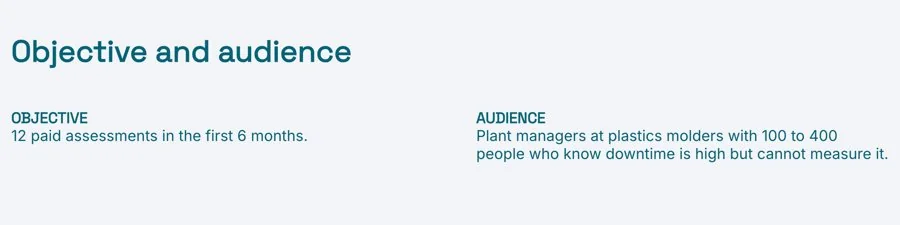
Pick one objective the work must achieve, and say how you will know it worked: more sign-ups, more enquiries from a particular type of customer, more people aware of a launch before it happens. Several objectives usually means none of them shapes the work.
Then describe the audience as people, not only as demographics. What do they believe now? What would they need to see to change their mind? Where will they come across this work, and how much attention will they give it?
Write the Key Message and the Proof Behind It
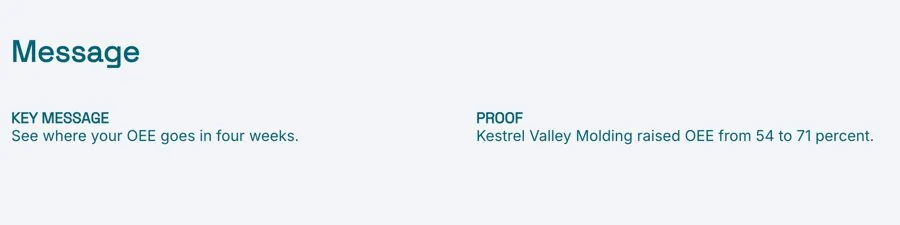
The key message is the one thing the audience should take away, written as a single plain sentence. It is not a tagline; the creative team will find the words. It is the idea the work has to carry.
Under it, list the proof: facts, features, results or customer quotes that make the message believable. Proof stops the work from making claims the client cannot back up, and it gives the writer real material to work with.
Spell Out Tone and Brand Must-Haves
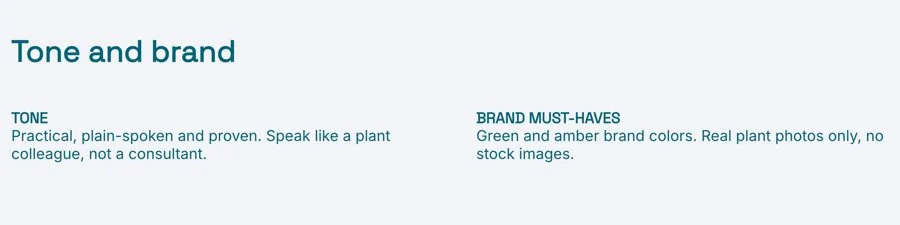
Describe the tone in a few words and add what it is not: “confident and plain, not corporate” is more useful than “professional”. Then list what must appear and what must not:
- Logo use, colors and fonts
- Image style, and any images to avoid
- Required wording, disclaimers or legal lines
- Words, topics or comparisons to stay away from
If the client has brand guidelines, link to them rather than repeating them, and note anything that differs for this project. A mood board helps when tone is hard to put into words.
List the Channels and Formats
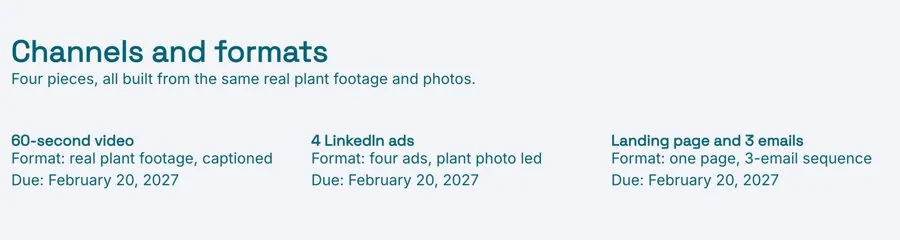
Say where the work will appear: social platforms, email, the website, print, events, paid ads. For each one, note the formats and technical limits the team needs to know, such as sizes, lengths and file types. Leaving this until the end is how a finished video turns out to be the wrong shape for the channel it was made for.
Agree Budget, Key Dates and Approvals
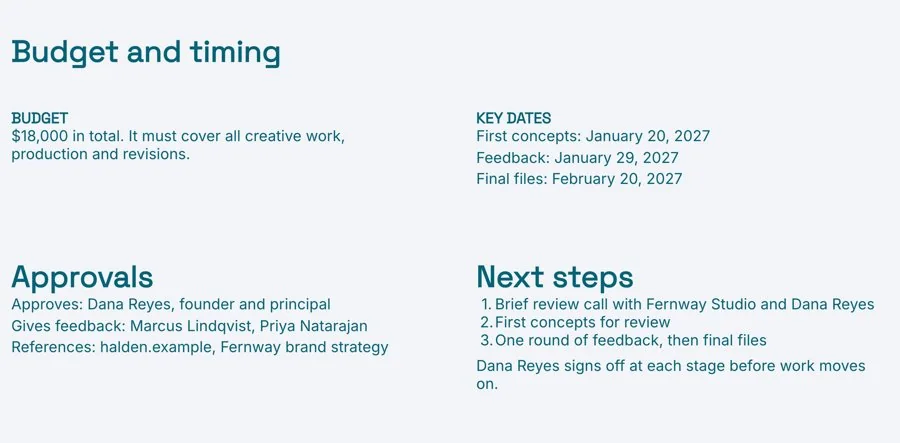
Close with the practical details: the budget or a range, the key dates from first concepts to final files, and who approves each stage. Say how many rounds of revisions are included. Then name one approver. Feedback from several people with nobody to settle it turns one round of revisions into three.
Send It as a Live Link, Not an Attachment
A brief changes most in its first week. A date moves, a new channel is added, the client sharpens the message. If the brief lives in an email attachment, the designer may still be working from the first version while the client reads the third.
Send a live link instead. Everyone gets one URL, and when you change a date or a deliverable, they see it the next time they open the page. Keep it in a project workspace with the proposal, the mood board and the drafts, and invite the client in, so everything for the project lives in one place.
Common Creative Brief Mistakes
- Too many objectives. Work that tries to do four things does none of them well.
- An audience described by age and job title only. The team needs to know what people think and need, not only who they are.
- No proof. The creative team ends up inventing claims, or the strongest lines get cut at review.
- Writing the solution into the brief. Telling the team what the design should look like leaves no room for a better idea. Describe the problem, not the answer.
- No named approver. Without one, every round of feedback reopens the brief.
Prefer to start with AI? The AI Creative Brief Generator writes a first draft from your project notes, with deliverables, objective, audience, key message, tone, channels and dates, ready for you to edit.
Planning the campaign around the creative work as well? A marketing plan sets the goals, budget and timing across every channel.
Related Templates and Guides
- Creative Brief Template
- Project Brief Template
- Marketing Plan Template
- Brand Guidelines Template
- Mood Board Template
Frequently Asked Questions
What is a creative brief?
A creative brief is a short document that tells a creative team what to make, who it is for and why. It sets the objective, audience, key message, tone, channels, budget and dates before any work starts.
What is the difference between a creative brief and a project brief?
A project brief covers the whole project: scope, budget, team and timeline. A creative brief focuses on the creative work itself: the message, the audience, the tone and the formats. Larger projects often have both.
Who writes the creative brief?
Either the client or the agency can write it. What matters is that one person owns it and the person who approves the final work has signed it off.
How long should a creative brief be?
One page is usually enough. If it runs longer, move background material into links so the team can see the essentials at a glance.
Should I send it as a PDF or a link?
A live link, so everyone works from the latest version as dates and details change. Download a PDF if someone on the client’s side needs a file.
Ready to brief your next project?
Start from the template, fill in the six sections, and send one live link the whole team works from. Free, no credit card required.

