
How-to Guide
How to Write a Services Overview
Tell a prospect what you do, who it is for and how to work with you, on one page. Here is what to put in each section and how to send it.
A prospect hears your name from a colleague, looks at your website, and before replying wants to know three things: what exactly you do, whether you do it for businesses like theirs, and what working together would look like. If the answers are spread across a homepage, two case studies and an old proposal, most people will not piece them together.
A services overview puts the answers on one page. It sits between your website and a proposal: more specific than the first, less tailored than the second, and ready to send the same afternoon someone asks. This guide walks through what to include, section by section, and how to send it so it stays current as your services change.
When to Send a Services Overview
Most consultants and agencies reach for one in three situations:
- After a first conversation. The prospect asks for something they can share with their team. One page travels further inside an organization than a long email.
- Before a proposal. When you are not yet sure what the prospect needs, an overview lets them point at the service that fits, so the proposal you write next answers the right question.
- For referrals. Past clients and partners who send you work need a simple way to describe you. Give them a link they can forward.
What to Include in a Services Overview
Keep it short enough to read in five minutes. These six parts cover what most service businesses need, in the order a prospect reads them:
- Who you are and what you are good at. One paragraph, plus three strengths a client would recognize.
- Your services. One card per service: what it is, who it is best for and how long it takes.
- How you work. The steps of a typical engagement, and the ways a client can buy: a project, a retainer or advisory time.
- Who you work with. The kinds of clients you serve and the signs that someone is a good fit.
- Your team. The people a client will actually work with, with a line on what each one does.
- Results and contact. Two or three outcomes, a short client quote and a clear way to get in touch.
The Services Overview Template has all six sections in this order, with a short prompt in each one telling you what to write, and a finished example to follow.
Open With Who You Are, Not a List of Services
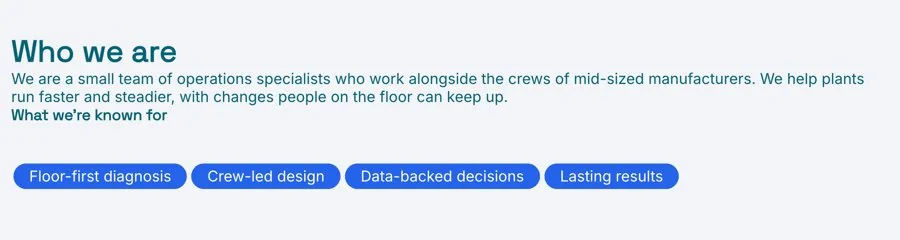
The first section answers the question a prospect is really asking: is this the right kind of firm for me? Write one paragraph that says who you help, with what, and what changes for them. Then add three strengths, each a short heading with a sentence underneath.
Make the strengths specific enough that a competitor could not copy them word for word. “Experienced team” says nothing. “Every project is run by a senior partner, start to finish” says something a buyer can check.
Give Each Service Its Own Card
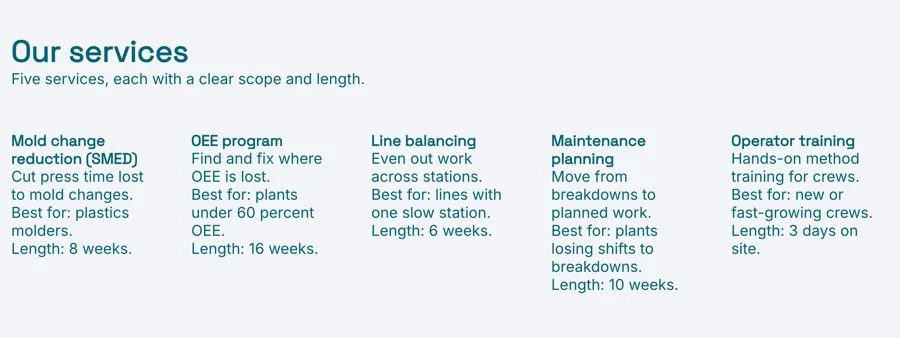
The services section is the one prospects read most closely, so make each service easy to compare with the others. For every service, write:
- What it is, in the words a client would use, not internal jargon
- Who it is best for, so the right reader recognizes themselves
- How long it usually takes, from start to the final deliverable
- What the client has at the end: a report, a plan, a launched site
Three to five services is usually right. With ten, a prospect cannot tell which one is your real work. Prices are optional: a starting price or a range helps some buyers qualify themselves, so leave it out only if every project is quoted from scratch.
Explain How You Work and How to Buy
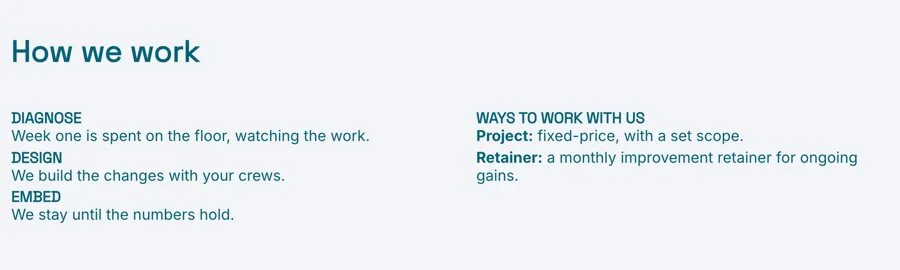
Buyers worry about what happens after they say yes. A short outline of your process, in four or five steps, answers that before they have to ask. Name each step and say what the client does in it, for example a discovery call, a written plan, delivery in stages and a final review.
Then list the ways to work with you. Most firms offer some mix of three:
- A project: a fixed scope, a fixed timeline and a clear deliverable.
- A retainer: ongoing work each month, for clients who need steady support.
- Advisory: a set number of hours or calls, for clients who do the work themselves and want guidance.
Say Who You Are a Good Fit For
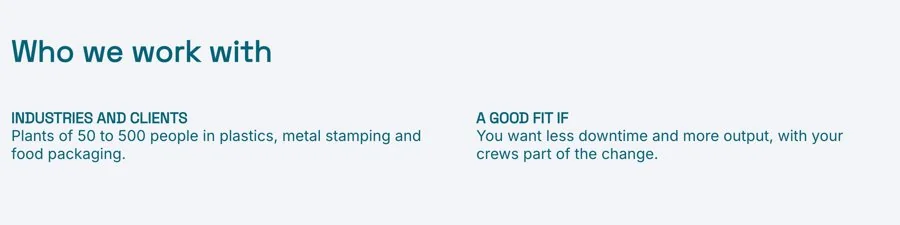
A section on who you work with filters your inbox for you. Describe the clients you serve by industry, size or situation, then list three or four signs that someone is a good fit. It can feel risky to narrow the audience, but a prospect who reads “best for teams that already have a product and need help selling it” and recognizes themselves is far more likely to reply.
Show the People Clients Will Work With
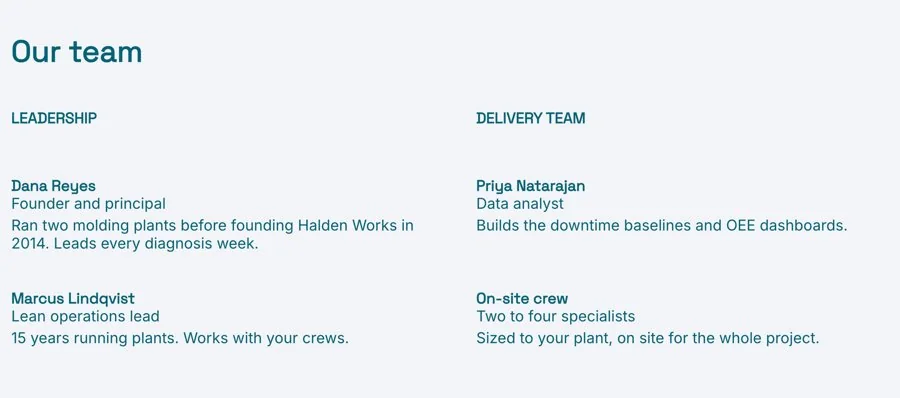
Clients hire people, not logos. Show the two to five people they will actually work with, each with a photo, a role and one line on what they do on a project. If you work alone, say so and make it a strength: the client works with you directly.
End With Results and a Clear Next Step
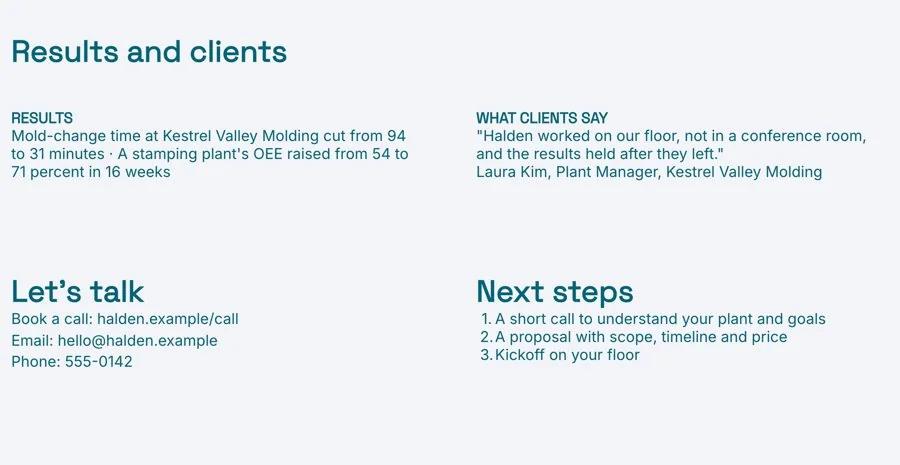
Finish with proof. Two or three results, each a short line on what changed for a client, carry more weight than a long list of past work. Add one client quote that names a specific outcome, then a contact block with an email, a booking link and the name of the person who replies.
Send It as a Live Link, Not an Attachment
A services overview changes more often than you expect. You add a service, a price moves, someone joins the team, a new result comes in. If you sent a PDF, every prospect who has it is reading an older version.
Send a live link instead. The prospect gets one URL they can bookmark and share with their team, and when you update the page they see the change the next time they open it. Keep it in a project workspace with your proposal and case studies, so everything a prospect needs sits in one place.
With engagement analytics you can also see when the link was opened, which tells you when to follow up.
Common Services Overview Mistakes
- Leading with services instead of the client. Start with who you help and what changes for them. The services make more sense after that.
- Listing everything you have ever done. Too many services hide the ones you want to sell. Keep the three to five you do best.
- No clear next step. End with one action, such as booking a call, and the name of the person who will reply.
- Sending a new file every time something changes. Keep one live page and update it.
Prefer to start with AI? The AI Services Overview Generator writes a first draft from a few notes about your business, with your strengths, services, ways of working and contact details, ready for you to edit.
Related Templates and Guides
- Services Overview Template
- Capability Statement Template
- Company One Pager Template
- Consulting Proposal Template
- Case Study Template
Frequently Asked Questions
What is a services overview?
A one-page document that explains what a consultancy or agency does, who it works with and how a client can hire it. It is broader than a proposal and more specific than a website.
How is a services overview different from a capability statement?
A capability statement is usually written for procurement and government buyers, with codes, certifications and past contracts. A services overview is written for a business buyer deciding whether to have a first call.
Should I include prices?
Include a starting price or a range if your services are fairly standard, since it helps buyers qualify themselves. Leave prices out if every project is scoped and quoted separately.
How long should a services overview be?
One page or a short scroll that takes about five minutes to read. Put the detail in proposals and case studies, and link to them.
How often should I update it?
Whenever a service, price, team member or result changes. If you send it as a live link, every update reaches everyone who already has it.
Ready to describe your services on one page?
Start from the template, fill in your services and results, and send one live link to your next prospect. Free, no credit card required.

