
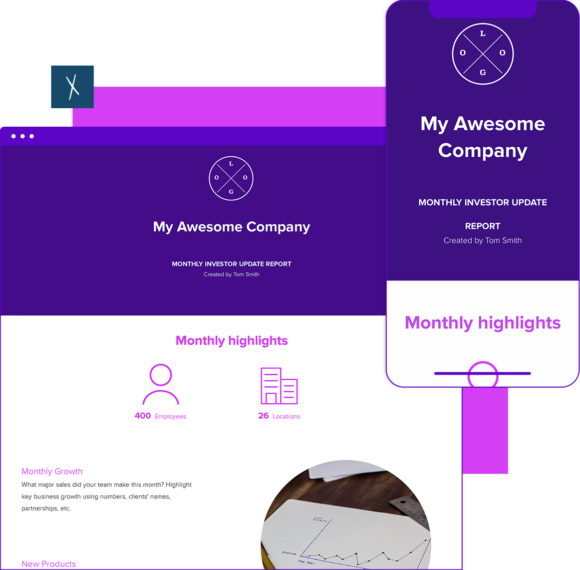
Monthly Client Report Template
Create professional monthly reports for clients. Live links, always up-to-date.
- Cover KPIs, work completed, and next steps in one shareable workspace.
- Share as a live link — clients always see the latest version.
- Track when clients open your report with Engagement Analytics.
Xtensio is your team’s deliverables workspace.
Create, collaborate, and deliver client-ready docs—then keep them current.
Join 394,771 using Xtensio.
A monthly client report is a recurring deliverable that agencies, consultants, and freelancers send to clients at the end of each month. It summarizes what was accomplished, which KPIs were hit, what challenges came up, and what’s planned for the next month. Xtensio’s monthly client report template gives you a professional, brandable starting point you can share as a live link — so clients always see the latest version without you sending a new PDF every cycle.
What Is a Monthly Client Report?
A monthly client report is a structured update that service providers send to clients to document progress, communicate results, and maintain transparency throughout an engagement. Unlike a one-off project summary, monthly client reports are recurring — they’re sent every month as long as the engagement is active.
Strong monthly reports build client trust, reduce ad-hoc check-in calls, and create a paper trail of value delivered. For agencies and consultants, they are also a retention tool: clients who see clear, consistent reporting are more likely to renew contracts and expand scope.
What to Include in a Monthly Client Report
A complete monthly client report covers five core sections:
Executive Summary
A 3-5 sentence overview of the month: what the primary goal was, whether it was met, and the single most important result. Write this last — it’s a synthesis of everything below it. Busy clients often read only this section.
KPIs and Metrics
List the key performance indicators you agreed to track at the start of the engagement. Show current-month results alongside the target and the prior-month figure so clients can see direction. Use a simple table or comparison format — wall-of-text metrics are hard to read. Common KPIs include: website traffic, conversion rate, leads generated, revenue attributed, social reach, email open rate, or project completion rate depending on the service.
Work Completed This Month
A specific list of deliverables, tasks, and milestones completed. Be concrete: “Published 4 blog posts (links below)” beats “content work completed.” Include links to anything shareable — campaign reports, published content, design files, dashboards. This section is the evidence behind the KPIs.
Challenges and Issues
Proactively name 1-2 things that did not go as planned and what you did about them. This is the section most service providers skip — and skipping it is a mistake. Clients notice problems. Naming them first and explaining your response builds more trust than pretending everything went smoothly. Be factual, not defensive.
Plan for Next Month
List 3-5 specific priorities for the coming month with the owner and expected outcome for each. This closes the loop on accountability — clients can see whether last month’s commitments were carried forward. It also sets expectations before the next reporting cycle begins, reducing mid-month “what’s happening?” emails.
Monthly Client Report Examples
Marketing Agency Monthly Report
A marketing agency monthly client report typically covers campaign performance (paid, organic, email), website traffic and conversion metrics, content published, and any A/B test results. The most effective agency reports lead with results against agreed targets — not activity. If you ran 12 campaigns but traffic dropped 8%, lead with the traffic number and explain it before listing the campaigns.
Consultant Monthly Report
A consultant’s monthly report tends to be lighter on raw data and heavier on analysis and recommendations. It covers progress on project milestones, key findings or decisions made, blockers identified, and strategic guidance for the next phase. The goal is to demonstrate expertise — not just to log hours. A well-written consulting report should give the client three things they would not have figured out on their own. For related deliverables, see the consulting services proposal template and capability statement template.
Freelancer Monthly Report
Freelancers often skip formal reporting — which is a competitive disadvantage. A one-page monthly summary that covers what was done, what was delivered, and what’s next positions a freelancer as a professional partner rather than a vendor executing tickets. Even a short report (200-300 words plus a deliverables list) dramatically improves retention and sets the stage for contract renewals and scope expansions.
How to Create a Monthly Client Report
- Pull your data before you write. Gather all metrics, campaign reports, and task completion records before opening the template. Writing and researching at the same time leads to vague reports and missed numbers.
- Write the KPIs section first. Start with the numbers — they anchor everything else. For each KPI, note the target, the actual result, and the delta. Color-code if you can: green for on-track, red for off-track. Clients process visual signals faster than text.
- List deliverables with links. Every piece of work completed should appear in the report by name with a direct link to the asset, campaign, or published output. Clients should never have to ask “where is the thing you said you did?”
- Write the challenges section honestly. Name what went wrong and what action you took. Keep it factual and brief — one or two sentences per issue. This builds more trust than any win you can report.
- Set the plan for next month in writing. Before you close the report, list your top priorities for the next 30 days. Include the owner and a success metric for each. This creates accountability and gives you a starting point for next month’s report.
- Share as a live link, not a PDF. Use Xtensio workspaces to share your monthly client report as a permanent URL. When metrics update or you add a new deliverable, clients see the change immediately without you sending a new file. See the live links feature for details on how this works.
Tips for Making Client Reports More Effective
- Send on a fixed schedule. The 1st or last business day of each month, every month. Consistency signals professionalism and eliminates the “where’s my report?” email.
- Lead with what clients care about. Most clients care about one or two metrics above all others. Put those at the top. The rest of the report is supporting evidence.
- Use visuals for trend data. A simple chart showing 3-6 months of KPI history is worth more than a table of numbers. Trend direction is the story clients actually want to see.
- Keep it under 2 pages. A monthly report is not a thesis. Aim for 1-2 pages of content that a client can read in 5 minutes. If you need to include detailed data, link to it rather than embedding it.
- Personalize the narrative. Avoid generic copy-paste summaries. Reference specific client goals, quote back decisions you made together, and name the projects by their actual names. Clients can tell when a report was written in 10 minutes.
- Add a forward-looking close. End every report with your top 3 priorities for next month and a clear ask if you need something from the client (a decision, feedback, access to a platform). This positions you as proactive, not reactive.
Why Live Link Reports Outperform PDFs
Most service providers send monthly reports as PDF attachments or long emails. Both have the same fundamental problem: once sent, they are frozen. Metrics that change, deliverables that ship late, KPIs that improve in the final days of the month — none of that gets captured after the email goes out.
With Xtensio live links, your monthly client report lives at a permanent URL. You update the numbers, the client sees the update. You add a deliverable you forgot, it appears. You add a note about a campaign that launched late, clients see it without a follow-up email. The report stays accurate instead of becoming an artifact of the moment you hit send.
There’s also the engagement signal: Xtensio’s analytics show you when a client opened the report and how long they spent on it. If your report went unopened for two weeks, you know to follow up. If they opened it three times, it’s a good time to check in on next month’s scope.
For teams managing multiple clients, Xtensio workspaces keep every client’s documents organized in one place — same branding, same format, without manual reformatting each month. For showcasing completed work to prospects, see the case study template.
Frequently Asked Questions
What should a monthly client report include?
A monthly client report should include an executive summary, KPIs and metrics with targets vs. actuals, a list of work completed with links, honest notes on challenges and how you addressed them, and a clear plan for the next month with 3-5 specific priorities.
How long should a monthly client report be?
A monthly client report should be readable in under 5 minutes — typically 1-2 pages or the equivalent in a digital workspace. Include supporting data as links or appendices rather than embedding long tables or full analytics exports in the main report.
How do I automate client reporting?
You can partially automate client reporting by connecting your analytics platforms (Google Analytics, ad dashboards, email tools) to a central report template. Xtensio lets you update a live link report each month rather than building a new document from scratch — the structure stays the same, you just update the numbers and commentary. This reduces reporting time from hours to 30-45 minutes per client per month.
What’s the best format for client reports?
The best format for a monthly client report is a structured digital document shared as a live link — not a PDF or email. Live links allow updates after sending, are accessible on any device without downloads, and let you track whether clients actually read the report. A fixed template structure (same sections every month) makes reports faster to produce and easier for clients to scan.
How often should I send client reports?
Monthly is the standard cadence for most service engagements. High-volume campaigns (paid media, PR, sales) may warrant weekly or bi-weekly check-ins with a condensed format. Quarterly reports work for advisory or strategy engagements where the work moves slower. Whatever cadence you choose, communicate it at the start of the engagement and stick to it.
What KPIs should be in a client report?
Include only the KPIs you agreed to track at the start of the engagement. For digital marketing: traffic, leads, conversion rate, cost per acquisition, and revenue attributed. For consulting: milestone completion, decision velocity, and strategic recommendations acted upon. For content: pageviews, organic ranking, backlinks, and engagement metrics. Avoid KPI bloat — 5-7 metrics per report is usually the right range.
How do I make my client report stand out?
Use your client’s brand colors and logo in the report, lead with the 1-2 metrics they care about most, add a brief narrative section explaining the “why” behind the numbers, and always include a forward-looking “what’s next” section. Reports that connect data to decisions are remembered. Reports that just list numbers are forgotten.
Is this monthly client report template free?
Yes. Xtensio’s monthly client report template is free to use. Create a workspace, customize it with your branding and your client’s details, and share it as a live link. No credit card required to get started.
Related: Capability Statement Template, Consulting Services Proposal Template, Case Study Template

