
How-to Guide
How to Write a Product Spec Sheet
A good spec sheet answers a buyer’s technical questions before they ask. Here is what to include, how to write each section, and how to keep it current.
A buyer is comparing three products. They want the operating temperature, the dimensions, the certifications and the order code for the 10-pack. If your spec sheet has all four on one page, you stay on the shortlist. If they have to email your sales team and wait for an answer, they may move on to a supplier whose sheet already answered it.
A product spec sheet, also called a data sheet or tech sheet, is that page. It is not a brochure. It is the reference document engineers, buyers and distributors check before they order. This guide walks through what to include, how to write each section so it can be trusted, and how to keep it current.
Who Reads a Spec Sheet, and What They Look For
Write for three readers, because they all open the same page:
- The engineer or specifier checks whether the product fits: ratings, tolerances, dimensions, connections. They read the numbers and skip the adjectives.
- The buyer or procurement team wants order codes, pack sizes, lead times and the warranty. They need enough to raise a purchase order without calling you.
- The distributor or reseller copies your figures into their own catalog. Anything unclear on your sheet gets repeated, often wrongly, on theirs.
So a spec sheet rewards precision over persuasion. One clear figure with a unit does more than a paragraph of claims.
What to Include in a Product Spec Sheet
Keep it to one or two pages, in the order a technical reader scans:
- Product header. The product name, model or part number, a one-line description, your brand, the category and a version or revision date.
- Overview and key features. Two or three sentences on what the product does and where it is used, then three to five features stated as facts.
- Technical specifications. The performance figures, each with a value and a unit: capacity, power, speed, range, operating conditions, whatever matters in your category.
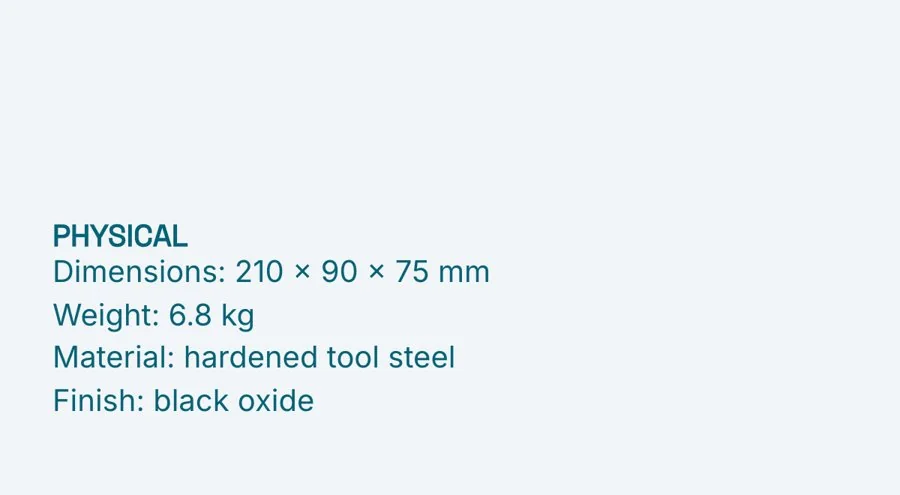
- Physical details. Dimensions, weight, material, and the finishes or colors available.
- Compliance, warranty and support. The standards and approvals the product meets, how long the warranty lasts and what it covers, and how to get help.
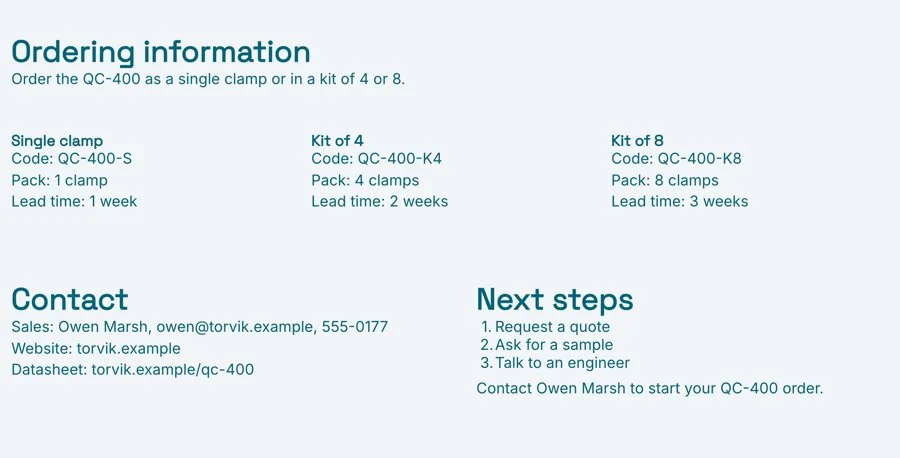
- Ordering codes and contact. One entry per version or pack size with its code and lead time, then who to contact and where to get the latest sheet.
The Product Spec Sheet Template has all six sections in this order, with a short prompt in each one telling you what to write, and a finished example to follow.
Start With a Header That Names One Exact Product
Most spec sheet mix-ups start at the top. A reader who prints your sheet needs to know exactly which variant and revision they are holding. Put the full product name and the model or part number in the header, add a one-line description of what it is, and include a revision date. When a distributor asks why their figure differs from yours, the revision date settles it in one message.

Write Features as Facts, Not Adjectives
The overview is the only place on a spec sheet for prose, and it should be short. Say what the product does and where it is used. Then list the key features, and write each one so a reader could check it. For example:
- “Durable housing” tells the reader nothing. “Aluminum housing, rated IP65” tells them it stands up to dust and water jets.
- “Fast charging” invites the question “how fast?”. “Charges to 80% in 45 minutes” answers it.

Put a Unit on Every Number
The technical specifications are the heart of the sheet, and the common errors here are small: a figure with no unit, two systems mixed together, or a range written as a single number. Each one sends a reader back to you with a question, or leads them to order the wrong thing.
- Always give the unit. “Weight: 2.4” could be kilograms or pounds. Write “2.4 kg”.
- Pick one system and stay with it. If you sell in several markets, give both, in the same order every time, such as “2.4 kg (5.3 lb)”.
- Give ranges as ranges. “Operating temperature: 0 to 40 °C” is clearer than a single number that hides the limits.
- Separate typical from guaranteed. If a value is typical rather than a minimum, say so.

Physical details get their own block because buyers check them separately: will it fit the space, and does it come in the finish the project needs? Give dimensions in a fixed order, such as width, height and depth, then the weight, the main material, and every finish or color you actually stock.
List Compliance and Warranty Plainly
Certifications are often the first filter in a tender or a procurement checklist, so make them easy to find. Name each standard or approval the product meets, and list only the ones that apply to the version on the sheet. If an approval covers some variants and not others, say which.
Do the same for the warranty: how long it lasts, what it covers, what it does not, and how a customer makes a claim. Add a support email or phone number, so a buyer can see how help works before they order.

Make Ordering Easy
Give one entry per version or pack size, each with its order code, the quantity in the pack and the usual lead time. Then add who to contact for sales, your website, and where to find the current sheet. If you have more versions than fit on the page, list the common ones and point to a full price list for the rest.
Send It as a Live Link, Not a PDF That Goes Stale
Spec sheets have a long life. They sit in shared drives and get forwarded months after you sent them. Every time you change a figure or a lead time, the old PDFs keep circulating, and nobody can tell which one is current.
Send a live link instead. The reader always sees the latest version at the same URL, and when you correct a figure, everyone who has the link sees the correction. Download a PDF when a tender portal or a buyer’s system needs a file, and keep the revision date on it so it can be checked against the live page. With engagement analytics you can also see when a prospect opened the sheet, which is a useful prompt for a follow-up call.
Common Product Spec Sheet Mistakes
- Writing it like a brochure. Benefits and adjectives belong on the sales sheet. The spec sheet is for figures.
- Missing or mixed units. Every number needs a unit, in the same system throughout.
- No version or revision date. Without it, nobody can tell which figures are current.
- Listing approvals the product does not hold. Only list the ones that apply to the exact version on the page.
- Several PDFs in circulation. Keep one live page and update it.
Prefer to start with AI? The AI Product Spec Sheet Generator writes a first draft from your product notes, with the header, features, specifications, compliance and ordering sections, ready for you to check and edit.
Related Templates and Guides
Frequently Asked Questions
What is a product spec sheet?
A one or two page reference document that sets out a product’s specifications, physical details, compliance, warranty and ordering codes, so buyers can check that it fits before they order.
What is the difference between a spec sheet and a sales sheet?
A sales sheet persuades: it leads with benefits and proof. A spec sheet informs: it leads with figures and units, so a technical reader can confirm the product fits.
How long should a spec sheet be?
One page for a simple product, and two at most for most others. If you need more, move the detail into a technical manual and point to it from the sheet.
How often should I update a spec sheet?
Whenever a figure, code, approval or lead time changes, with a new revision date each time. With a live link, the update reaches everyone who already has the sheet.
Should I send a spec sheet as a PDF or a link?
A live link, so readers always see the current figures. Download a PDF when a tender portal or a buyer’s system needs a file, and keep the revision date on it.
Ready to write your spec sheet?
Start from the template, add your product’s figures, and send one live link buyers can always trust. Free, no credit card required.

