
How-to Guide
How to Write a Business Case
A good business case gets a clear yes or no in one meeting. Here is what to include, how to compare the options honestly, and how to ask for the decision.
Someone has to decide whether to spend money on an idea: a new system, a new hire, a new service line, or a project you are proposing to a client. The business case is the document that helps them decide. Written well, it gets a clear yes or no in one meeting. Written badly, it gets “let’s revisit this next quarter”.
A good business case is short, honest about costs and risks, and compares the idea against real alternatives, including doing nothing. This guide walks through each section and shows how to send it so everyone involved in the decision reads the same version.
Know Who Decides and What They Need
Before you write, find out who makes the decision and what they care about. A finance lead wants the numbers and the payback period. An operations lead wants to know what changes day to day. A founder may care most about risk and timing. Write for the person who signs, and answer their likely questions on the page. Find out three things first:
- Who signs. One name, plus anyone whose objection would stop it.
- The limits. The budget available, or the spending level that needs a higher approval.
- The date. When the decision will be made, and in which meeting.
What to Include in a Business Case
Most decisions need these six parts, in this order:
- Recommendation and figures at a glance. What you recommend, what it costs, what it returns and when.
- The problem and the cost of doing nothing. What is wrong today and what it costs to leave it.
- Options. Two to four real choices, including doing nothing, compared on the same terms.
- Costs and benefits. One-off and ongoing costs against the benefits, over the same period.
- Risks and plan. What could go wrong, how you will handle it, and the main steps.
- Decision. Exactly what you are asking the reader to approve.
The Business Case Template has these six sections in this order, with a short prompt in each one telling you what to write, and a finished example to follow.
Open With the Recommendation and the Figures
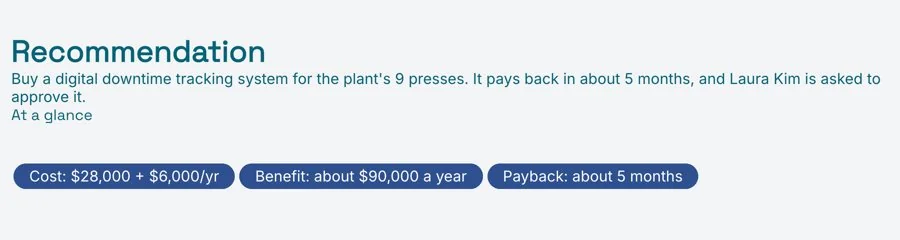
Put the answer at the top: what you recommend, what it costs, what it returns and when it pays back. A decision-maker should be able to read the first screen and know what they are being asked to approve. Everything after it is the evidence. If some readers will only ever see a summary, an executive summary can sit in front of the full case.
Describe the Problem and the Cost of Doing Nothing
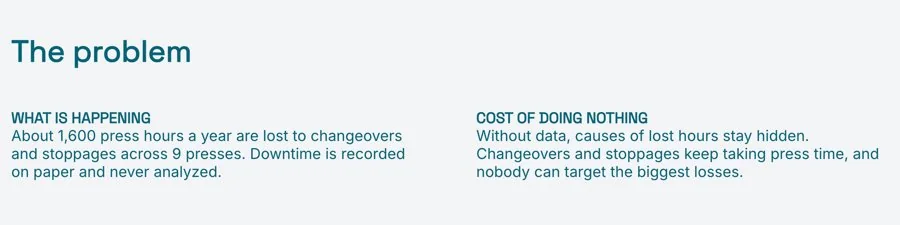
Explain the problem in the reader’s terms: hours lost, money spent, customers lost, risks carried. Then estimate what it costs to leave it alone over the next year or two. The cost of doing nothing is often the most persuasive number in the case, because it turns “should we spend this?” into “can we afford not to?”
Use figures you can defend, and say where they come from. If you had to estimate, say so and show the assumption behind the estimate.
Compare Real Options, Including Doing Nothing
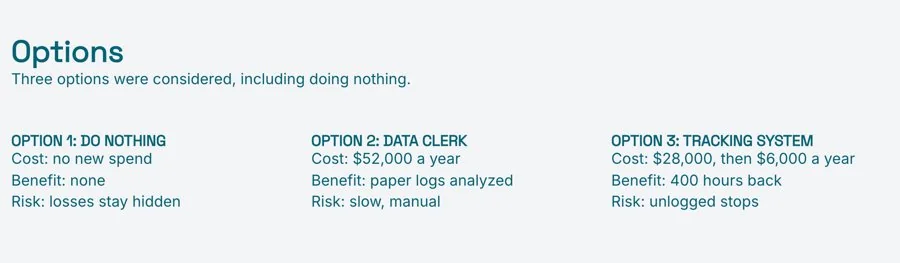
A business case with one option is a request, not a case. Set out two to four real options, always including doing nothing, and compare them on the same terms:
- What the option involves, in a sentence or two
- The cost, up front and ongoing
- The benefits, and when they start to arrive
- The main risks
Then say which option you recommend and why. Showing that you weighed the alternatives fairly is what makes the recommendation credible. A short SWOT analysis of the leading option can help when the strengths and weaknesses are hard to put into numbers.
Set Out Costs and Benefits Plainly
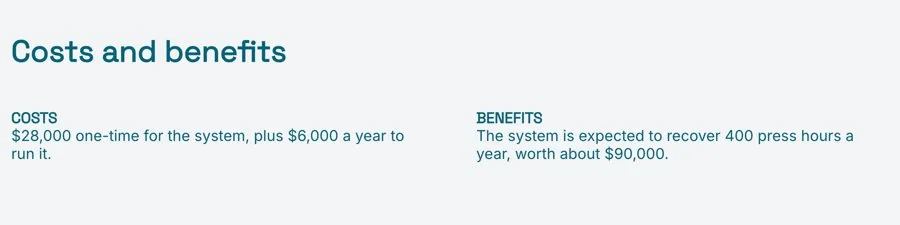
List the costs: one-off and ongoing, people’s time as well as money. List the benefits: savings, new revenue, time freed up, risks reduced. Put them side by side over the same period and show when the investment pays back. Keep the benefits you cannot put a number on, but label them as such rather than giving them a made-up figure.
Show the Risks and How You Will Manage Them
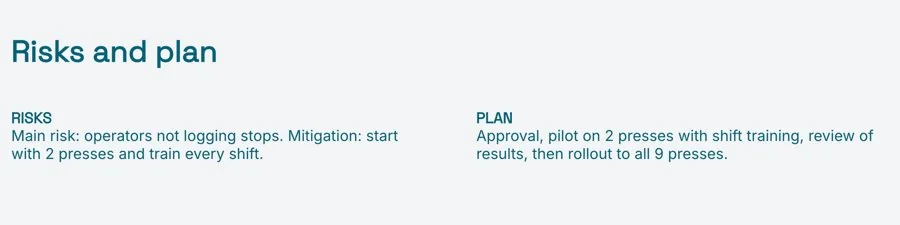
Every decision-maker will ask what could go wrong. Answer before they ask. Name the three to five risks that matter most, how likely each one is, and what you will do about it. Then add a short plan: the main steps, who owns each one, and the first milestone where you will check that it is working.
End With the Decision You Need
Close by saying exactly what you are asking for: a budget, a start date, a named owner, a date to review progress. Make it easy to say yes to something specific. If the decision can be staged, such as a small pilot before a full rollout, offer that too. A smaller first step is often easier to approve than the whole plan.

Send It as a Live Link, Not an Attachment
A business case usually goes through a few rounds before the decision meeting. A figure is corrected, an option is added, someone asks for a pilot. If each round is a new attachment, people arrive at the meeting with different versions and spend the first ten minutes working out which one is current.
Send a live link instead. Everyone gets the same URL and sees the latest version whenever they open it. With engagement analytics you can see who has opened it before the meeting, which tells you whether to walk through it or go straight to questions. Download a PDF if it has to go into a board pack.
Common Business Case Mistakes
- Leaving out doing nothing. Without it, the reader cannot see what the investment is being compared against.
- Optimistic benefits, low costs. One number that looks too good makes the reader doubt every other figure.
- Burying the recommendation. If the reader has to hunt for what you want, they will postpone the decision.
- Ignoring people’s time. Training, set-up and the work of change are real costs, even when no invoice arrives.
- No clear ask. A case that ends with “we hope you will consider this” rarely gets a yes.
Prefer to start with AI? The AI Business Case Generator writes a first draft from your notes, with the recommendation, options, costs and benefits, risks and the decision, ready for you to edit. Check every figure before you send it.
Related Templates and Guides
Frequently Asked Questions
What is a business case?
A business case is a document that argues for one decision or investment. It sets out the problem, the options, the costs and benefits and the risks, and ends with a clear recommendation.
What should a business case include?
A recommendation with the key figures, the problem and the cost of doing nothing, the options compared, costs and benefits, risks and a plan, and the decision you need.
How long should a business case be?
Short enough to read before the meeting. For most decisions, a few pages with the recommendation on the first screen works better than a long document, with detailed calculations moved to an appendix.
What is the difference between a business case and a business plan?
A business plan describes a whole business: its market, model, team and finances. A business case argues for one decision or investment within a business.
Should I send it as a PDF or a link?
A live link, so everyone reads the latest version before the decision. Download a PDF if it needs to go into a board pack or be kept on file.
Ready to make your case?
Start from the template, add your options and figures, and send one live link to everyone who has a say in the decision. Free, no credit card required.

