
How to Send a Consulting Proposal Clients Actually Sign Off On
Most consulting proposals get sent as PDF attachments and disappear into inboxes. This guide covers how to send proposals as live links — so clients can review, share, and approve without the back-and-forth.
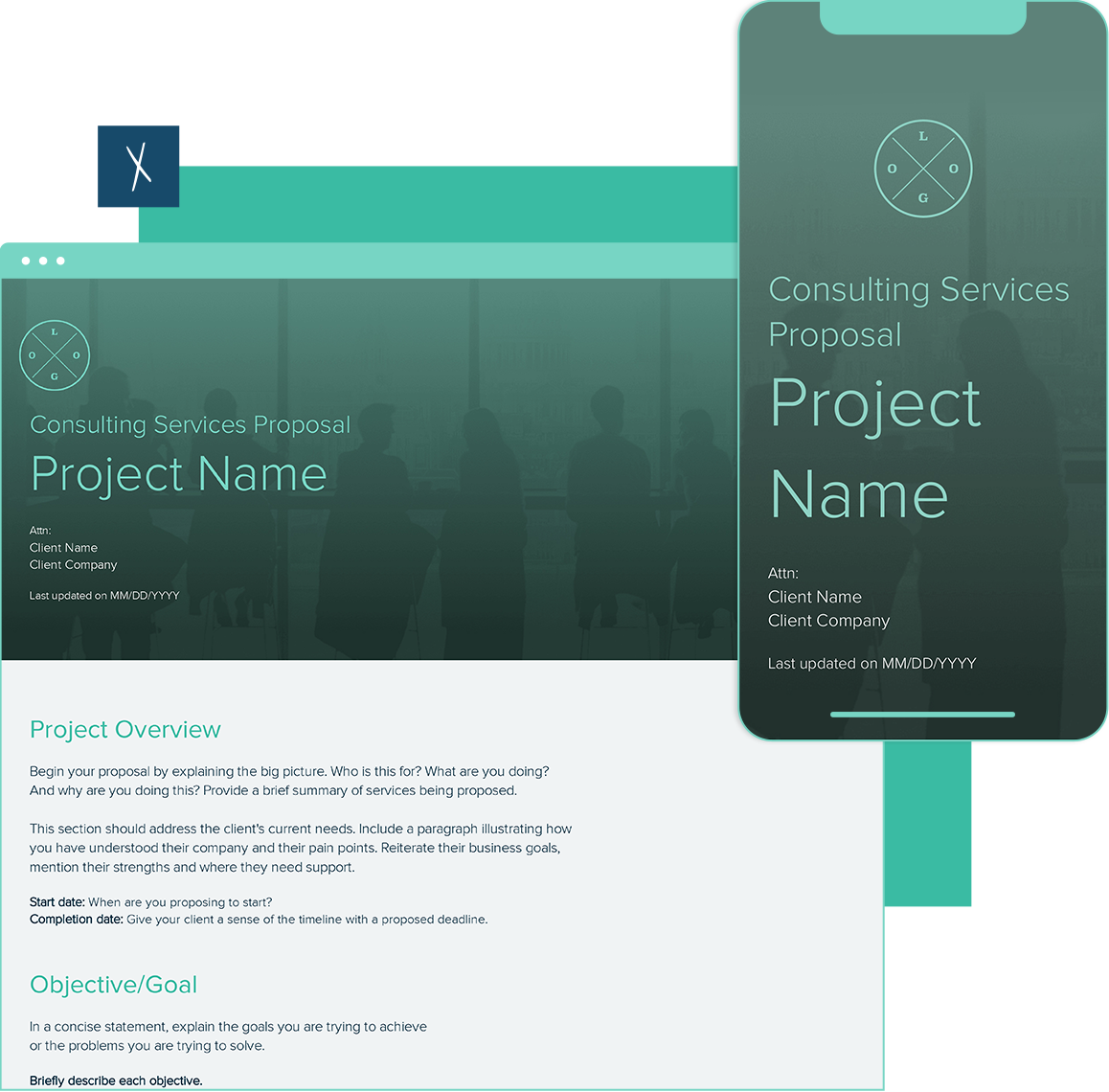
You spent three hours writing a consulting proposal. You exported it as a PDF, attached it to an email, and hit send. Then you waited. A week later you followed up. The client said they hadn’t had a chance to look at it yet.
This is the consulting proposal black hole — and almost every independent consultant has been in it. The problem isn’t the proposal. It’s the format.
Why PDF Proposals Stall in Client Inboxes
When you send a proposal as a PDF attachment, a predictable set of problems follows:
- The client has to download it — which means it’s now competing with every other file in their downloads folder, not their inbox.
- They can’t share it internally without forwarding the email — and once they do, you have zero visibility into who’s seen it or when.
- You don’t know if anyone read it — did they open it? Did they get to the pricing section? You’re guessing.
- Any revision means a new file — suddenly there are three versions called proposal_v2_FINAL.pdf and nobody’s sure which one to approve.
None of this is the client’s fault. PDFs are a dead-end format for anything that needs review, discussion, or sign-off from multiple people.
What Clients Actually Need From a Proposal
Before a client can sign off on your proposal, they typically need to read it, share it with a finance lead or co-founder, ask a question or request one change, and then give you a clear yes. A PDF makes every one of those steps slower than it needs to be.
What clients actually need is a link — something they can open in a browser, share with two clicks, and return to without searching their inbox for your email.
How to Structure a Consulting Proposal That Gets Read and Approved
The sections of a strong consulting proposal are the same whether you’re sending a PDF or a live link. The difference is how the client experiences it. A live proposal behaves like a webpage — always accessible, always current, and viewable on any device.
- Project overview — what you’ll do, for whom, over what timeframe. One tight paragraph. No jargon.
- Deliverables — specific outputs the client can expect. Not “strategic advisory” but “four-week brand audit delivered as a 15-page written report with a prioritized recommendations summary.” Vague deliverables are the single biggest reason proposals stall.
- Timeline and milestones — phased if it’s a multi-month engagement. Clients want to know what happens when.
- Investment — your pricing, payment schedule, and what’s in and out of scope. Don’t bury this. Clients who have to scroll past four pages to find the number will often wait for a call instead of signing off asynchronously.
- Next steps — a clear statement of what you need to proceed. “Reply with your preferred start date and I’ll send the engagement letter within 24 hours.” Remove ambiguity about what yes looks like.
The Follow-Through Advantage of a Live Proposal Link
One of the most useful things about sending a proposal as a live link: you know when someone viewed it — and roughly how long they spent on it.
If a client told you they’d look at it this week and your view data shows they opened it Tuesday at 2pm and spent four minutes on it, you have a natural hook for a follow-up call. You’re not following up blindly — you’re following up because you know they read it.
If the proposal has been opened three times in two days by what appear to be different sessions, that’s a strong signal it’s being discussed internally. That’s the moment to follow up, not after a week of silence.
Step-by-Step: Sending a Consulting Proposal as a Live Link
- Build your proposal in a workspace tool that generates shareable links — not Google Docs (its live links are visually messy and branded as Google, not your firm).
- Include your firm’s logo, the client’s name, and the project name — so the link is clearly branded when they open it.
- Set the visibility — public if the client just needs to open it, or password-protected if the pricing is sensitive.
- Copy the live link and paste it into the body of your email — not as an attachment. Something like: “Here’s the proposal for your review: [link]. Happy to walk through it on a call if useful.”
- Follow up based on engagement, not a calendar timer — check your view notifications. If they’ve viewed it, follow up. If they haven’t, give them two more days before nudging.
What to Include to Speed Up Sign-Off
The proposals that get approved fastest tend to have three things in common regardless of format:
- Concrete deliverables language. Clients sign off on specifics, not categories. The more precisely you describe what they’re getting, the faster they can say yes.
- Visible pricing. The investment section should be findable within the first scroll. Proposals where pricing is buried in the back consistently take longer to close.
- A clear yes mechanism. Tell the client exactly what “yes” looks like: reply to the email, click a link, sign a short letter. Don’t make them guess.
If you’re building proposals for consulting engagements, Xtensio’s consulting proposal template gives you a starting structure that works as both a live link and a PDF export — so you can send it either way depending on the client’s preference.
Frequently Asked Questions
Should I still send a PDF copy alongside the live link?
You can offer one if the client asks, but default to the live link as the primary version. Most clients don’t need the PDF once they’ve seen how convenient the link is. If they specifically ask for a PDF for their records, export a snapshot — but keep the live link as the version you update.
How is a live link different from sending the proposal in Google Docs?
Google Docs works but carries Google’s branding and has formatting limitations that make proposals look informal. If you’re positioning yourself as a professional consultant, your proposal should look like it came from your firm — your logo, your colors, your layout. A dedicated workspace tool gives you that control without the overhead of InDesign or Canva.
What if the client wants to leave comments or mark up the proposal?
Build a comment mechanism into your next-steps section — “If anything in the scope needs adjusting, reply to this email and I’ll update the proposal in place.” That’s cleaner than tracked changes in a shared doc and keeps the record of revisions in your email thread, not buried in a document.
How do I handle pricing visibility if the proposal is shareable by link?
Set the folio to public but send the link only to the right people. If you’re concerned about pricing getting forwarded broadly, use password protection — share the link with a short note that the password is the client’s company name. It’s a light friction that keeps things professional without going full NDA mode on a proposal.
What’s the best way to follow up after sending a live proposal?
Wait 48 hours, check whether the proposal has been viewed, then follow up based on what you see. If they’ve viewed it: “Wanted to check in — looks like you had a chance to review the proposal. Happy to jump on a quick call if you have questions.” If they haven’t viewed it: “Wanted to make sure the link came through — here it is again: [link].” Both follow-ups feel natural because they’re based on real information, not a calendar alert.
Ready to send your next consulting proposal as a live link? Start free with Xtensio — build your proposal, share the link, and see exactly when your client opens it.

