
How To Create A Customer Success Plan (With Template and Examples)
Updated by Xtensio
The customer success plan outlines the “what” and “how” your customer success team will deliver value throughout the customer lifecycle. If effective, the customer success plan should mitigate potential problems with onboarding, adoption, and operations, outline ways to reduce churn, and provide the entire team with big-picture goals and achievements. Use this step-by-step guide to create and iterate on your user-customer success plan, easily. Explore this template.
Xtensio is your team space for beautiful living documents.
Create, manage and share business collateral, easily.
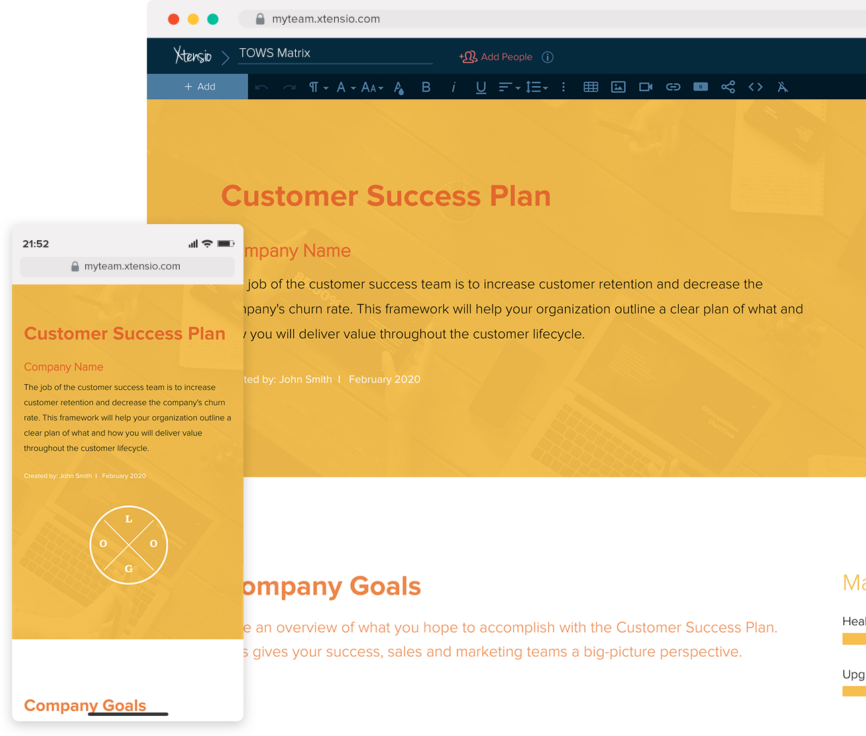
Table of Contents
What Is a Customer Success Plan and Why Does It Matter
A customer success plan is a structured document that maps out how your team will help a specific customer achieve their goals with your product. Unlike a generic onboarding checklist, a success plan is personalized to the customer’s objectives, timeline, and definition of success.
Customer success plans directly impact retention and expansion revenue. Research consistently shows that customers with a documented success plan are significantly more likely to renew and expand their contracts. The plan creates accountability on both sides — your team commits to specific outcomes, and the customer commits to the actions needed to get there.
The success plan also serves as a communication tool. When a customer asks ‘what are we paying for?’ or ‘what has your team done for us?’, the plan provides a clear, documented answer. It shifts the relationship from reactive support to proactive partnership.
Keep your success plan as a living document that both your team and the customer can reference at any time. Static PDFs get lost in email — a live link stays bookmarked and always reflects current progress.
Key Metrics Every Customer Success Plan Should Track
Start with the metrics that define whether the customer is healthy. Net Promoter Score (NPS) tells you how likely the customer is to recommend you. Product adoption rate shows whether they are actually using what they bought. Time-to-value measures how quickly they saw meaningful results after onboarding.
Track expansion indicators alongside health metrics. Are they adding users? Are they asking about features in a higher tier? Are they inviting other departments? These signals suggest the account is ready for an upsell conversation, and your success plan should document when and how to initiate it.
Risk signals matter just as much. Monitor login frequency, support ticket volume, stakeholder changes (especially executive sponsors leaving), and engagement with your communications. A sudden drop in any of these is an early warning sign that needs to appear in the plan and trigger a specific response.
Review these metrics monthly at minimum, quarterly at most. Document the review cadence in the plan so both sides know when to expect a check-in.
Customer Success Plan vs Account Plan vs Onboarding Plan
These three documents serve different purposes and audiences. An onboarding plan covers the first 30 to 90 days after purchase — it focuses on implementation, training, and initial activation. Once the customer is live, the onboarding plan is done.
A customer success plan runs for the life of the relationship. It evolves as the customer’s goals change, new stakeholders join, and the product develops. The plan should be reviewed and updated at every quarterly business review.
An account plan is a sales-oriented document that maps revenue opportunity within the account — expansion targets, competitive threats, political dynamics, and procurement timelines. Customer success plans inform account plans, but they serve different internal audiences. Success plans are customer-facing; account plans are internal.
Many teams make the mistake of trying to combine all three into one document. Keep them separate but linked. When your success plan surfaces an expansion signal, reference it in the account plan. When the account plan identifies a new stakeholder, add them to the success plan’s communication cadence.
When to Update Your Customer Success Plan
Update the plan whenever the customer’s situation changes materially. Common triggers include: a renewal approaching within 90 days, a new executive sponsor taking over, a significant change in the customer’s business (merger, layoff, pivot), a support escalation, or a request for new features.
At minimum, review and refresh the plan quarterly during your business review. This is your opportunity to reassess goals, update metrics, celebrate progress, and recalibrate expectations. Document the outcomes of each review directly in the plan so you have a running history.
If the customer has not engaged with the plan in over 60 days, treat that as a risk signal. Reach out, propose a quick check-in, and ask what has changed. Silence from a customer is rarely good news — it usually means they have deprioritized your product.
Use your workspace to organize all customer plans by account. This keeps everything accessible for your team and makes it easy to spot patterns across your portfolio — like multiple customers struggling with the same feature.
Your guide to creating a strategic customer success plan
Customer success teams are responsible for increasing customer retention and lowering the company’s turnover rate. The customer success plan template will assist your company in laying out a clear strategy for delivering value across the client lifecycle.
- Focus your customer success efforts on illuminating how your product exceeds your customers’ expectations and how you can help them see and realize that value.
- Facilitate product adoption, prevent your customers from churning, and create customer and product advocates.
- Align expectations and goals across your company to map out your expansion strategy.
With Xtensio, you can easily generate a customer success plan tailored and loop in your CS, marketing, and sales teams to create an effective, ongoing customer engagement strategy. You can work hand-in-hand with your team on a live doc, leave feedback, or share a link to maintain visibility across your organization.
1. Create your customer success plan header
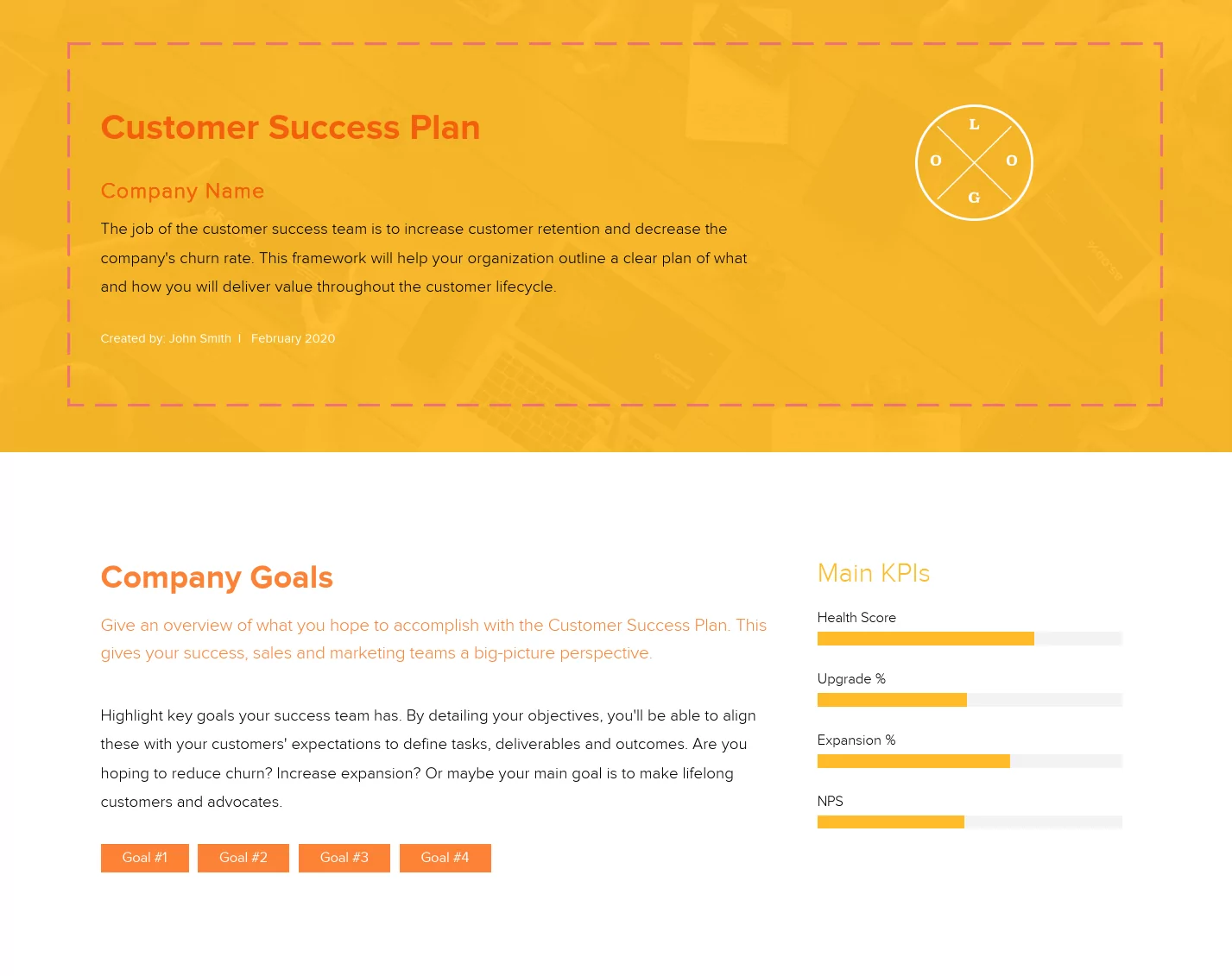
Introduce your customer engagement plan by adding your company name, uploading your logo, and adding the date and name of the person creating the plan. You can also update the folio color scheme and background to match your company branding.
2. Highlight your customer success team’s key goals
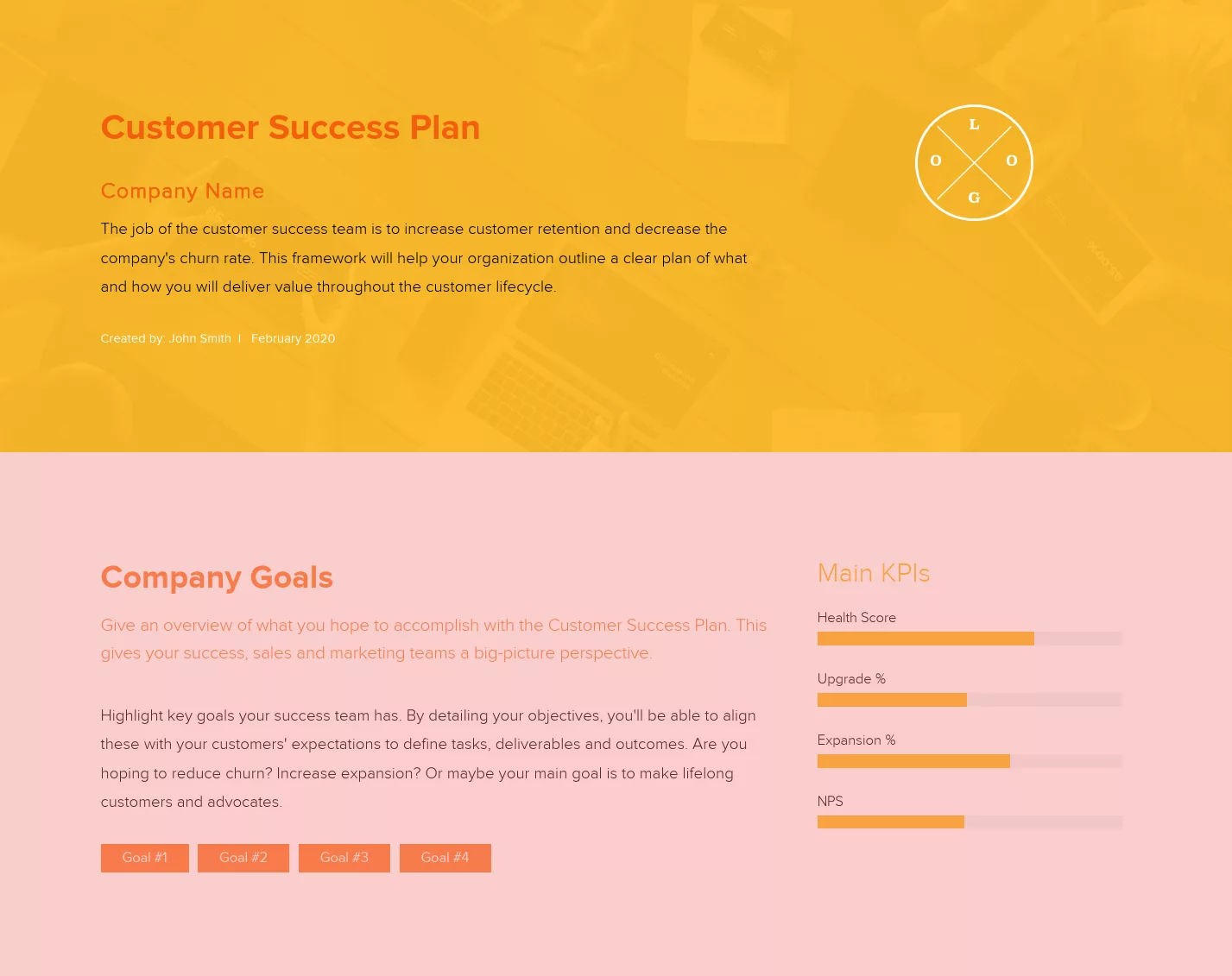
Highlight key goals your success team has. By detailing your objectives, you’ll be able to align these with your customers’ expectations to define tasks, deliverables and outcomes.
- Are you hoping to reduce churn?
- Increase expansion?
- Or maybe your main goal is to make lifelong customers and advocates.
Use the tag module to highlight your key goals and designate a few KPIs you’ll use to ensure you’re reaching these goals.
3. Identify your ideal customer(s)
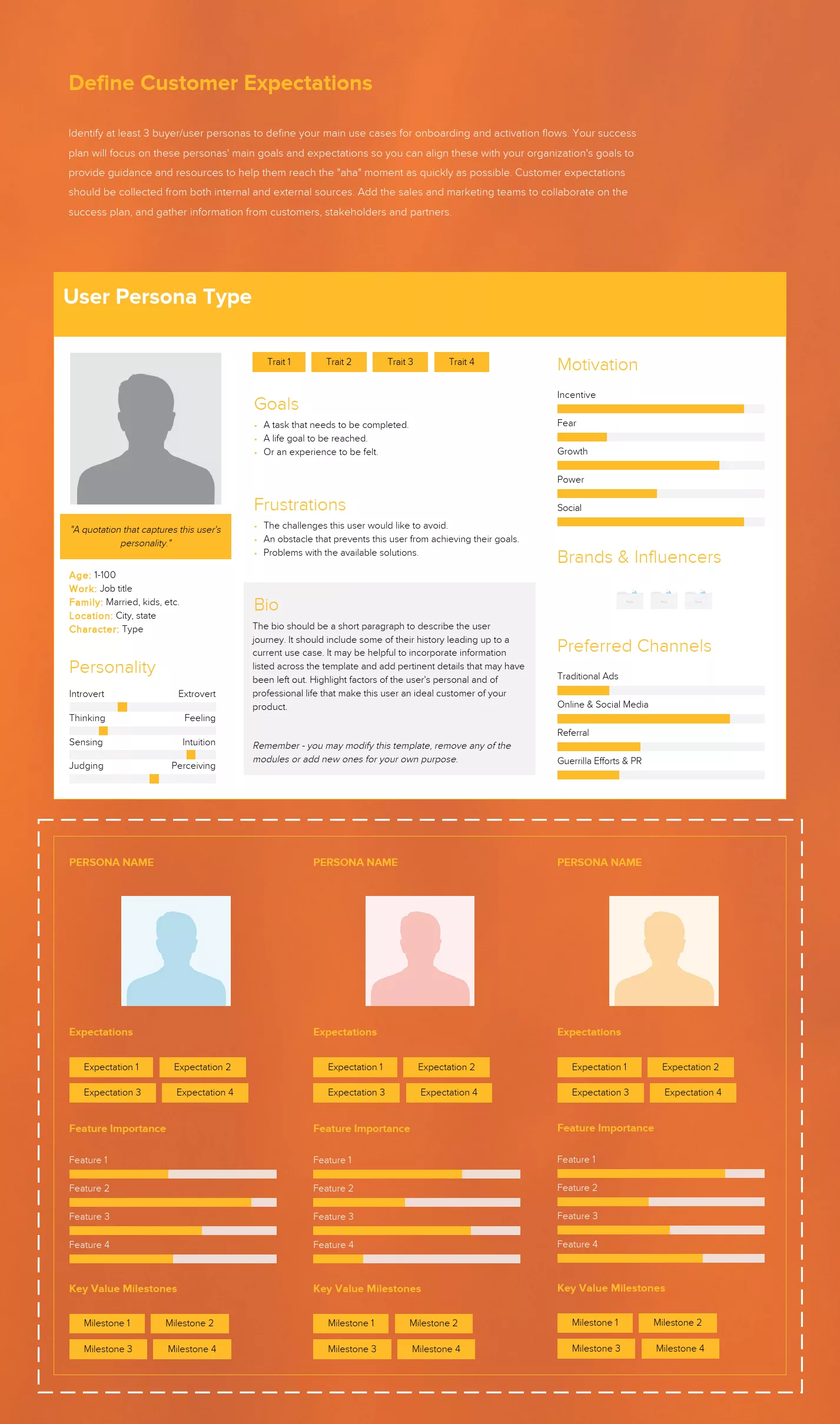
Identify at least 3 buyer/user personas to define your main use cases for onboarding and activation flows. Your success plan will focus on these personas’ main goals and expectations so you can align these with your organization’s goals to provide guidance and resources to help them reach the “aha” moment as quickly as possible.
Both internal and external sources should be used to gather customer expectations. Collaborate on the success plan with the sales and marketing teams, and gather data from customers, stakeholders, and partners.
4. Choose a customer engagement model
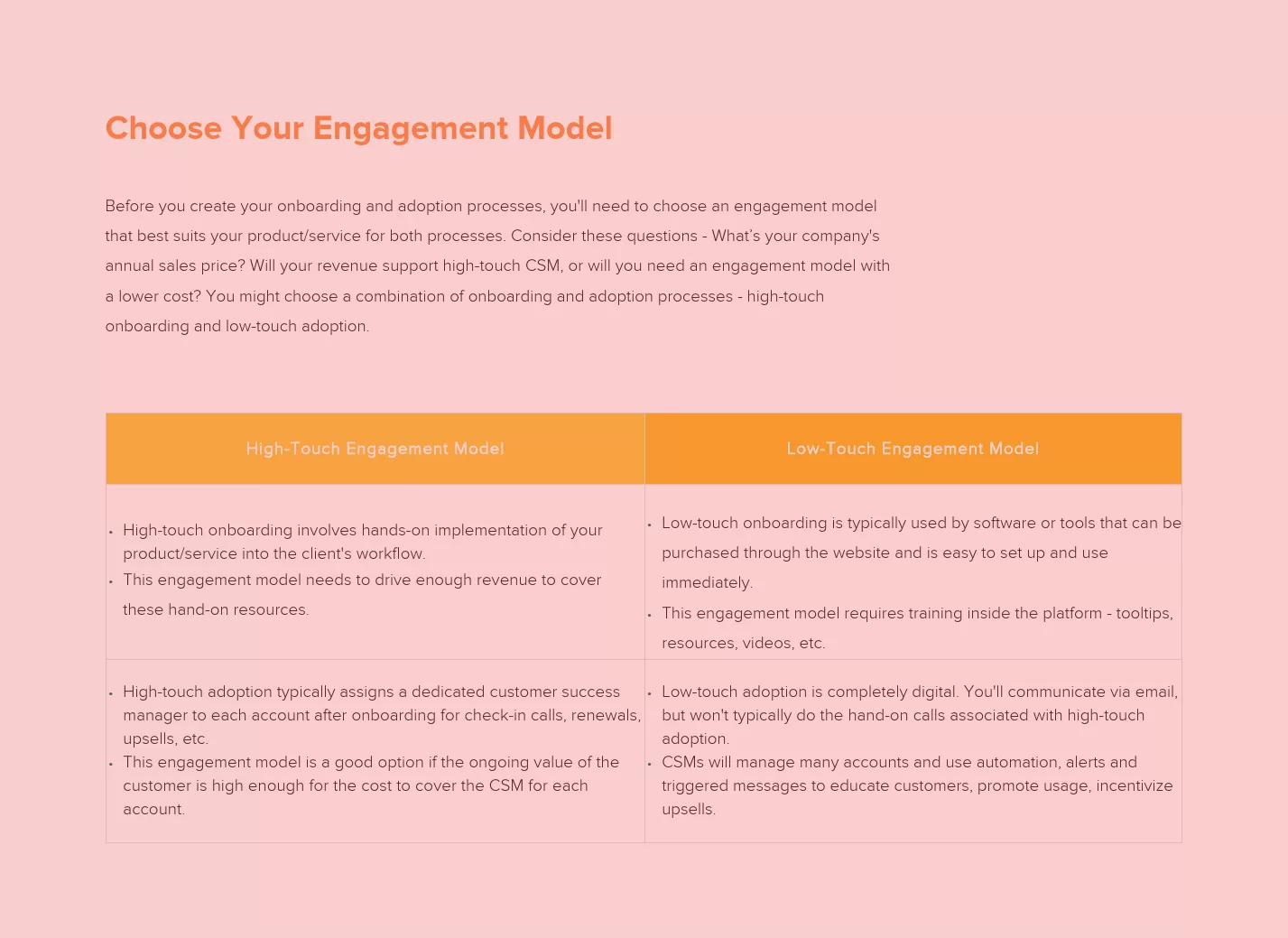
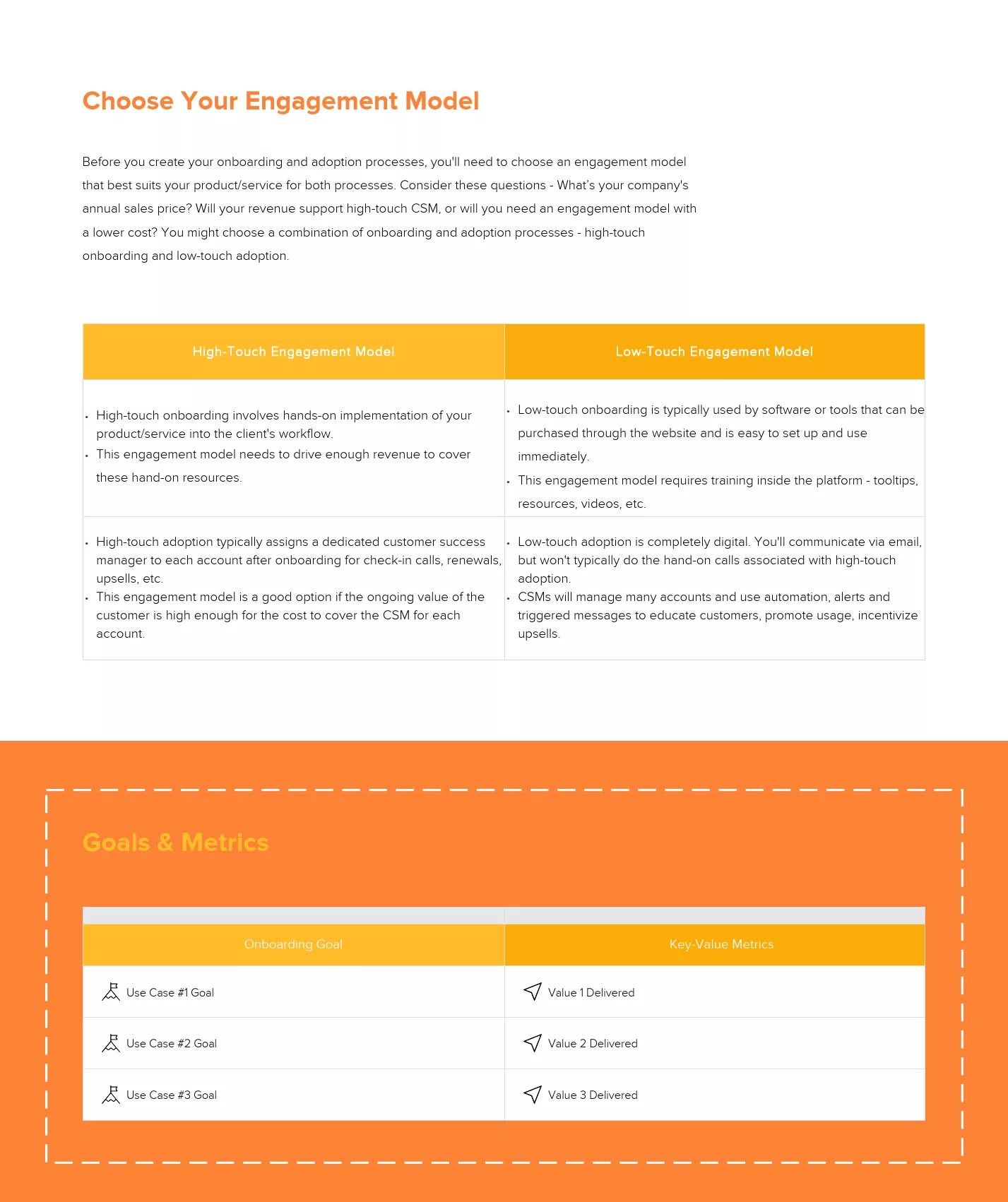
Before you create your onboarding and adoption processes, you’ll need to choose an engagement model that best suits your product/service for both processes. Consider these questions:
- What’s your company’s annual sales price?
- Will your revenue support high-touch CSM, or will you need an engagement model with a lower cost?
You might choose a combination of onboarding and adoption processes – high-touch onboarding and low-touch adoption.
- High-touch onboarding involves hands-on implementation of your product/service into the client’s workflow.
- High-touch adoption typically assigns a dedicated customer success manager to each account after onboarding for check-in calls, renewals, upsells, etc.
- Low-touch onboarding is typically used by software or tools that can be purchased through the website and is easy to set up and use immediately.
- Low-touch adoption is completely digital. You’ll communicate via email, but won’t typically do the hand-on calls associated with high-touch adoption.
5. Define and detail quantifiable goals and metrics
Make sure to use SMART goals and regularly check your progress with strong KPIs. Here’s how:
- Specific: Who? What? Where? Why? When?
- Measurable: What are the metrics? Any numbers or percentages to reach?
- Achievable: Do you have the resources and skills to reach the goal you are setting?
- Realistic: Does it match your organization’s overall goals?
- Timely: When will you finalize this project?
6. Outline messaging and engagement flows
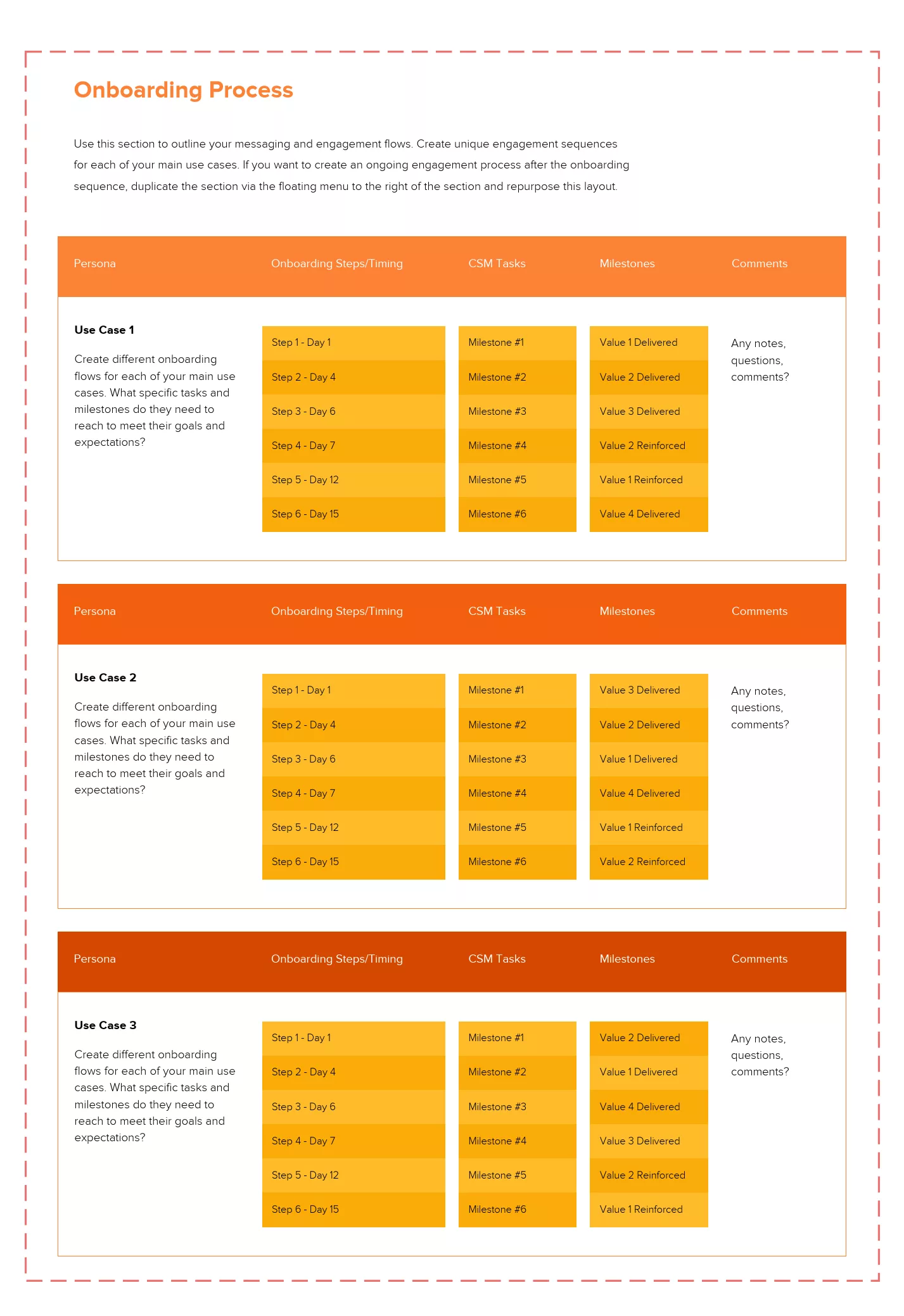
Outline your messaging and engagement flows in this area. For each of your key use cases, create a unique engagement sequence. Duplicate the section from the floating menu to the left of the section and repurpose this layout if you want to establish a continuous engagement process following the onboarding phase.
For each of your main use cases, outline what specific tasks and milestones they need to reach to meet their goals and expectations and correlate those with important messages or touchpoints from your customer success team.
Share your customer success plan as a link, monitor, evaluate & iterate
Our customer success playbook should be centered around your target customers’ expectations. If effective, the customer success plan should mitigate potential problems with onboarding, adoption and operations, outline ways to reduce churn and provide the entire team with the big picture goals and achievements. This playbook then acts as a crucial tool for aligning resources and objectives for customer success managers.
When you’ve finished creating your customer success playbook with Xtensio’s editor, you can send the live link to your folio to share it as a responsive webpage (and add password protection), export a PDF and post it on your bulletin board and continuously optimize with new learnings. The user customer success plan is adaptable just like other Xtensio tools, it can and should be repurposed, revisited, and revised regularly.
Customer Success Plan by Segment: Enterprise, Mid-Market, and SMB
Not every customer needs the same level of engagement. The most effective customer success teams tailor their plans by segment, adjusting depth, cadence, and delivery based on account value and complexity.
Enterprise (high-touch). Each account gets a named CSM and a fully customized success plan. Quarterly business reviews are mandatory. The plan includes executive sponsor mapping, multi-department adoption tracking, and a formal escalation path. Enterprise plans are the most detailed because the consequences of churn are the highest. Expect to invest 4 to 6 hours per account per month in plan maintenance alone.
Mid-market (hybrid). CSMs manage 30 to 50 accounts each, so plans need to be efficient without being shallow. Use a templated success plan structure with customizable sections for goals, metrics, and engagement cadence. Replace monthly calls with biweekly async updates and reserve live sessions for QBRs and escalations. Track adoption signals in bulk and flag accounts that fall below threshold for a personal check-in.
SMB and self-serve (tech-touch). Individual success plans are not feasible at this scale. Instead, create segment-level playbooks that trigger automated outreach based on behavior: no login in 14 days, feature X not activated after 30 days, usage drop below baseline. The “plan” lives as a sequence of automated touchpoints with an option to escalate to a human when health scores dip below a defined threshold.
Regardless of segment, every plan should answer the same core questions: what does success look like for this customer, what signals indicate risk, and what is the next action if those signals appear. Keep your segment-specific plans organized by client in Workspaces so every CSM can find the right playbook without searching through email threads.
5 Customer Success Plan Mistakes That Accelerate Churn
Most customer success plans fail not because the team lacks effort, but because the plan itself has structural problems. Here are the five most common mistakes and how to avoid each one.
1. Reactive instead of proactive. If your plan only documents what to do after a problem surfaces, it is not a success plan. It is an incident response document. A real success plan identifies early warning signals and defines preemptive actions. For example: if login frequency drops below twice per week for three consecutive weeks, the CSM schedules a check-in before the customer files a complaint or silently decides not to renew.
2. Vanity health scores. A composite health score that averages NPS, login frequency, and support tickets into a single number sounds useful but hides more than it reveals. A customer can have a perfect NPS, log in daily, and still churn because their executive sponsor left. Track individual signals separately and define specific response thresholds for each one.
3. No expansion signals. Many plans focus exclusively on retention and completely ignore growth. Your success plan should document what “ready for expansion” looks like: the customer has activated 80% or more of their licensed features, they have asked about capabilities in a higher tier, or they have added users organically. When these signals appear, the plan should trigger a specific handoff to sales or an upsell conversation led by the CSM.
4. Ignoring multi-stakeholder dynamics. The person who signed the contract is rarely the only person who decides whether to renew. Map every stakeholder in the success plan: the executive sponsor who controls budget, the day-to-day champion who uses the product, the IT or procurement contact who manages vendor reviews. When any of these roles change, update the plan immediately and schedule an introduction call within two weeks.
5. Treating the plan as a static document. A success plan that was written during onboarding and never updated is worse than having no plan at all. It creates a false sense of security. Your plan needs to be a living deliverable that reflects the current state of the relationship, not a snapshot from six months ago. Share it as a live link that the customer can bookmark and reference anytime, so both sides are always looking at the same current version.
How to Run a Quarterly Business Review Using Your Success Plan
The quarterly business review (QBR) is where your customer success plan proves its value. A good QBR is not a slide deck of product updates. It is a structured conversation about progress toward the customer’s goals, anchored by the data and commitments documented in the success plan.
Before the QBR. Pull the latest metrics from your plan: adoption rates, support ticket trends, feature usage, and any open action items from the previous quarter. Identify two or three wins to highlight and one or two risks to address. Prepare a draft agenda and share it with the customer at least five business days in advance so they can add their own topics.
During the QBR. Start with wins. Show the customer what they achieved in concrete terms: “Your team reduced time-to-value by 22% this quarter by adopting the automated onboarding workflow.” Then address risks honestly: “We noticed that three of your team leads have not logged in since January. Can we discuss what is blocking adoption?” Close with next-quarter priorities and get explicit agreement on the top three goals.
After the QBR. Update the success plan within 48 hours. Replace last quarter’s goals with the new ones. Archive the QBR notes in the plan so there is a running record of every review. Share the updated plan link with all attendees and their managers. This is also the moment to update engagement analytics thresholds if the customer’s usage patterns have shifted.
If you skip QBRs or treat them as optional, your success plan becomes a document that nobody reads. The QBR is the forcing function that keeps the plan alive and keeps both sides accountable.
Building a Customer Success Plan That Scales Across Your Portfolio
When you manage 10 accounts, you can keep plans in your head. When you manage 50 or 100, you need a system. Scaling customer success plans requires three things: a consistent template, a shared workspace, and a reporting cadence that surfaces problems before they become emergencies.
Standardize the template. Every success plan across your portfolio should follow the same structure: customer profile, goals, metrics, engagement cadence, stakeholder map, risk signals, and expansion opportunities. This does not mean every plan looks identical. The content varies by customer. But the structure stays the same so any CSM can pick up any account and know exactly where to find what they need. Start with the customer onboarding checklist template for the first 90 days, then graduate to a full success plan for the ongoing relationship.
Centralize in one workspace. Scattered plans across Google Docs, Notion pages, and email attachments guarantee that something gets lost. Keep every customer’s success plan, onboarding materials, and QBR notes in one workspace where the entire CS team can access them. When a CSM leaves or an account gets reassigned, nothing disappears. Use a shared workspace organized by account so handoffs take minutes, not weeks.
Report on portfolio health weekly. Individual plan updates happen throughout the week, but once a week, the CS leader should review aggregate portfolio health: how many accounts are green, yellow, red? Which accounts have not been updated in over 30 days? Which accounts have a renewal in the next 90 days with no QBR scheduled? Build a monthly customer success report that rolls up these signals so leadership has visibility without needing to open every individual plan.
Scaling is not about doing less for each customer. It is about doing the right things consistently, with a system that prevents accounts from falling through the cracks. The plan is the system.
Written by

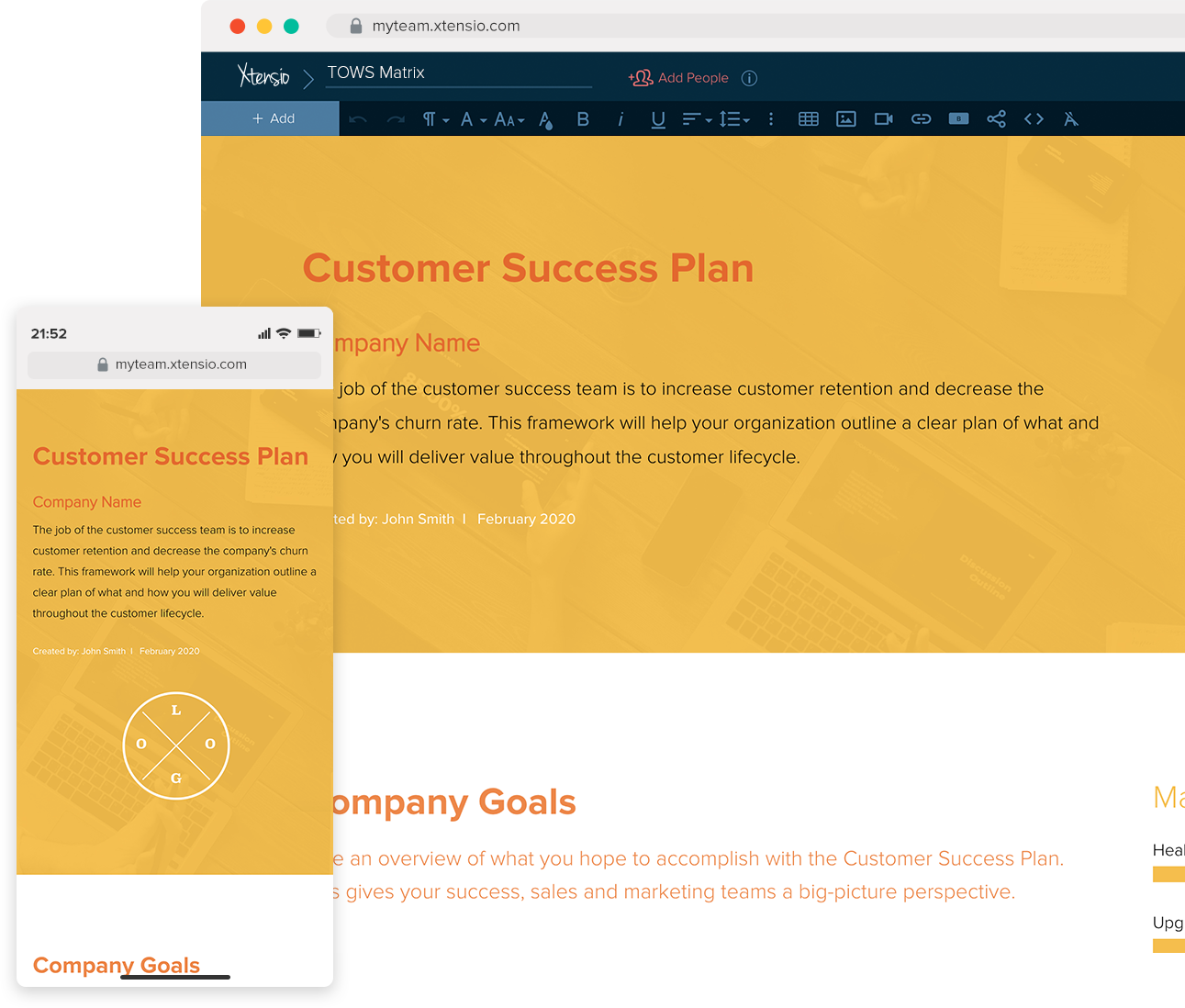
Design, manage and share beautiful living documents… easily, together. Explore Xtensio
- Click and edit anything… together.
- Customize to match your branding.
- Share with a link, present, embed or download.

