
How-to Guide
How to Write a Program Overview
A program overview tells a prospective participant what they will get, how it works and how to join, on one page. Here is how to write each section.
Someone is interested in your coaching program, workshop or course, and they have questions. How long is it? Is it online? What will I actually do each week? Who runs it, how much is it, and when does it start? If the answers are spread across a sales call, a few emails and a page on your website, many people never get to the end of the list.
A program overview puts all of it on one page. It is the document you send after a discovery call, link from your website, and hand to the manager who has to approve the budget. This guide walks through each section, what to write in it, and how to send it so the dates and price are always right.
Who a Program Overview Is For
Write for two readers at once:
- The participant wants to know whether the program fits them, what they will leave with, and whether they can make the schedule.
- The person who approves it, often a manager, a client or a training team, wants outcomes, format, price and who is running it, so they can say yes without a meeting.
If your overview answers both, it can travel inside an organization without you.
What to Include in a Program Overview
Keep it to one page that can be read in a few minutes. These six sections cover what most programs need:
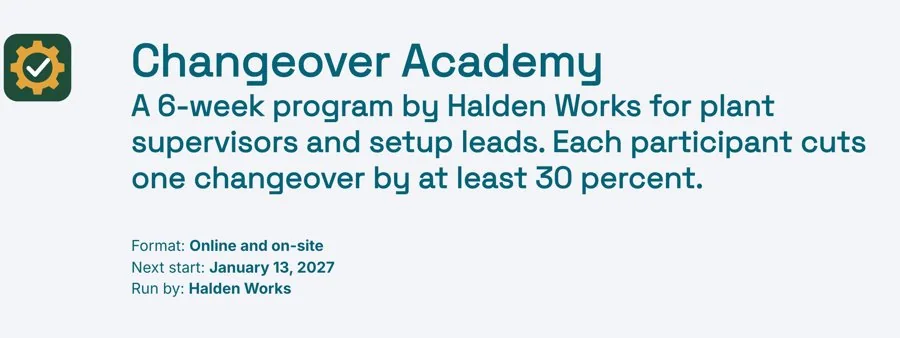
- Program header. The name, how long it runs, the format, the next start date and who runs it.
- Who it is for and outcomes. The person who gets the most from it, the problem they come in with, and what they leave with.
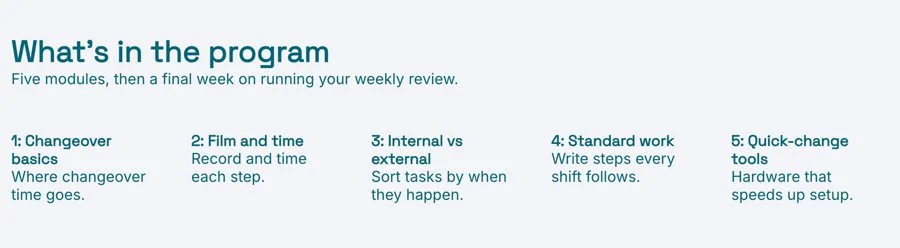
- Modules. One short entry per module, session or week: what participants do and how long it takes.
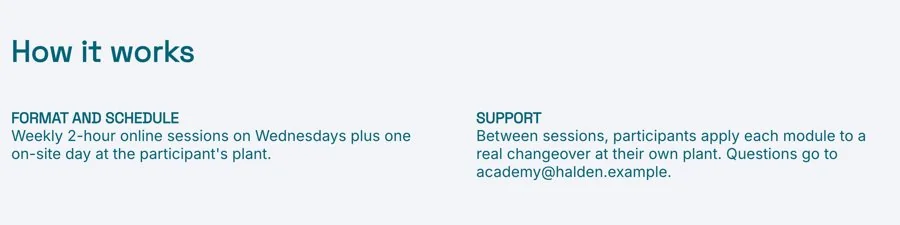
- How it works. The format and schedule, and the support between sessions.
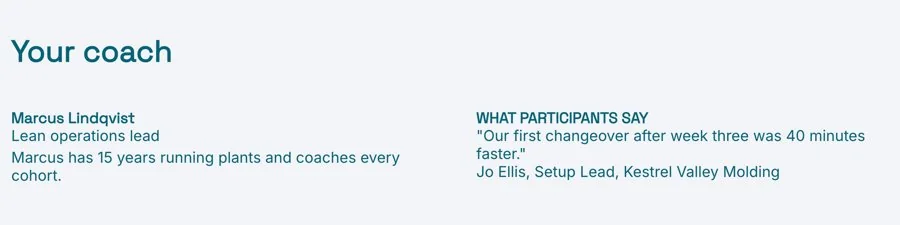
- Your coach and a participant quote. Who runs it and why, and a few words from someone who has done it.
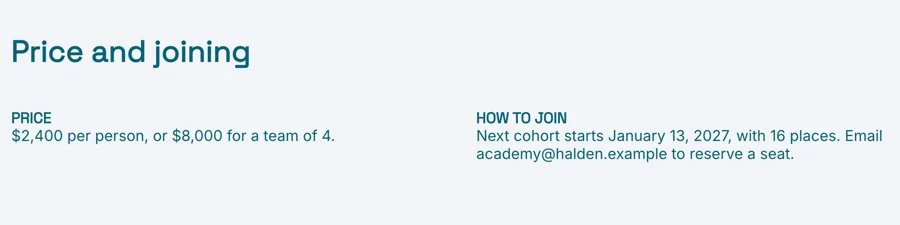
- Price and how to join. What it costs, what is included, and the steps to sign up.
The Program Overview Template has all six sections in this order, with a short prompt in each one telling you what to write, and a finished example to follow.
Answer the Practical Questions in the Header
Put the facts people use to rule a program in or out at the very top: the name, the length, whether it is online, in person or both, the next start date, and who runs it. Someone who cannot make the dates or the format should be able to tell in seconds, and someone who can should feel the details are settled.
Describe the Participant, Then the Outcomes
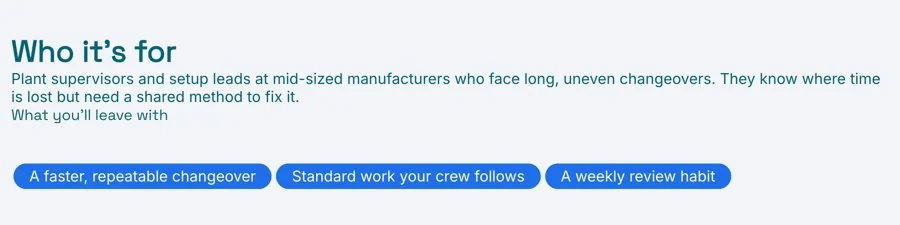
Describe the person who gets the most from the program: their role, their situation and the problem they come in with. Be specific enough that the wrong person can tell it is not for them. That honesty makes the right person more confident.
Then list three outcomes, written as things a participant will have or be able to do at the end: a finished plan, a new skill used on real work, a habit in place. “Gain confidence” is hard to picture. “Run your own team meetings with a clear agenda” is not.
Make Each Module Concrete
List one module, session or week per entry. For each, give a short name, one sentence on what participants will do, and how long it takes. Write it as an activity, not a topic: “Map your client journey and find the three biggest gaps” tells someone what the session is like, and “Customer experience” does not.
Keep the list to what fits on the page. If a module needs more detail, it belongs in a course plan you share once people have joined.
Explain How It Works Week to Week
People decide whether they can commit based on this section. Say how sessions run, such as live calls, in-person days or self-paced lessons, how long each one is and when they happen. Then explain the support between sessions: materials, a community, office hours or feedback on work. Mention what participants need to set aside, such as an hour of work between sessions.
Introduce the Coach and Let a Participant Speak
A program is bought partly on trust in the person running it. Give the coach’s name and role, and two lines on their background and why they run this program. Then add a short quote from a past participant, with their name and role if they have agreed to it. One specific quote about a result is worth more than several general ones about enjoying it. If you have a longer story to tell, link a case study.
State the Price and the Next Step Clearly
Give the price, what it includes, and any payment options, such as instalments or a team rate. Then set out how to join in two or three steps: book a call, fill in a short application, pay to confirm a place. Add the deadline if places are limited. A reader who has got this far should never have to ask how to sign up.
Send It as a Live Link, Not an Attachment
Program details change often: a new start date, an extra module, a new price for the next intake. If you sent a PDF, older copies keep circulating with the old dates, and people end up asking which one is right.
Send a live link instead. You update the dates or price once, and everyone with the link sees the current version, including the manager it was forwarded to. With engagement analytics you can see when someone opened the overview after a call, which is a good moment to follow up. Download a PDF if someone needs a file for an approval request.
Common Program Overview Mistakes
- Listing topics instead of outcomes. Say what participants will be able to do at the end.
- Hiding the price. Readers who cannot find it tend to assume it is out of reach and move on.
- A vague schedule. Give session lengths, days and times, so people can check their calendar.
- No clear next step. End with exactly how to join.
- Out-of-date copies. Keep one live page and update it.
Prefer to start with AI? The AI Program Overview Generator writes a first draft from your notes, with the header, outcomes, modules, format and joining steps, ready for you to edit.
Related Templates and Guides
Frequently Asked Questions
What is a program overview?
A program overview is a one-page document that describes a coaching, training or workshop program: who it is for, the outcomes, the modules, how it works, who runs it, the price and how to join.
What is the difference between a program overview and a course plan?
A program overview helps someone decide to join. A course plan is the detailed, session-by-session plan you use to deliver the program once people have signed up.
How long should a program overview be?
One page for most programs. If a reader needs more detail, link to a full syllabus or course plan rather than adding it to the overview.
Should I include the price?
Yes, in most cases. People who cannot find the price often stop reading, and the person approving the budget needs it to say yes.
Should I send it as a PDF or a link?
A live link, so readers always see the current dates and price. Download a PDF if someone needs a file for an approval request or an internal form.
Ready to fill your next program?
Start from the template, add your modules and dates, and send one live link people can read, share and join from. Free, no credit card required.

