How To Create A Monthly Marketing Report (With Template)
Updated by Xtensio
Creating a monthly marketing report is important for tracking performance, understanding trends, and making informed decisions. This report provides an overview of key metrics, campaign performance, and ROI analysis. By regularly creating these reports and comparing them, you can identify successes, pinpoint areas for improvement, and effectively communicate results to stakeholders. In this guide, we’ll walk you through the steps to create a detailed and insightful monthly marketing report. Follow along with the free template.
Listen to this article:
Xtensio is your team space for beautiful living documents.
Create, manage and share business collateral, easily.
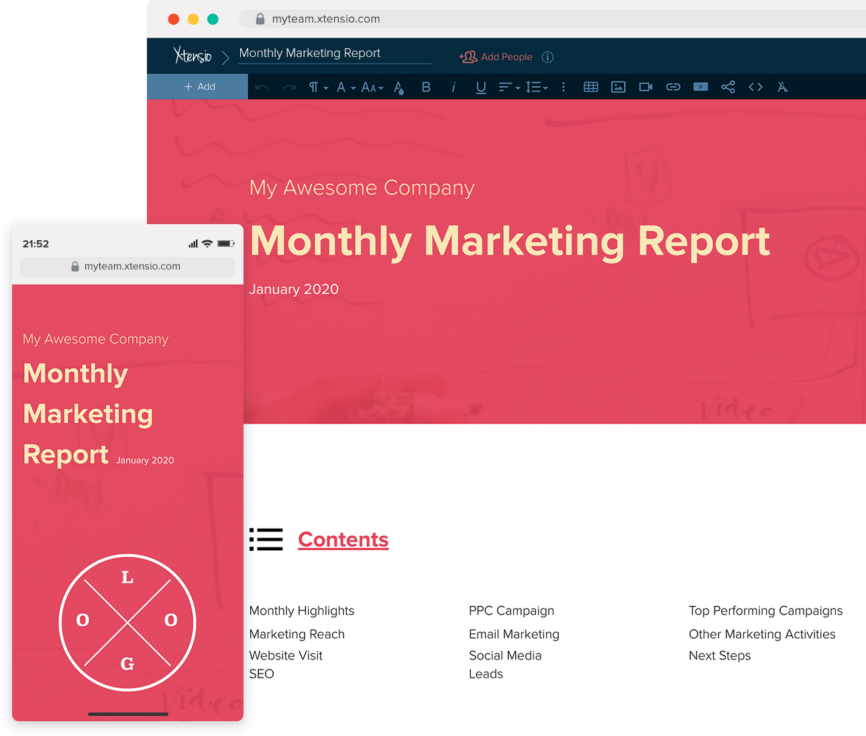
Table of Contents
What is a marketing report?
The monthly marketing report is a vital tool for shaping your marketing strategy. It’s essential to select metrics that align closely with your business goals. Monthly reporting helps your marketing team:
- Track the monthly growth of visits, leads, and customers with visually engaging reports.
- Identify the most effective marketing channels for your organization.
- Detect gaps in your marketing strategy, allowing you to pivot and improve.
With Xtensio, you can easily generate tailored marketing reports that meet your objectives. Collaborate with colleagues, clients, and key stakeholders to create and refine your marketing reports.
Create your marketing report header and table of contents
Introduce your marketing report by including your company or your client’s company name and logo. Specify the month you’re reporting for, and update the folio’s color scheme and background to match your company branding.
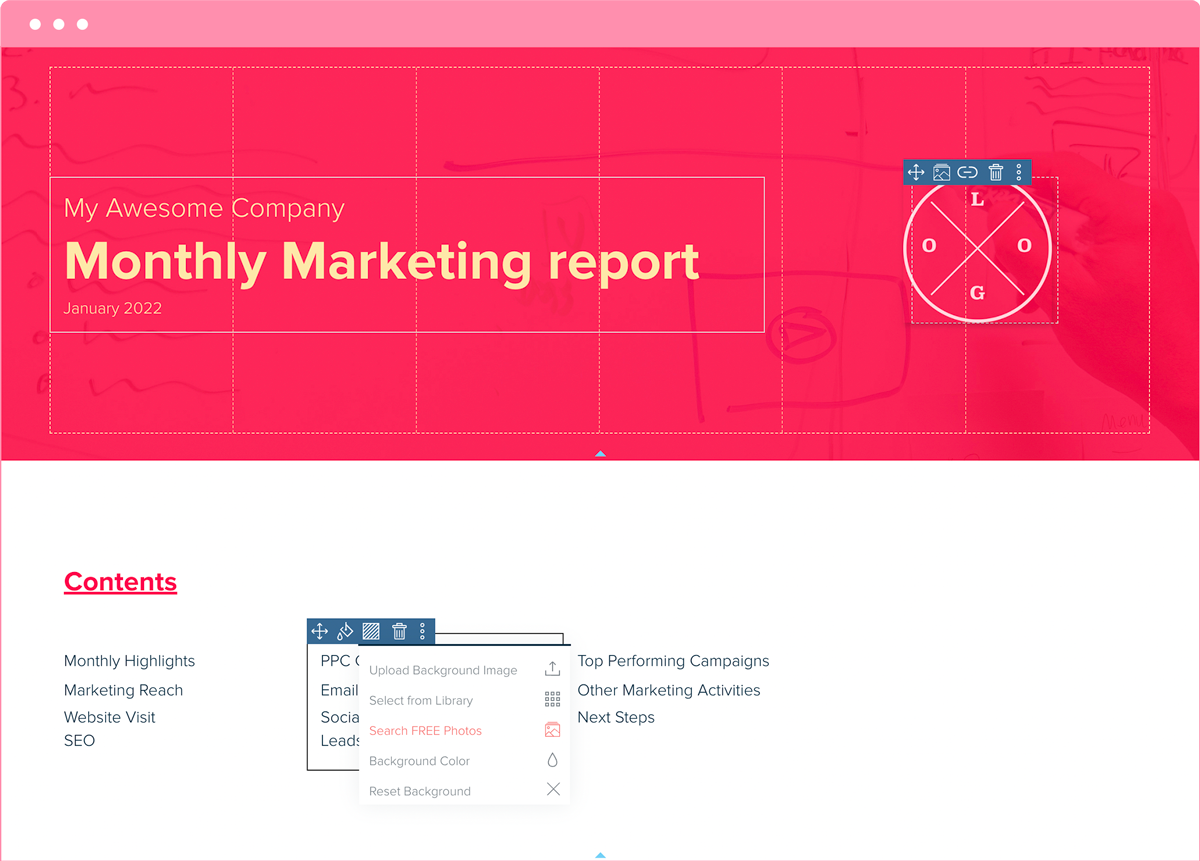
Next, create a section outlining the contents of your marketing report. The specific metrics you report on will depend on your marketing goals, but here are key items most marketing reports should include:
- Marketing Goals and KPIs
- SEO data and website visitors
- Email marketing data
- Paid ads and campaign (PPC) stats
- Leads and customers
- Social media analysis
- Key learnings and future strategies

QUICK TIP: Once you complete your changes, you can save a custom template to easily repurpose your work for your repeating marketing reports.
Highlight your monthly marketing accomplishments and main KPIs
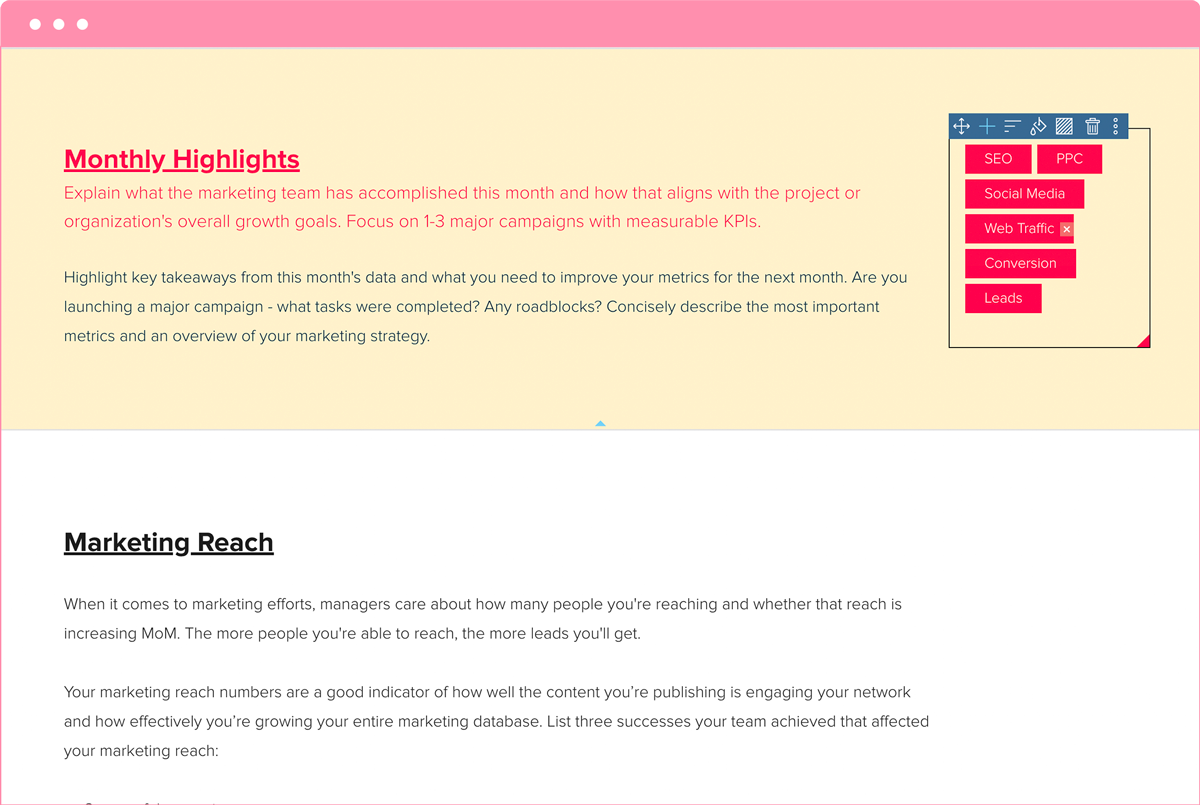
Explain what the marketing team has accomplished this month and how these achievements align with the project or organization’s overall growth goals. Highlight key takeaways from this month’s data and identify areas for improvement for the next month.
If you are launching a major campaign, describe the tasks completed and any roadblocks encountered. Provide a concise overview of the most important metrics and your marketing strategy.
Focus on metrics that report on your key performance indicators (KPIs). Concentrate on 1-3 major campaigns with measurable KPIs, which may vary depending on the report and the audience. If you are unsure about the core KPIs, ask for clarification. If there is no one to ask, recommend KPIs based on your client or company objectives and business goals, and seek agreement on these from the onset of the campaign.
Detail this month’s marketing reach
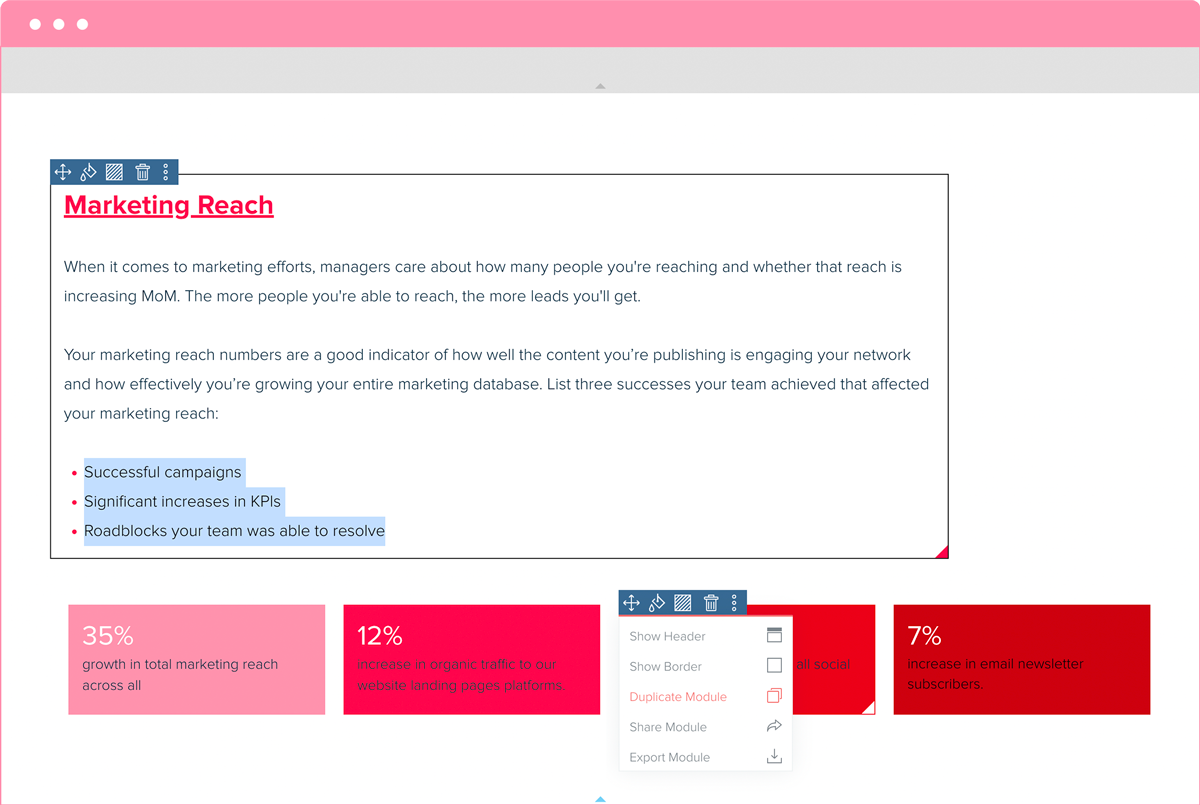
When it comes to marketing efforts, managers care about how many people you’re reaching and whether that reach is increasing month over month (MoM). The more people you reach, the more leads you’ll generate.
Your marketing reach metrics measure how well your content is engaging your audience and how effectively you’re developing your marketing database. Highlight three successes your team achieved that impacted your marketing reach:
- Successful campaigns
- Significant increases in KPIs
- Roadblocks your team resolved
KPIs are crucial for tracking growth and impact. Reflect on the KPIs set in the previous section and highlight key numbers related to your marketing reach, such as:
- Growth in total marketing reach across all platforms
- Increase in organic traffic to website landing pages
- Follower growth across all social media channels
- Increase in email newsletter subscribers
Track your website traffic
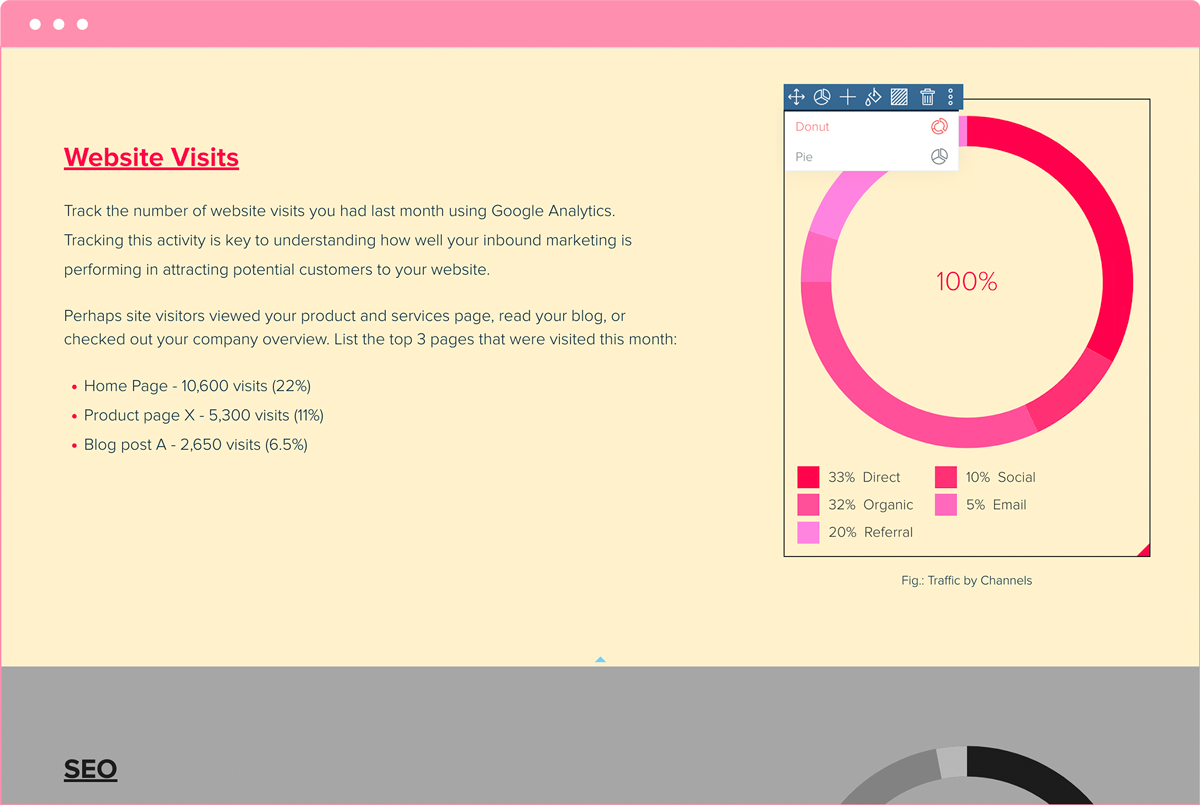
Using Google Analytics or another tracking tool, examine your website visitors. Tracking this activity is essential for understanding how well your inbound marketing is attracting potential customers to your site.
Identify the top 3 pages that were visited this month:
- Home Page – 10,600 visits (22%)
- Product Page X – 5,300 visits (11%)
- Blog Post A – 2,650 visits (6.5%)
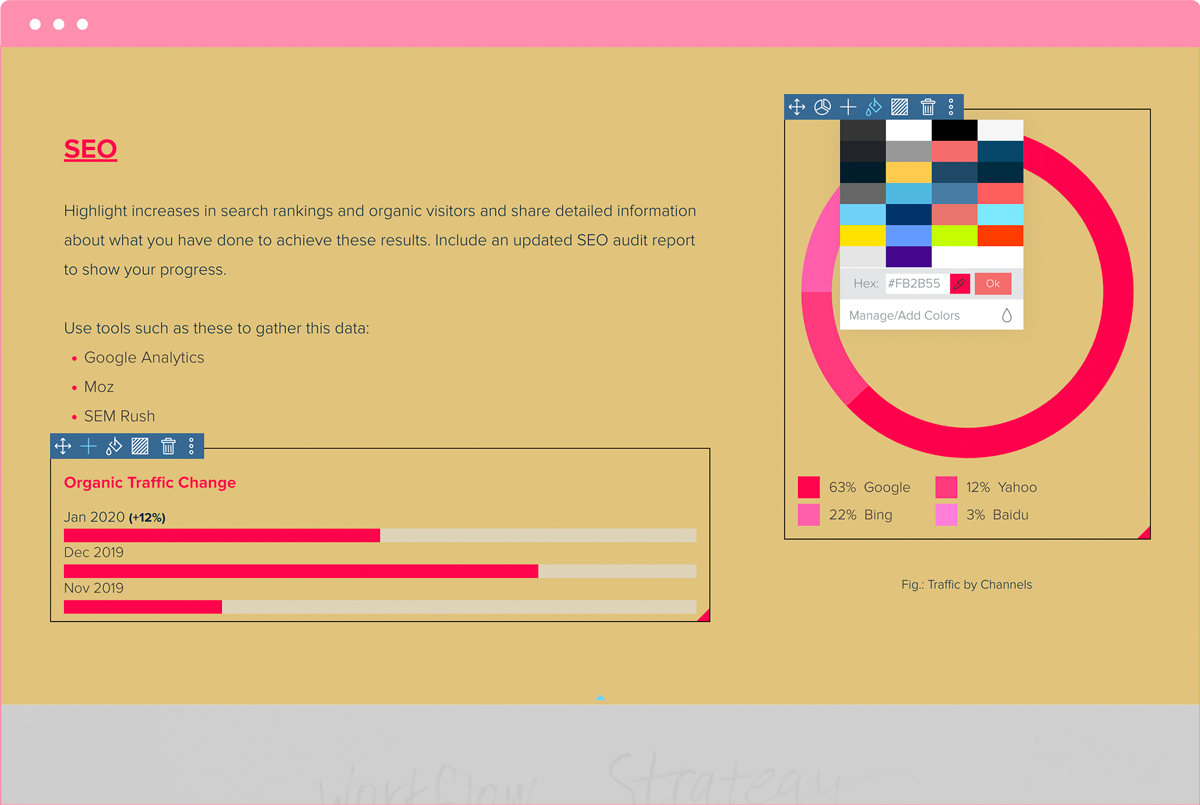
Highlight increases in SEO search ranking and organic visitors to your website
Share detailed information about what you have done to achieve these results. Use analytics tools such as these to gather this data:
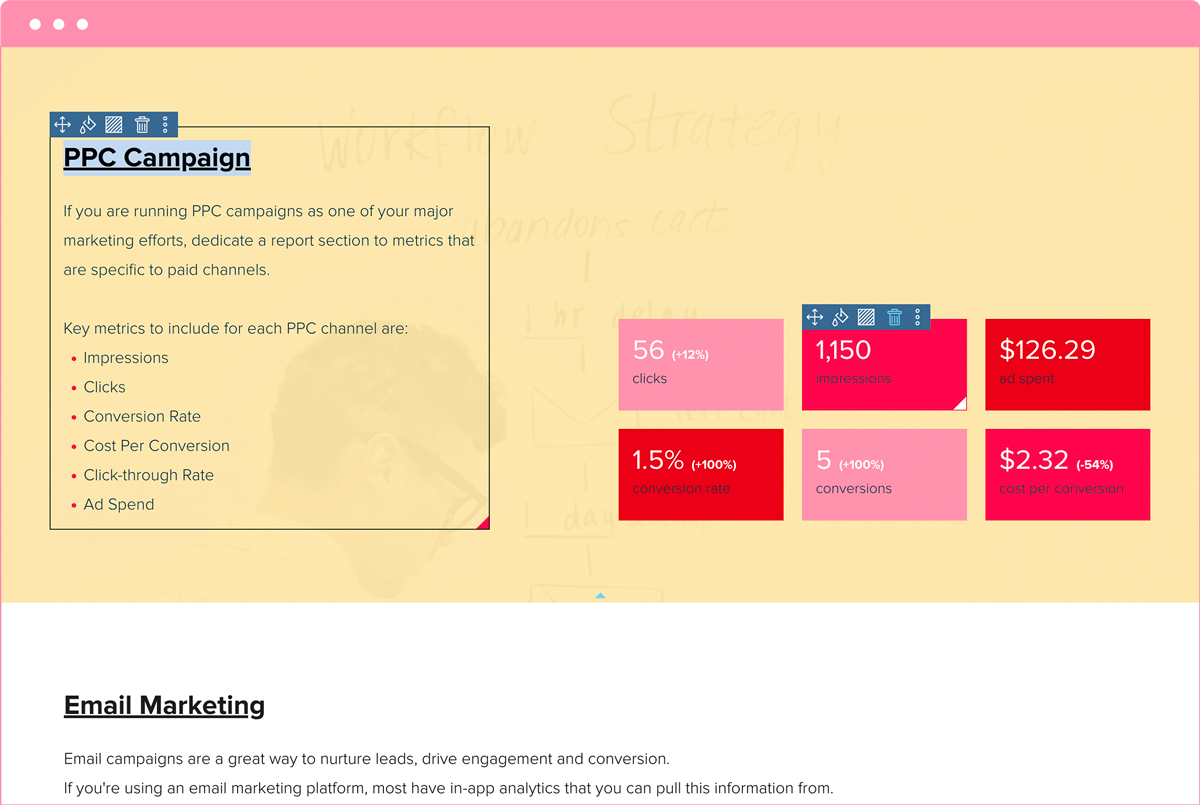
Dedicate a reporting section to paid channel metrics
If you are running PPC campaigns as one of your major marketing efforts, dedicate a report section to metrics specific to paid channels.
Key metrics to include for each PPC channel are:
- Impressions
- Clicks
- Conversion Rate
- Cost Per Conversion
- Click-through Rate
- Ad Spend
Use a pie chart or another chart/graph module to visualize your site traffic and segmentation.
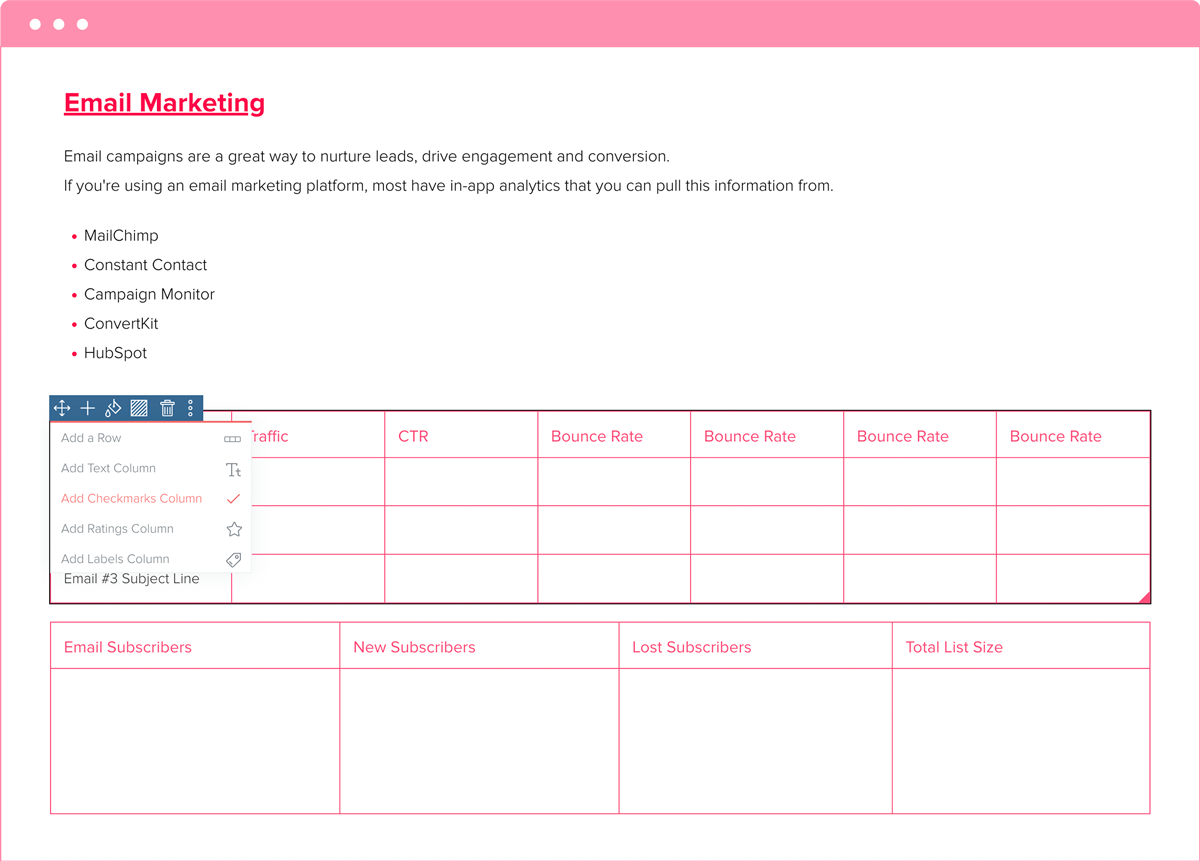
Pull email marketing data
If you’re using an email marketing platform, most offer in-app analytics to gather this information. These platforms might include:
Use a table to take a deep dive into your email marketing campaigns, including metrics such as email subject, traffic from each email, click-through rate (CTR), open rate, unsubscribes, conversions, and bounce rate. You can also outline the number of emails sent and other relevant data points to provide a comprehensive overview of your email marketing performance.
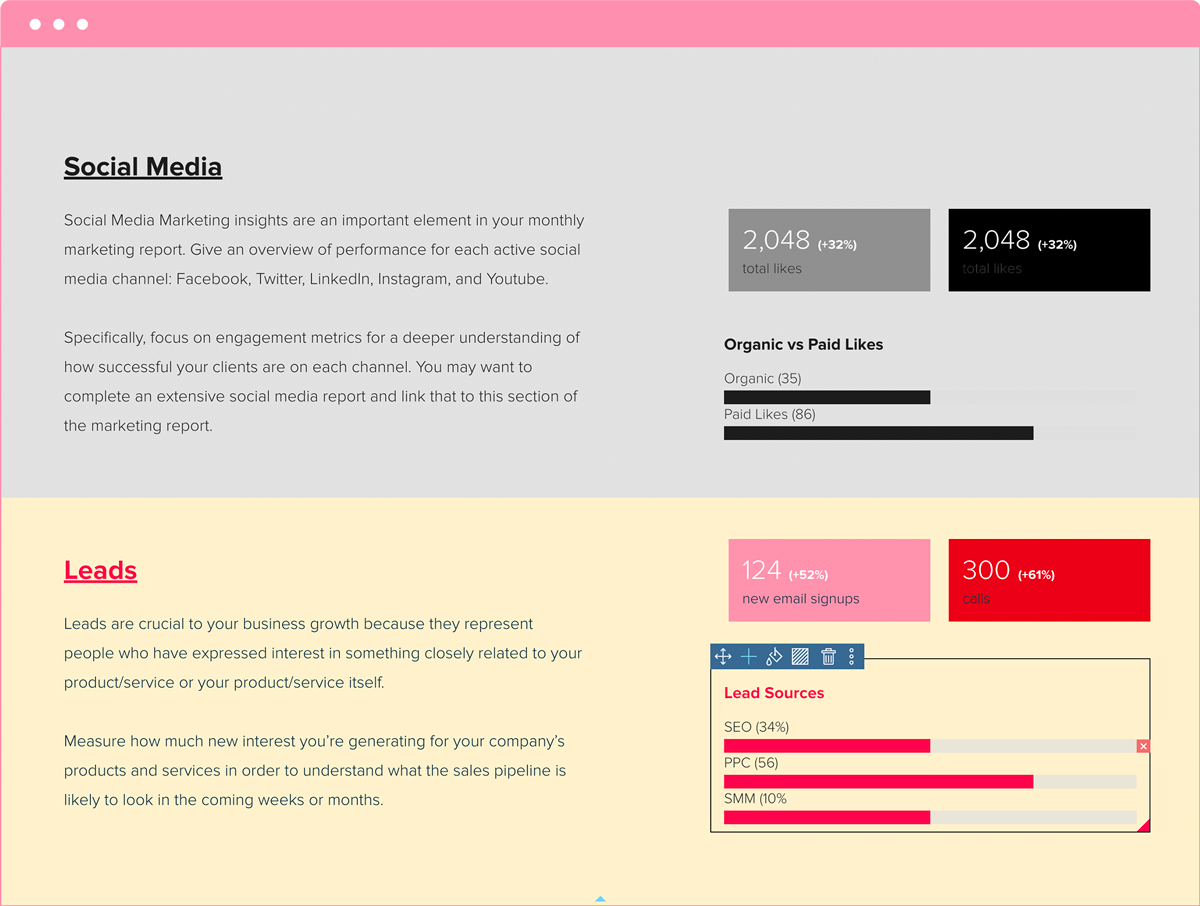
Measure how much new interest you’re generating
Leads are crucial to your business growth as they represent individuals who have expressed interest in your product, service, or related offerings.
Measure the amount of new interest generated for your company’s products and services to gauge the future sales pipeline. Understanding this will help you predict what the sales pipeline is likely to look like in the coming weeks or months.
Highlight top-performing marketing campaigns and any other marketing activities
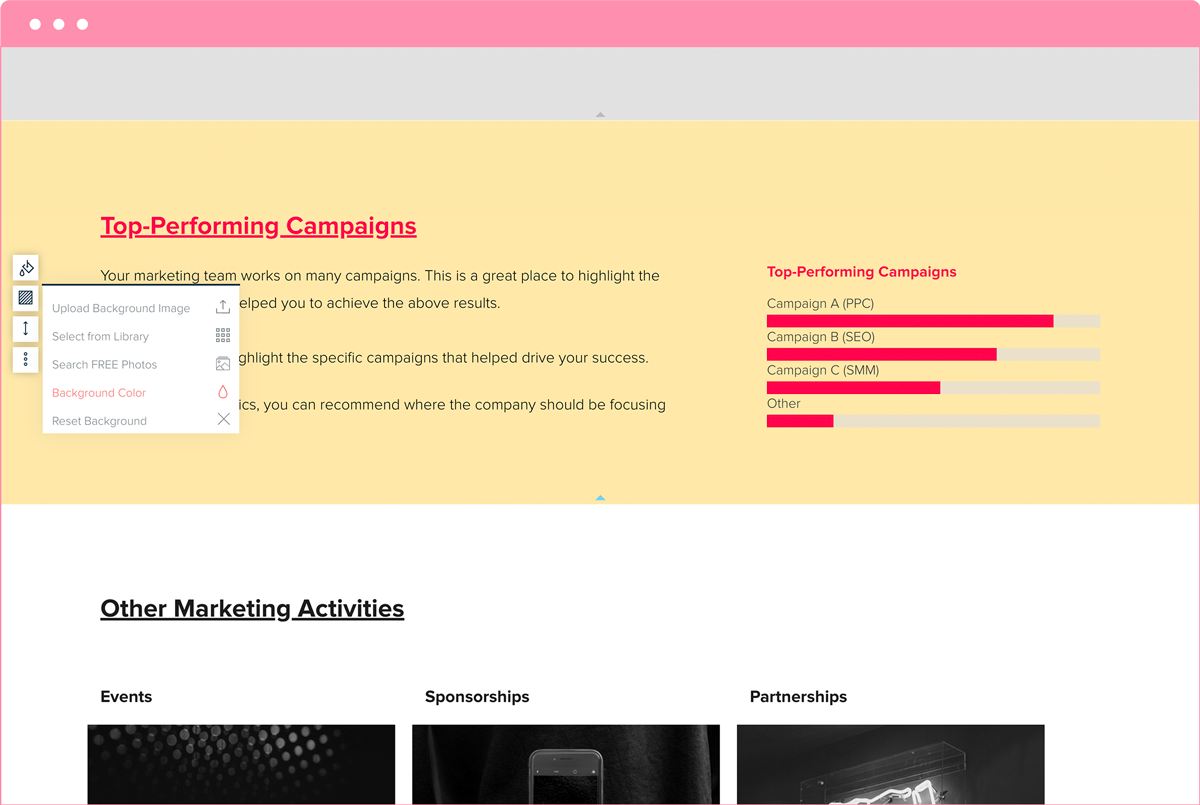
Your marketing team is involved in numerous campaigns. This section is an excellent spot to highlight the most successful campaigns that helped you reach the goals listed above.
Use this section to showcase the specific campaigns that drove your success. Based on these metrics, you can recommend where the company should focus next month.
Additionally, mention other marketing initiatives your team worked on:
- List any events you hosted or attended this month. Did your team conduct any surveys, create blog posts, or produce other marketing material for the event?
- Did your company sponsor any groups, trade events, or charity causes? How are these sponsorships impacting your marketing and sales efforts?
- Are there any partners you’re collaborating with? How are you working together to promote each other’s brands?
Summarize key findings and what this means for your brand or marketing strategy
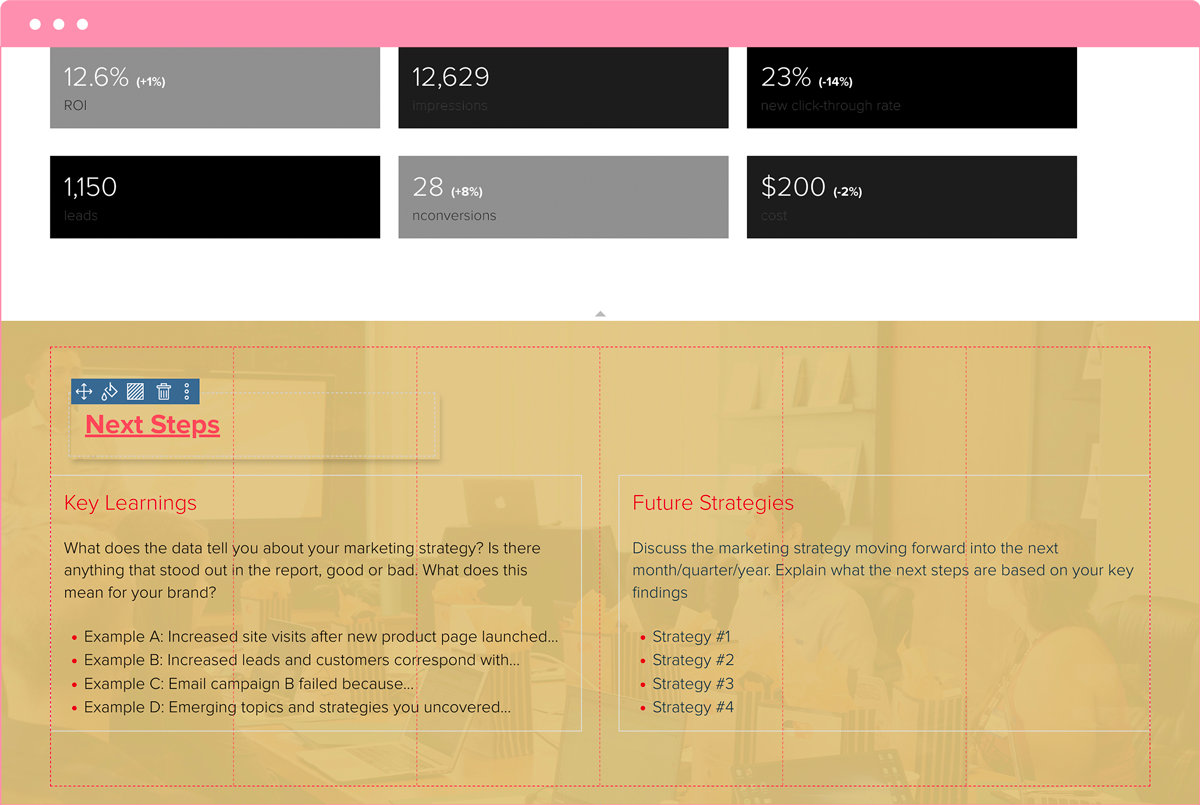
What does the data tell you about your marketing strategy? Identify any standout trends or insights, whether positive or negative, and consider what these mean for your brand.
For example:
- Example A: Increased site visits after the new product page is launched suggest strong interest in the new offering.
- Example B: Increased leads and customers correspond with the recent social media campaign, indicating its effectiveness.
- Example C: Email campaign B failed due to a low open rate, highlighting the need for improved subject lines or targeting.
- Example D: Emerging topics and strategies you uncovered can guide content creation and engagement efforts.
Discuss the marketing strategy for the next month, quarter, or year. Based on your key findings, explain the next steps and how you plan to adjust your approach to achieve better results.
Monthly marketing report vs dashboard vs campaign summary
Marketing teams produce several types of performance documents, and each serves a different purpose. Confusing them leads to misaligned expectations, where stakeholders expect a narrative and receive a data dump, or vice versa. Understanding the differences helps you choose the right format for every situation.
A monthly marketing report is a narrative document. It tells the story of what happened, why it happened, and what the team plans to do next. Reports include context, interpretation, and recommendations alongside the numbers. They are typically shared at the end of the month with leadership, clients, or cross-functional stakeholders who need to understand both progress and direction.
A marketing dashboard is a real-time or near-real-time data view. It pulls live metrics from tools like Google Analytics, HubSpot, or your ad platforms and displays them in charts and widgets. Dashboards are useful for day-to-day monitoring, but they rarely explain why a number moved or what the team should do about it. They answer “what is happening right now” but not “what does it mean.”
A campaign summary covers a single initiative from start to finish. It documents the goal, creative assets, targeting, budget, results, and lessons learned for one specific campaign. Unlike a monthly report, it is not time-bound to a calendar period. It is project-bound.
Here is a quick comparison:
| Attribute | Monthly Report | Dashboard | Campaign Summary |
|---|---|---|---|
| Timeframe | Calendar month | Real-time / rolling | Campaign duration |
| Format | Narrative + data | Charts and widgets | Post-mortem document |
| Primary audience | Leadership, clients | Internal team | Campaign owners |
| Update frequency | Monthly | Continuous | Once per campaign |
| Includes recommendations | Yes | No | Yes |
| Best for | Accountability and planning | Spotting anomalies early | Learning what worked |
The three formats work best together. Use the dashboard to monitor performance throughout the month, the monthly report to synthesize findings for stakeholders, and campaign summaries to capture detailed learnings from individual initiatives. In Xtensio, you can build all three as living documents in the same workspace, link them together, and share each as a live link with the right audience.
Key metrics to include in your monthly marketing report
The metrics you include depend on your business goals, your audience, and the channels you operate. Reporting every available number creates noise. Instead, organize metrics into four categories and select the ones that matter most for each reader.
Traffic metrics
Traffic metrics show how many people are reaching your website and where they come from. The core metrics in this category include total sessions, unique visitors, traffic by source (organic, paid, referral, direct, social), and landing page performance. Traffic metrics matter to almost every audience because they reflect the top of the funnel. Include month-over-month (MoM) comparisons and call out any significant changes in source mix.
Engagement metrics
Engagement metrics reveal whether visitors find your content relevant once they arrive. Track bounce rate, average time on page, pages per session, scroll depth, and social engagement (likes, shares, comments). High traffic with low engagement signals a mismatch between what you promise in your messaging and what people find on the page. For email, track open rate, click-through rate, and unsubscribe rate. For social, track engagement rate per post and per channel.
Lead metrics
Lead metrics connect marketing activity to pipeline. Report on marketing qualified leads (MQLs), sales qualified leads (SQLs), conversion rate by channel, cost per lead (CPL), and lead-to-customer conversion rate. Different stakeholders care about different cuts: a CMO wants total pipeline contribution, a VP of Marketing wants channel-level CPL, and team leads want campaign-level conversion rates. Segment accordingly.
Revenue metrics
Revenue metrics tie marketing effort to business outcomes. Include pipeline value influenced by marketing, attributed revenue (first-touch and multi-touch), customer acquisition cost (CAC), return on ad spend (ROAS), and marketing ROI. If your organization uses a specific attribution model, note it clearly so readers understand how credit is assigned. Revenue metrics are especially important for executive-level readers who need to justify marketing budget.
Choosing metrics for your audience: A report sent to the CEO should emphasize revenue metrics and high-level traffic trends. A report shared with the marketing team should go deeper into engagement and lead metrics by channel. A report delivered to a client should focus on the KPIs agreed upon in the statement of work. Build your Xtensio report template with sections for each category, then show or hide sections depending on who receives it.
Common monthly report mistakes
Even experienced marketing teams fall into reporting habits that reduce the impact of their monthly reports. Here are six mistakes to avoid.
1. Reporting vanity metrics without context. Page views, follower counts, and impressions look impressive but mean little on their own. A report that highlights “50,000 impressions” without connecting that number to leads, conversions, or revenue gives stakeholders no basis for decision-making. Always pair top-of-funnel numbers with downstream outcomes.
2. Presenting numbers without a narrative. A spreadsheet full of metrics is not a report. Stakeholders need to understand what happened, why it happened, and what the team recommends doing next. If your monthly report reads like a data export, it will be skimmed and forgotten. Write a clear summary at the top that tells the story in two or three sentences before the detailed sections begin.
3. Inconsistent formatting from month to month. When the structure of the report changes every month, it becomes difficult for readers to compare performance over time. They waste time figuring out where to find the information instead of focusing on what it means. Use a consistent template and section order. This is one of the strongest reasons to build your report in Xtensio: you create the structure once and reuse it every month.
4. Not comparing against targets. Reporting a 12% conversion rate is meaningless if the reader does not know whether the target was 8% or 20%. Every key metric should appear alongside its goal or benchmark so stakeholders can immediately see whether performance is on track. Include month-over-month and year-over-year comparisons where possible.
5. Burying insights at the bottom. Many reports put the executive summary last, after pages of channel-by-channel data. By that point, most readers have stopped paying attention. Lead with your most important findings. Put the “so what” at the top and the supporting detail below. Busy executives read the first page. Make it count.
6. Waiting until month-end to start gathering data. If you scramble to pull metrics on the last day of the month, you are likely to make errors, miss context, and produce a rushed report. Instead, set up your data sources early. Use dashboards to track metrics throughout the month, and take notes on key events (campaign launches, algorithm updates, PR coverage) as they happen. When month-end arrives, you are assembling a report from notes and context you already have, not starting from scratch.
How to make your marketing report a reusable template
Creating a great marketing report once is valuable. Creating a report structure you can reuse every month is far more valuable. A reusable template saves hours of formatting, ensures consistency, and lets your team focus on analysis instead of layout.
Build the structure first. Before filling in any data, set up your report skeleton in Xtensio. Define your sections (executive summary, traffic, engagement, leads, revenue, campaigns, next steps), apply your brand colors and logo, and arrange the layout with the modules you plan to use: text blocks for narrative, tables for data, charts for visualization, and image blocks for screenshots. Once the structure is right, save it as a custom template in your workspace.
Duplicate, do not overwrite. Each month, duplicate your template to create a fresh copy. This preserves your historical reports as a complete archive. Stakeholders and new team members can go back and read any previous month without digging through file systems or email threads. In Xtensio, duplicating a folio takes one click and carries over all sections, formatting, and branding.
Share as a live link. Instead of exporting a PDF and emailing it, share your Xtensio report as a live link. When you update the numbers, add commentary, or fix a typo, the changes appear instantly for everyone who has the link. No more emailing revised PDFs with “v2_final_FINAL” in the filename. Stakeholders always see the latest version. You can also add optional password protection if the report contains sensitive data.
Keep the conversation in one place. When stakeholders have questions, they can comment directly on the live report instead of sending separate emails. The discussion stays connected to the data it references. This is especially useful for agencies reporting to multiple clients, where each client has their own branded report and their own feedback loop.
Reuse across clients and projects. If you manage marketing for multiple clients or business units, your report template becomes a workspace asset. Customize the branding for each client, but keep the underlying section structure the same. This makes it easier for your team to produce consistent, professional reports at scale without rebuilding the layout every time. The report becomes a living document that evolves with your strategy, not a disposable file that gets buried in a downloads folder.
Written by


Create and deliver beautiful work, professionally.
Build, brand, and deliver living documents your clients actually engage with.







Join 411,389 professionals delivering work with Xtensio.
Related reports: Annual Report Template, Monthly Performance Report Template


Outline social media activity for each active channel
Social media marketing insights are an important element of your monthly marketing report. Provide an overview of performance for each active social media channel: Facebook, Twitter, LinkedIn, Instagram, and YouTube.
Focus on engagement metrics to understand how successful your clients are on each channel. Metrics to consider include likes, shares, comments, and overall engagement rate. Additionally, you could write a comprehensive social media report and link it to this section of the marketing report for more detailed analysis.